
A Google Ads landing page must deliver fast, ad-matched content on the same domain as your final URL and make the conversion action impossible to miss. Before you send a single dollar of paid traffic, run this three-point check:
- Domain match: The landing page URL and your ad’s final URL must share the same root domain. A mismatch triggers an automatic disapproval.
- Message match: The headline on your page should echo the exact language in your ad. If your ad says “Free HVAC Inspection,” your page should say the same, not “Schedule a Home Service Visit.”
- Load time: Target a fast Largest Contentful Paint (LCP) time on mobile. Anything slower bleeds conversions before a visitor even reads your headline.
The Google Ads destination requirements policy governs what makes a landing page compliant, and the Landing pages report inside your Google Ads account shows you performance data by URL so you can spot problems fast.
Pro Tip: Run the five-minute check above before launching any new campaign. Catching a domain mismatch or a slow LCP at this stage costs nothing. Catching it after you’ve spent $500 on clicks costs a lot more.
Key Takeaways
A compliant, high-converting Google Ads landing page requires domain match, message match, fast load time, accurate conversion tracking, and a structured testing program before you scale spend.
| Point | Details |
|---|---|
| Domain and message match | Your final URL domain must match your display URL, and your headline must echo your ad copy exactly. |
| Core Web Vitals targets | Aim for LCP under 2.5 seconds, INP under 200ms, and CLS under 0.1 on mobile. |
| Conversion tracking setup | Wire up a Google Ads conversion action and verify it fires on the thank-you page using Tag Assistant before scaling. |
| Landing pages report | Monitor Mobile-friendly click rate and Valid AMP click rate columns to catch mobile performance issues early. |
| Cosmicdigitalstudios | Builds custom Google Ads landing pages covering design, tracking setup, and A/B test configuration for coaches, consultants, and local service businesses. |
Table of Contents
- What Google Ads actually means by “landing page” (and the policies that get ads disapproved)
- Core elements every high-converting Google Ads landing page needs
- Technical and compliance checks you need to run before going live
- Mobile friendliness, page speed, and Core Web Vitals for paid traffic
- Tracking and measuring success: conversions, UTM tags, and the Landing pages report
- How to design and run A/B tests that actually move your conversion rate
- Seven landing page wireframe templates that convert paid traffic
- Common landing page problems and how to diagnose them fast
- How to set a landing page in Google Ads and verify it’s working
- How Cosmicdigitalstudios builds landing pages that lift conversions
- When to hire an agency vs. build landing pages in-house
- Cosmicdigitalstudios builds Google Ads landing pages that convert
- Sources
What Google Ads actually means by “landing page” (and the policies that get ads disapproved)
Google defines a landing page as the webpage a person reaches after clicking your ad. That page is tied directly to your ad’s final URL, and the domain of the landing page must match the domain shown in your display URL. This is not a suggestion; it is a hard policy requirement.
Destination mismatch is the most common disapproval cause. It happens when:
- The final URL domain differs from the display URL domain (e.g., display URL shows
example.combut the final URL sends users toshop.differentdomain.com). - A redirect chain moves the user to a different domain after the click.
- The page returns a 404 or is otherwise unreachable.
- AdsBot, Google’s crawler, is blocked by your
robots.txtfile and cannot verify the page. - JavaScript-only redirects are used, which AdsBot cannot follow.
Beyond destination matching, Google evaluates landing page experience as a component of Quality Score. The three factors Google checks are relevance (does the page content match the ad and keyword?), ease of navigation (is the page simple to use?), and the number of outbound links (too many links dilute focus and signal a poor user experience). A low landing page experience score raises your cost per click and lowers your ad position, even when your ad copy is strong.
Google’s optimization guidance specifically recommends matching landing pages to your ads and keywords, making pages mobile-friendly, and keeping navigation simple. These are not just UX best practices; they directly affect how much you pay per click.
Core elements every high-converting Google Ads landing page needs
The page that receives paid traffic has one job: convert. Every design and content decision should serve that single goal. Here is what the highest-performing pages consistently include.
Hero area and headline. Your headline is the first thing a visitor reads, and eyetracking research from Nielsen Norman Group confirms that people scan pages in predictable patterns, concentrating attention on the top-left and moving in an F-shape. Put your primary value proposition and CTA in the hero, above the fold, where attention is highest. The headline should mirror your ad copy word-for-word where possible. This message match is the single highest-impact change you can make to a paid landing page.
Above-the-fold clarity. One primary conversion action per page. Remove your site’s main navigation menu; it gives visitors an exit ramp before they convert. A single focused CTA button or form keeps attention where you need it.
Form best practices for US audiences:
- Ask for the minimum fields required to qualify the lead. Name and email is usually enough for a first touch.
- Add a one-line privacy note near the submit button (“We never sell your information”) to reduce friction for US visitors who are increasingly privacy-conscious.
- Use progressive profiling if you need more data: collect additional fields on the thank-you page or in a follow-up email sequence.
Trust signals. Testimonials, star ratings, case study blurbs, and industry certifications all reduce purchase anxiety. Place them near the CTA, not buried at the bottom. For paid traffic specifically, visitors arrive cold; they have no prior relationship with your brand. A short, specific testimonial (“Booked 12 new clients in 30 days”) does more work than a generic five-star rating.
Content mapping. Each ad group should ideally have its own landing page, or at minimum a page section that speaks directly to that ad’s keyword. If your ad targets “emergency plumber Chicago,” the page headline and first paragraph should use that phrase. This alignment improves both Ad Relevance and Landing Page Experience scores simultaneously.
For a high-converting coaching landing page, the same principles apply: one clear offer, a headline that matches the ad, and a form that asks for as little as possible upfront.
Quick format examples by objective:
- Lead generation: Headline + subhead + short form + one testimonial above the fold.
- E-commerce: Product image + price + benefit bullets + Add to Cart button + return policy note.
- Local service: Service area + phone number prominently placed + “Book Today” form + Google review count.
Technical and compliance checks you need to run before going live
Technical errors are silent conversion killers. They either trigger ad disapprovals or degrade user experience without leaving an obvious trace in your campaign data. Work through this list before any page goes live.
- Check your redirect chain. Every redirect between your final URL and the page the user lands on must stay on the same domain. Use
curl -I [your-url]in a terminal to inspect HTTP response codes. A 301 that crosses domains will cause a destination mismatch disapproval. - Verify AdsBot access. Open your
robots.txtfile (e.g.,yourdomain.com/robots.txt) and confirm there is noDisallowrule that blocksAdsBot-Google. If AdsBot cannot crawl your page, Google cannot verify it, and your ad will be disapproved. - Avoid JavaScript-only redirects. The Google Ads Test tool explicitly notes that it does not support JavaScript-only redirects. If your page relies on client-side JS to redirect users, replace it with a server-side 301.
- Set up tracking templates correctly. If you use ValueTrack parameters or third-party tracking in your tracking template, confirm the final URL is still reachable after the template appends its parameters. A malformed tracking template can break the destination entirely.
- Run the Google Ads Test tool. In your Google Ads account, navigate to a specific ad, click the three-dot menu, and select “Test this ad.” The tool checks whether your final URL is reachable and returns specific messages like “final URL mismatch,” “page not found,” or “landing page has additional parameters.”
Common error messages and quick fixes:
- “Final URL mismatch”: The domain in your final URL does not match your display URL. Update one to match the other.
- “Page not found”: The URL returns a 404. Fix the URL in the ad or redirect the broken page.
- “Landing page has additional parameters”: Your tracking template is appending parameters that conflict with the final URL. Review and simplify the template.
Pro Tip: After fixing any technical error, re-run the Test tool and also do a manual mobile browser check. The Test tool confirms reachability; a real device check confirms the page actually renders correctly for the users who will see it.
Mobile friendliness, page speed, and Core Web Vitals for paid traffic
Speed is not a nice-to-have for paid traffic. Every additional second of load time reduces the probability that a visitor converts. For pages receiving Google Ads clicks, mobile performance is the priority because the majority of search clicks in the US now come from mobile devices.
Google’s Core Web Vitals set the performance bar:
| Metric | Good | Needs Improvement | Poor |
|---|---|---|---|
| LCP (Largest Contentful Paint) | Under 2.5s | 2.5s–4.0s | Over 4.0s |
| INP (Interaction to Next Paint) | Under 200ms | 200ms–500ms | Over 500ms |
| CLS (Cumulative Layout Shift) | Under 0.1 | 0.1–0.25 | Over 0.25 |
The Landing pages report in Google Ads includes a Mobile-friendly click rate column and a Valid AMP click rate column. These tell you what percentage of your paid clicks are landing on a mobile-optimized or AMP-validated page. Low mobile-friendly click rates are a direct signal that you are wasting money on clicks that bounce.
Priority fixes, in order of impact:
- Hosting and TTFB. If your Time to First Byte is over 600ms, upgrade your hosting or add a CDN (Cloudflare, Fastly) before touching anything else. A slow server makes every other optimization irrelevant.
- Image compression. Convert images to WebP format and use
srcsetto serve appropriately sized images to mobile devices. Uncompressed hero images are the most common cause of a poor LCP score. - Defer noncritical JavaScript. Add
deferorasyncattributes to scripts that are not needed for the initial render. Third-party chat widgets and analytics scripts are common offenders. - Preconnect to critical resources. Add
<link rel="preconnect">tags for fonts and third-party domains your page loads from. This shaves 100–300ms off perceived load time.
Tools to use:
- PageSpeed Insights: Gives field data (real user experience) and lab data (Lighthouse audit) in one view. Start here.
- Lighthouse: Run it in Chrome DevTools for a detailed breakdown of every performance bottleneck.
- GTmetrix: Useful for waterfall analysis to see exactly which resources are slowing the page.
Tracking and measuring success: conversions, UTM tags, and the Landing pages report
You cannot optimize what you cannot measure. Before sending paid traffic, wire up conversion tracking and UTM parameters so every click is attributable.
-
Create a conversion action in Google Ads. Go to Tools > Measurement > Conversions, click the plus button, and choose your conversion type (website, phone call, app). For website conversions, you will install a Google tag (
gtag.js) or use Google Tag Manager to fire the conversion event when a user completes the desired action (form submit, purchase, call click). -
Link Google Ads to GA4. In your Google Ads account, go to Tools > Linked accounts > Google Analytics. Linking the accounts lets you import GA4 events as conversion actions and gives you richer audience data for remarketing.
-
Tag every paid URL with UTM parameters. Use the Campaign URL Builder from GA Dev Tools to construct and validate your UTM strings before adding them to your ads. A standard paid search UTM looks like this:
https://yourdomain.com/landing-page?utm_source=google&utm_medium=cpc&utm_campaign=spring-promo&utm_content=headline-a&utm_term=emergency+plumberOne caution: Google Ads auto-tagging (the
gclidparameter) and manual UTM tagging can conflict. If you use both, confirm in GA4 that sessions are attributed correctly and not double-counted. -
Monitor the Landing pages report. In Google Ads, go to Reports > Predefined reports > Landing pages. The columns to watch are:
| Column | What it tells you |
|---|---|
| Clicks | Volume of paid traffic to this URL |
| Impr. | How often ads linked to this URL were shown |
| CTR | Ad click-through rate; low CTR may signal ad/keyword mismatch |
| Mobile-friendly click rate | % of clicks landing on a mobile-optimized page |
| Valid AMP click rate | % of clicks landing on a validated AMP page |
- Verify tracking is firing. Use Google Tag Assistant (the Chrome extension) to confirm your conversion tag fires on the thank-you page. Cross-check with GA4’s real-time report and the debug view (
?gtm_debug=xappended to the URL) to confirm events are reaching GA4.
How to design and run A/B tests that actually move your conversion rate
Most A/B tests on paid landing pages fail not because the hypothesis was wrong but because the test was set up incorrectly. Here is a recipe that works.
The test recipe:
- Hypothesis first. Write it as: “Changing [element] from [control] to [variant] will increase [metric] because [reason].” If you cannot complete that sentence, you are not ready to test.
- One variable at a time. Change the headline, or the CTA copy, or the form length. Not all three. Multi-variable changes make it impossible to know what drove the result.
- Set a minimum sample size before you start. A common mistake is stopping a test when one variant looks better after 50 conversions. Use a sample size calculator (Evan Miller’s is widely used) and commit to running the test until you hit that number.
- Isolate paid traffic. Use URL parameters to separate paid visitors from organic. Send Google Ads traffic to
/landing-page?source=paidand keep organic traffic on the canonical URL. This prevents organic behavior from diluting your paid test results.
High-priority test ideas, in order of expected impact:
- Headline (message match vs. benefit-led vs. question-based)
- CTA button copy (“Get My Free Quote” vs. “Book a Call” vs. “Start Today”)
- Form length (3 fields vs. 6 fields)
- Hero image (person vs. product vs. abstract)
- Social proof format (star rating vs. named testimonial vs. case study stat)
Pro Tip: Fix technical performance before running creative tests. A slow page biases every A/B test because heavier variants load slower, and slower pages convert worse regardless of the creative. Resolve your Core Web Vitals issues first, then test.
For builder-based workflows, Unbounce is widely used among paid traffic teams for its built-in A/B testing and publishing workflow. For simpler, low-budget use cases, Google Sites provides a drag-and-drop option that integrates with Google Ads without requiring a developer. The right tool depends on your traffic volume and testing velocity.
Common testing mistakes to avoid:
- Stopping the test early because one variant looks better.
- Running tests during seasonal anomalies (holidays, sales events) that skew behavior.
- Changing the page mid-test, which invalidates all data collected before the change.
- Ignoring secondary metrics (bounce rate, time on page) that explain why a variant won or lost.
Seven landing page wireframe templates that convert paid traffic
These wireframes are structured for Google Ads traffic specifically, where visitors arrive with high intent and low patience. Each layout maps to a common paid objective. The Nielsen Norman Group’s eyetracking research supports placing the headline and CTA in the top-left hero area, where attention concentrates first.
For more high-converting landing page examples across coaching and service niches, the patterns below hold consistently.
-
Lead magnet. Headline: “[Specific outcome] in [timeframe].” Subhead: One sentence on what they get. CTA: “Download Free Guide.” Trust: “Trusted by 2,000+ marketers.” Secondary: Three bullet benefits.
-
Demo booking. Headline: “See [Product] in action — 20-minute live demo.” Subhead: “No sales pressure. Just answers.” CTA: Calendar embed. Trust: Company logos of current customers. Secondary: Three FAQ items addressing objections.
-
E-commerce single product. Headline: Product name + primary benefit. Subhead: Price and shipping note. CTA: “Add to Cart.” Trust: Star rating count + return policy. Secondary: Three feature bullets with icons.
-
Quick purchase. Headline: Offer name + urgency note. Subhead: What is included. CTA: “Buy Now — $[price].” Trust: Secure checkout badge + money-back guarantee. Secondary: Short testimonial.
-
Local service booking. Headline: “[Service] in [City] — Available Today.” Subhead: Phone number in large type. CTA: “Book Online” form (name, phone, zip). Trust: Google review count and star rating. Secondary: Service area map or list.
-
Consultation sign-up. Headline: “Get a free [X]-minute [consultation type].” Subhead: What they will walk away with. CTA: Short form (name, email, one qualifying question). Trust: Headshot + credentials of the consultant. Secondary: “What happens next” three-step process.
-
Newsletter-to-paid funnel. Headline: “Join [X] subscribers getting [specific insight] weekly.” Subhead: What the newsletter covers. CTA: Email field + “Subscribe Free.” Trust: Subscriber count or media mentions. Secondary: Sample issue preview.
Visual accessibility notes: Button contrast ratio should meet WCAG AA (4.5:1 minimum). On mobile, CTA buttons need a minimum tap target of 44×44 pixels. These are not optional for paid traffic; a button that is hard to tap on a phone directly reduces your mobile conversion rate.
Common landing page problems and how to diagnose them fast
When your campaign data looks off, the problem is almost always one of three things: relevance, technical, or tracking. Work through this diagnostic flow.
-
High CTR, low conversions. Your ad is compelling but the page is not delivering on the promise. Check message match first: does the landing page headline echo the ad copy? Then check form friction: how many fields are you asking for? Reduce to the minimum. Finally, check if the CTA is above the fold on mobile.
-
Clicks are dropping. This usually signals a page speed or mobile-friendliness problem. Run a Lighthouse audit and check the Mobile-friendly click rate in the Landing pages report. If the page is slow or not rendering correctly on mobile, fix that before adjusting bids or ad copy.
-
Landing pages report shows errors. Run the Google Ads Test tool on the affected URL. Common outputs and fixes:
- “Final URL mismatch”: Update the display URL or final URL so domains match.
- “Page not found”: Fix the broken URL or set up a proper 301 redirect.
- “Landing page has additional parameters”: Simplify your tracking template.
-
Conversion tracking shows zero conversions. Open Tag Assistant and visit the thank-you page. If the conversion tag is not firing, check that the trigger in Google Tag Manager is set to the correct page path. Also confirm the conversion action in Google Ads is set to “Every conversion” (not “One per click”) if you expect multiple conversions per session.
-
Quality Score is low despite good ad copy. Low Quality Score with strong CTR almost always points to a landing page experience problem. Review the page for keyword relevance, navigation complexity, and load time. Google’s guidance is explicit: matching landing pages to ads and keywords is the primary lever for improving landing page experience scores.
How to set a landing page in Google Ads and verify it’s working
These are the exact account steps to add or change a final URL, run the landing page test, and clear the most common errors.
-
Set the final URL at the ad level. In your Google Ads account, navigate to Campaigns > Ad groups > Ads. Click the pencil icon on the ad you want to edit. The “Final URL” field is where you enter the destination page URL. This must share the same domain as your display URL.
-
Use upgraded URLs for tracking. If you use ValueTrack parameters, add them to the Tracking template field, not the Final URL. The Final URL should be the clean destination. Example tracking template:
{lpurl}?utm_source=google&utm_medium=cpc&utm_campaign={campaignid}. -
Run the landing page test. Click the three-dot menu next to any ad and select “Test this ad.” The Google Ads Test tool will check whether the final URL is reachable and return a status message. Note that this tool checks reachability only; it does not check for policy violations.
-
Interpret the test results. Common messages and what to do:
- “Your landing page is working”: The URL is reachable and the domain matches. Proceed.
- “Final URL mismatch”: Domain conflict between final URL and display URL. Fix the URL.
- “Page not found”: 404 error. Fix the URL or set up a redirect.
- “Landing page has additional parameters”: Tracking template is appending parameters that conflict. Simplify the template.
-
Clear destination mismatch issues with this checklist:
- Confirm the root domain in the final URL matches the display URL exactly (including subdomain if used).
- Check that no redirect in the chain crosses to a different domain.
- Verify AdsBot is not blocked in
robots.txt. - Remove JavaScript-only redirects and replace with server-side 301s.
- Re-run the Test tool after each fix.
- Verify AdsBot is not blocked in
How Cosmicdigitalstudios builds landing pages that lift conversions
The Cosmicdigitalstudios process is built around one principle: paid traffic is expensive, so every element of the page has to earn its place. Here is the workflow the team uses for every build.
The build process:
- Discovery. Map the client’s offer, target audience, and the specific Google Ads campaign the page will support. Define the single conversion action before any design work starts.
- Messaging map. Write the headline, subhead, and CTA copy first, before wireframing. Message match starts here, not in the design phase.
- Low-fidelity wireframe. A simple sketch or Figma wireframe that places every element in its correct position: hero, CTA, trust signals, secondary content. This is reviewed and approved before any development begins.
- Fast prototype. Build a functional page on a staging environment. Run Lighthouse and PageSpeed Insights at this stage, not after launch.
- Paid-traffic testing. Send a small test budget to the page before scaling. Monitor the Landing pages report for mobile-friendly click rate and check conversion tag firing in Tag Assistant.
- Iterative optimization. After the baseline is established, run structured A/B tests: headline first, then CTA, then form length. Each test runs to a predetermined sample size.
Anonymized outcomes from client builds:
One local service client saw a significant reduction in cost per lead after the team shortened the contact form from seven fields to three and moved the phone number above the fold. A coaching client’s page saw a meaningful lift in consultation bookings after the headline was rewritten to mirror the exact ad copy driving traffic to the page. In both cases, the fix was not a redesign; it was a targeted change to one element at a time.
Practical templates the team uses:
- Wireframe checklist (hero, CTA, trust signal, form, secondary content)
- Testing plan (hypothesis, variable, metric, sample size, duration)
- CRO priority list (message match > speed > CTA clarity > social proof > form length)
For a step-by-step look at how this process applies to coaching businesses specifically, the coaching website build guide walks through each phase in detail.
Pro Tip: The CRO priority order from COREPPC aligns exactly with the Cosmicdigitalstudios process: fix message match first, then speed, then CTA clarity. Clients who try to test creative before fixing these fundamentals consistently see inconclusive results.
When to hire an agency vs. build landing pages in-house
Three questions determine whether you should build your Google Ads landing pages internally or bring in an agency.
Question 1: What is your monthly paid traffic volume?
At lower monthly Google Ads spend levels, such as a few thousand dollars, the cost of an agency engagement may outweigh the conversion lift. Above a higher spend threshold, investing in professional help for conversion rate improvements becomes more financially justifiable.
Question 2: Do you have the technical skills in-house?
Server-side tracking, parallel tracking setup, custom event wiring in GA4, and redirect chain management all require developer-level access. If your team cannot confidently run a curl command or edit a robots.txt file, the technical sections of this article will be difficult to execute without help. Agencies that specialize in paid traffic funnels handle this infrastructure as a standard deliverable.
Question 3: How fast do you need to iterate?
An internal team building their first landing page will typically take two to four weeks from brief to live page. An experienced agency with established templates and a testing workflow can compress that to days. If you are running time-sensitive campaigns (product launches, seasonal promotions), speed of iteration matters as much as quality of execution.
Scenarios where an agency accelerates results:
- Complex multi-step funnels with conditional logic and CRM integration.
- Server-side tracking requirements for privacy-compliant conversion measurement.
- Multi-variant testing programs that require statistical rigor and dedicated tooling.
- Clients who need a landing page and a full Google Ads campaign setup simultaneously.
An agency engagement typically delivers a complete page, a testing plan, and a tracking setup as the initial deliverable. Internal builds often deliver the page but skip the testing plan and tracking verification, which means the first round of optimization data is unreliable.
If you are unsure whether you need a full landing page or a complete website, the landing page vs. website comparison lays out the decision clearly.
Cosmicdigitalstudios builds Google Ads landing pages that convert
If you are running paid campaigns and your landing page is not pulling its weight, the problem is almost never the ad. It is the page.
Cosmicdigitalstudios builds custom-designed, conversion-focused landing pages specifically for Google Ads campaigns. The service covers everything from messaging and wireframing to technical setup, conversion tracking wiring, and A/B test configuration. Every page is built fast, matched to your ad copy, and verified against Google’s destination requirements before a single dollar of paid traffic hits it.
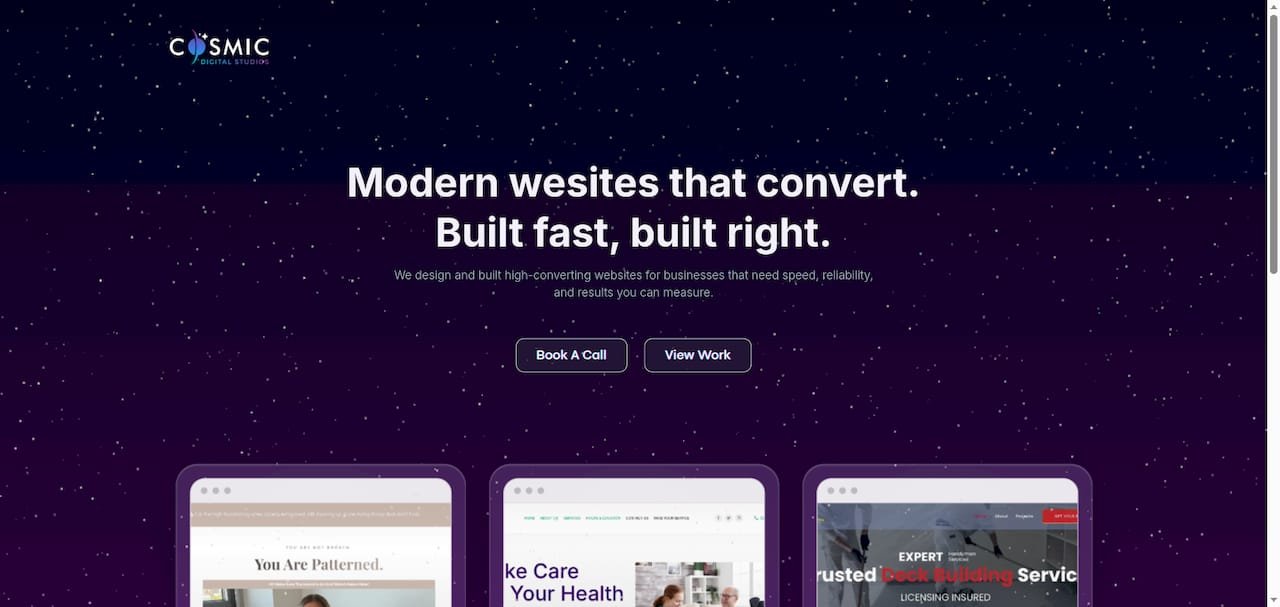
The team works with coaches, consultants, and local service businesses who need pages that perform, not just pages that look good. If you want a landing page that is compliant, fast, and built to convert paid traffic from day one, start with a discovery call at Cosmicdigitalstudios to get a clear scope and timeline for your build.
Sources
Official Google Ads Help pages:
- Landing page – Google Ads Help
- Optimize your ads and landing pages – Google Ads Help
- Test your landing page – Google Ads Help
- How people read on the web — eyetracking evidence | Nielsen Norman Group
Performance and CRO tools:
CRO and reading pattern references: