
A sitemap is a file that lists your website’s URLs and tells search engines which pages exist, how they relate to each other, and when they were last updated. Think of it as a direct line of communication between your site and Google. According to Google Search Central, a single XML sitemap can hold up to 50,000 URLs and must stay under 50MiB uncompressed. Sites that exceed those limits use a sitemap index file that points to multiple individual sitemaps.
Here is the short version of what you need to know:
- A sitemap speeds up page discovery, especially for new sites or pages that aren’t well linked internally.
- It supports rich metadata for images, videos, and news articles so search engines can index that content properly.
- Submitting your sitemap through Google Search Console gives you visibility into crawl errors and indexing status.
- A sitemap is a signal to search engines, not a guarantee of indexing. Quality and canonical structure still decide whether a page gets indexed.
- The Sitemaps protocol at sitemaps.org defines the XML standard that Google, Bing, and other major search engines all support.
Table of Contents
- What types of sitemaps should you know about?
- How do sitemaps actually help search engines find and index your pages?
- Does your site actually need a sitemap?
- How to create, place, and submit your sitemap
- Sitemap best practices and the mistakes that hurt your SEO
- Technical limits, common errors, and how to fix them
- How Cosmicdigitalstudios approaches sitemaps for small business sites
- Key Takeaways
- Why sitemaps are worth getting right the first time
- Your site structure and sitemap, built to convert
- Useful resources for building and validating sitemaps
What types of sitemaps should you know about?
Not every sitemap serves the same purpose. There are six types you’ll encounter in practice, and choosing the right one depends on your content and your goals.
XML sitemaps are the workhorse. They’re built for search engine crawlers, not human visitors, and they list URLs alongside metadata like last-modified date and change frequency. This is the format sitemaps.org defines and the one Google primarily uses.
HTML sitemaps are user-facing pages that list your site’s content in a readable, hierarchical format. They help visitors find deep pages that navigation menus don’t surface easily. Treat them as a UX tool rather than an SEO shortcut.
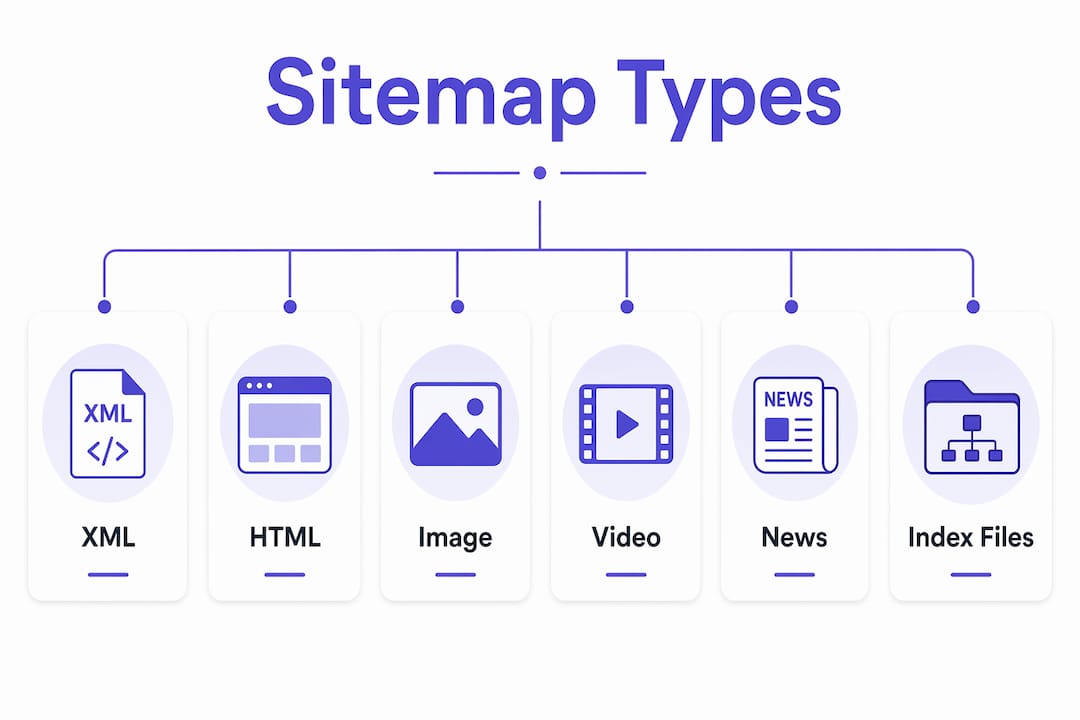
Image sitemaps extend a standard XML sitemap with image-specific tags, letting you tell Google about images that might otherwise be missed, especially those loaded via JavaScript or CSS.

Video sitemaps work the same way but for video content. You can include metadata like running time, description, and thumbnail URL so Google can feature your video in rich results.
News sitemaps are for publishers. They flag recently published articles (within the last 48 hours) for Google News indexing and include publication name and date.
Sitemap index files aren’t a content type but a structural tool. When your site exceeds 50,000 URLs or the 50MiB file limit, you create an index file that points to multiple child sitemaps, each covering a section of your site.
Visual sitemaps are planning documents, not files you submit to search engines. Design teams use tools like Milanote to map user flows and information architecture before a single line of code is written.
| Sitemap Type | Best for | Who benefits | CMS/tool support |
|---|---|---|---|
| XML | Search engine discovery | SEO, all sites | WordPress/Yoast, most CMS platforms |
| HTML | User navigation | Visitors, UX | Any CMS, hand-coded |
| Image | Media-heavy pages | Photography, e-commerce | XML extension, Yoast |
| Video | Video content | Publishers, course sites | XML extension |
| News | Timely articles | News publishers | Google News plugin |
| Sitemap index | Large sites (50k+ URLs) | Enterprise, large blogs | CMS or manual |
| Visual | Site planning | Designers, strategists | Milanote, Figma, Whimsical |
How do sitemaps actually help search engines find and index your pages?
Sitemaps speed up discovery and guide crawlers to pages they might otherwise miss. They do not guarantee indexing. That distinction matters because many site owners submit a sitemap and then wonder why certain pages still aren’t showing up in Google.
The metadata inside an XML sitemap gives crawlers useful signals:
lastmodtells Google when a page was last changed. Google uses this to prioritize recrawling updated content.changefreqsuggests how often a page changes. Google treats this as a hint, not a directive.prioritysignals relative importance within your site, on a scale from 0.0 to 1.0. Again, a hint.hreflang(used in XML sitemaps for multilingual sites) tells Google which language version to serve to which audience.- Image and video tags surface media metadata that crawlers can’t always extract from page code alone, per Google’s documentation on media sitemaps.
Here is what a minimal XML sitemap URL entry looks like:
<?xml version="1.0" encoding="UTF-8"?>
<urlset xmlns="http://www.sitemaps.org/schemas/sitemap/0.9">
  <url>
    <loc>https://example.com/services/</loc>
    <lastmod>2025-11-01</lastmod>
    <changefreq>monthly</changefreq>
    <priority>0.8</priority>
  </url>
</urlset>
Google Search Central states: “You can use a sitemap to provide Google with information about your site’s pages, videos, and other files, and the relationships between them. Search engines like Google read this file to crawl your site more efficiently. A sitemap tells Google which pages and files you think are important in your site, and also provides valuable information about these files: for example, for pages, when the page was last updated, how often the page is changed, and any alternate language versions of a page.”
A sitemap complements your internal linking strategy rather than replacing it. Google still relies on link signals and content quality to decide what gets indexed.
Does your site actually need a sitemap?
Many sites benefit from a sitemap, but not every site strictly needs one. A small, well-linked brochure site with five pages that are all reachable from the homepage will likely get crawled fine without one. The question is whether your site has characteristics that make discovery harder.
You almost certainly need a sitemap if:
- Your site is new and has little to no external link authority.
- You have pages that aren’t linked from other pages (orphaned pages).
- Your site is large, with many URLs.
- You publish media content (images, videos, news articles) you want indexed.
- Your site is multilingual and uses hreflang tags.
- You’ve recently done a major redesign or URL restructure.
A sitemap is optional if:
- Your site has fewer than a few dozen pages, all reachable through clear navigation.
- Every page is well linked internally and externally.
- You’re running a simple static site with no media or dynamic content.
According to Google Search Central, sitemaps materially improve discovery speed for new content and pages that are otherwise hard for crawlers to find.
Quick decision checklist:
- Does your site have more than 100 pages? If yes, create a sitemap.
- Do you have pages not linked from your main navigation or other pages? If yes, create a sitemap.
- Do you publish images, videos, or news content? If yes, create a sitemap with media extensions.
- Is your site new? If yes, create and submit a sitemap immediately.
- Is your site a small, static brochure site with strong internal links? A sitemap is still a good idea, but it’s lower priority.
How to create, place, and submit your sitemap
The modern workflow is straightforward: generate your sitemap, host it at your root directory, reference it in robots.txt, and submit it to Google Search Console.

Step 1: Generate your sitemap
Your generation method depends on your platform:
- WordPress with Yoast SEO: Yoast automatically generates and updates an XML sitemap at
yoursite.com/sitemap_index.xml. No manual work required after setup. - Other CMS platforms: Most modern platforms (Squarespace, Wix, Shopify) generate sitemaps automatically. Check your platform’s documentation for the URL.
- Custom or static sites: Use an online generator or build the XML file manually following the sitemaps.org schema. Screaming Frog SEO Spider can crawl your site and export a sitemap file.
Step 2: Place and reference it
Host your sitemap at the root of your domain: https://yoursite.com/sitemap.xml. Add this line to your robots.txt file so crawlers find it automatically:
Sitemap: https://yoursite.com/sitemap.xml
Step 3: Validate it
Before submitting, confirm your sitemap is well-formed XML, uses UTF-8 encoding, lists only canonical URLs, and excludes any noindexed pages. You can paste the sitemap URL into Google Search Console’s sitemap tool for a quick parse check.
Step 4: Submit to Google Search Console
In Google Search Console, go to Sitemaps under the Index section, enter your sitemap URL, and click Submit. Search Console will show you how many URLs were submitted versus how many were indexed, plus any errors.
Pro Tip: After a major site update or URL restructure, resubmit your sitemap in Search Console and use the URL Inspection tool to request indexing for your most important pages.
Sitemap best practices and the mistakes that hurt your SEO
Getting a sitemap live is step one. Getting it right is what actually moves the needle.
Do this:
- Include only canonical, indexable pages. Every URL in your sitemap should return a 200 status code and have no
noindexdirective. - Keep your sitemap updated. Stale entries with outdated
lastmoddates reduce the signal quality of your file. - Point to final canonical URLs, not redirected versions. A URL that 301-redirects to another page wastes crawl budget.
- Split large sitemaps using a sitemap index file when you hit the 50,000 URL or 50MiB limit.
- Reference your sitemap in
robots.txtso all crawlers find it, not just Google.
Avoid these mistakes:
- Listing noindexed pages. If a page has a
noindextag, remove it from your sitemap. Including it sends conflicting signals to crawlers. - Including paginated parameter variants or session ID URLs (e.g.,
?page=2&sessionid=abc). These confuse crawlers and dilute your crawl budget. - Adding search results pages or thin tag/category archives with little unique content.
- Submitting duplicate URLs for the same content (HTTP vs. HTTPS, trailing slash vs. no trailing slash).
Following canonical best practices means your sitemap reinforces your site’s structure rather than contradicting it.
Technical limits, common errors, and how to fix them
Every sitemap has hard limits. Exceed them and your file either fails to parse or gets partially ignored.
| Limit / Error | Detail | Fix |
|---|---|---|
| Max URLs per sitemap | 50,000 URLs | Use a sitemap index file |
| Max file size | 50MiB uncompressed | Split into multiple sitemaps |
| File encoding | Must be UTF-8 | Re-export or re-save with UTF-8 encoding |
| Compression | .gz compression allowed | Compress and update the sitemap URL reference |
| Malformed XML | Missing tags, bad characters | Validate with an XML validator or Search Console |
| Unreachable URLs | 404 or 5xx responses | Remove from sitemap or fix the page |
| Blocked by robots.txt | Crawler can’t access the URL | Update robots.txt to allow the page |
| Canonical mismatch | Sitemap URL differs from canonical tag | Align sitemap URL with the canonical tag on the page |
| Noindexed pages | Page has noindex but is in sitemap |
Remove from sitemap |
Troubleshooting steps when Search Console reports errors:
- Validate your XML using an online XML validator or the Search Console sitemap report.
- Test individual URLs with the URL Inspection tool in Search Console to check their index status and canonical.
- Confirm every listed URL returns a 200 HTTP response. A 301 or 404 means the sitemap entry needs updating.
- Check that your
robots.txtdoesn’t block the sitemap file itself or the pages it lists. - Verify canonical tags on each page match the URL in the sitemap exactly, including protocol and trailing slash.
- Resubmit the corrected sitemap in Search Console and monitor the coverage report over the next few days.
How Cosmicdigitalstudios approaches sitemaps for small business sites
For coaches, consultants, and local service businesses, the sitemap strategy is simple: prioritize the pages that generate leads, not every page that exists on your site.
A sitemap is a signal about what matters on your site. If you fill it with thin tag archives, duplicate service area pages, and thank-you page variants, you’re telling Google that those pages are important. They’re not.
What to include:
- Your core service pages (one canonical URL per service)
- Key landing pages built to capture leads or book calls
- Your homepage and main about/contact pages
- Blog posts or resources that target specific search queries
- Any images or videos you want indexed in Google’s media results
What to exclude:
- Noindexed pages and thank-you confirmation pages
- Paginated blog archives and tag/category pages with thin content
- Any page with a canonical tag pointing to a different URL
- Admin, login, or checkout pages
Aligning your sitemap with your service pages and conversion funnel means Google spends its crawl budget on the pages that actually drive revenue for your business.
Pro Tip: Before you finalize your sitemap, run a quick audit: open your sitemap file and ask yourself whether each URL listed is a page you’d be proud to show Google. If a page isn’t worth ranking, it probably shouldn’t be in the sitemap.
Key Takeaways
A sitemap is one of the most direct ways to tell search engines what matters on your site, but it only works when it lists clean, canonical, indexable pages.
| Point | Details |
|---|---|
| Core sitemap definition | A sitemap lists your site’s URLs and metadata to help search engines discover and index your content. |
| Technical limits | Each XML sitemap supports up to 50,000 URLs and 50MiB uncompressed; use a sitemap index for larger sites. |
| Sitemaps don’t guarantee indexing | Google treats sitemaps as signals; content quality and canonical structure determine what actually gets indexed. |
| Best practice | Include only canonical, indexable, high-value pages and exclude noindexed, duplicate, or thin content. |
| Cosmicdigitalstudios recommendation | Prioritize service and lead-capture pages in your sitemap to align crawl budget with your conversion goals. |
Why sitemaps are worth getting right the first time
Most site owners treat a sitemap as a checkbox. Submit it once, forget it, move on. That approach works until you redesign your site, add a new service section, or wonder why your best landing pages still aren’t ranking after six months.
The real issue isn’t whether you have a sitemap. It’s whether your sitemap reflects your actual site structure and conversion priorities. A sitemap full of thin pages, old redirected URLs, and noindexed content is worse than no sitemap at all because it actively misdirects crawlers. The sites that benefit most from sitemaps are the ones where the sitemap is treated as a living document, updated after every meaningful change and audited whenever Search Console flags a coverage drop.
There’s also a tendency to over-rely on sitemaps as an indexing fix. If your pages aren’t getting indexed, the problem is usually content quality, canonical confusion, or weak internal linking, not a missing sitemap entry. Fix those first. Then make sure your sitemap reinforces the correct structure. A sitemap is one technical step in a broader SEO and conversion strategy, and it works best when the rest of the foundation is solid.
Your site structure and sitemap, built to convert
If you’re a coach, consultant, or local service business owner, getting your sitemap right is part of a larger picture: making sure Google can find your best pages and that those pages are built to convert visitors into clients.
Cosmicdigitalstudios audits sitemaps, fixes canonicalization issues, configures CMS sitemap settings, and sets up Google Search Console so your most important pages get the crawl attention they deserve. Every site we build includes a clean, conversion-aligned sitemap from day one, with service pages, landing pages, and lead-capture flows prioritized over thin content.

If your site is new, recently redesigned, or you’re not sure what’s in your sitemap right now, that’s the right time to get a professional set of eyes on it. Get a custom website built with the right structure from the start, or reach out to Cosmicdigitalstudios for a sitemap and site structure audit.
Useful resources for building and validating sitemaps
| Resource | What it’s for |
|---|---|
| Google Search Central: Build a Sitemap | Official guide to XML sitemap format, limits, and submission |
| Google Search Console | Submit sitemaps, monitor indexing, and review coverage errors |
| sitemaps.org | The official XML Sitemap protocol definition and schema |
| Yoast SEO (WordPress plugin) | Automatically generates and updates XML sitemaps for WordPress sites |
| Screaming Frog SEO Spider | Crawls your site and exports a sitemap; also audits existing sitemaps for errors |
| Google Search Console URL Inspection | Tests individual URLs for indexing status, canonical, and crawl issues |
After submitting your sitemap in Google Search Console, check the Coverage and Sitemaps reports weekly for the first month. Search Console will flag unreachable URLs, parsing errors, and pages that were submitted but not indexed, giving you a clear list of what to fix next.