
Running three locations from one website sounds straightforward until you actually try it. When you attempt to build a multi-location service website without a clear plan, you end up with fragmented pages that confuse visitors, hurt local search rankings, and create a maintenance nightmare that grows with every new location you add. The good news is that 46% of all Google searches carry local intent, meaning your opportunity is massive if your site is built the right way. This guide covers every decision you need to make.
Table of Contents
- Key takeaways
- How to build a multi-location service website: the foundation first
- Creating location pages Google will actually rank
- Technical SEO: schema, URLs, and internal links
- Local user experience and mobile performance
- Managing ongoing SEO and site governance
- My honest take on what actually goes wrong
- Let Cosmicdigitalstudios build your multi-location site
- FAQ
Key takeaways
| Point | Details |
|---|---|
| Unified domain wins | Use subdirectories for all locations to consolidate SEO authority and cut maintenance costs. |
| Location pages need to be unique | Generic city pages trigger Google spam penalties. Every location page needs real, locally specific content. |
| Schema markup is non-negotiable | Assign LocalBusiness schema with branchOf to each location page for better search visibility. |
| Mobile performance drives revenue | 78% of local mobile searches lead to offline purchases, so fast load times are critical. |
| Governance prevents content drift | Regular audits and centralized dashboards keep all locations on-brand and ranking well. |
How to build a multi-location service website: the foundation first
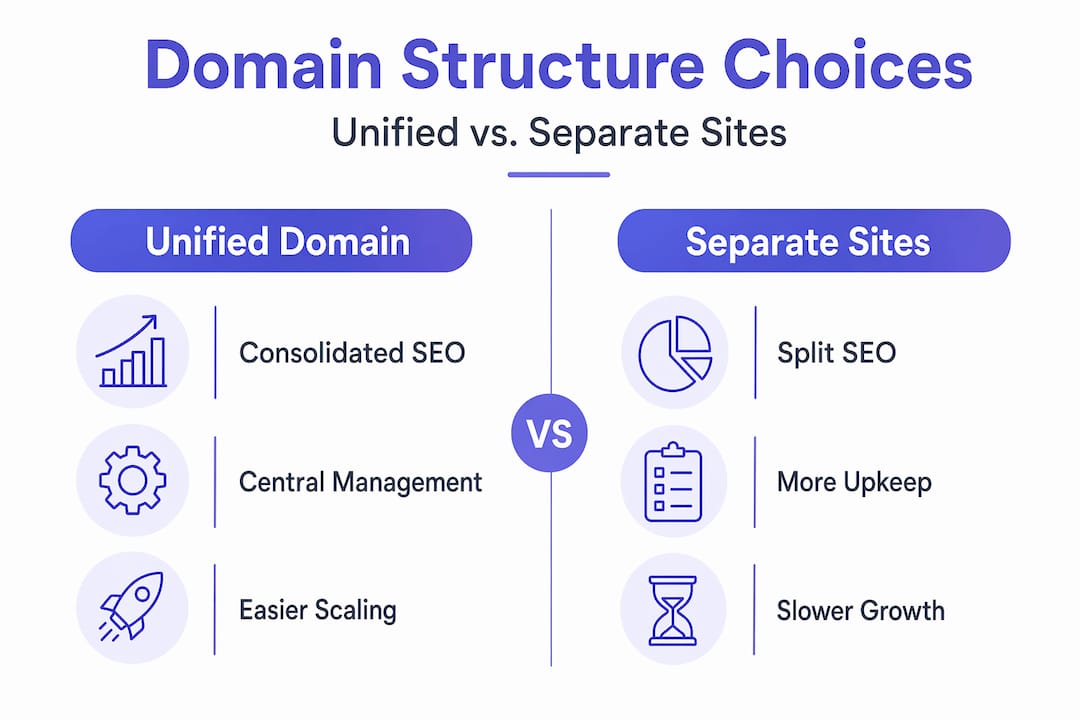
Before you write a single line of code or pick a theme, you need to answer one question: unified domain or separate sites?
The answer matters more than most business owners realize. Franchises that move to a unified domain see conversion rate improvements of 20 to 40% and meaningful reductions in maintenance costs compared to running separate websites per location. That is not a minor performance bump. That is a structural advantage.
Here is how the two approaches stack up:
| Approach | SEO impact | Maintenance load | Scalability |
|---|---|---|---|
| Unified domain with subdirectories | All authority stays in one place | Low. One CMS, one update cycle | Scales well as you add locations |
| Separate websites per location | Authority is split across sites | High. Every site needs individual upkeep | Gets harder with every new location |
| Subdomains (e.g., dallas.brand.com) | Treated as separate sites by Google | Medium. Still multiple environments to manage | Manageable but not ideal |
The clear winner is subdirectories. Your Dallas location lives at yourdomain.com/dallas/, your Miami location at yourdomain.com/miami/, and so on. Every backlink you earn and every piece of authority you build flows to the whole domain.
Choosing the right CMS
Your CMS choice determines how much control your corporate team keeps while still letting local managers update their own pages. A CMS with role-based access control lets you lock down branding elements like logos, fonts, and color schemes while allowing each location manager to update their hours, photos, and local content. WordPress Multisite, Webflow, and enterprise platforms like Contentful all handle this well. Prioritize scalability, templating capability, and how easily you can push global updates without breaking local customizations.
Pro Tip: Set up location page templates in your CMS before you build your first page. Retrofitting a template system onto 20 already-live pages is far more time-consuming than getting the structure right from the start.
Creating location pages Google will actually rank
This is where most multi-location businesses fail. They build a template, swap out the city name, change a line or two of copy, and publish 30 nearly identical pages. Google has a name for those pages: doorway pages. And doorway pages can cause traffic drops of 70 to 90% when Google’s spam systems catch them.

Success depends on locally grounded pages connected to real locations and real customer intent. That means each location page needs to justify its existence with content no other page on your site could replicate.
Here is what strong location pages include:
- Unique local intro copy that references the specific neighborhood, city, or service area. Not just “We serve Dallas” but something about why your Dallas team is different.
- Staff bios or photos specific to that location. Real faces build trust and confirm the page represents a real place.
- Local testimonials and reviews pulled from customers who actually visited or used that specific location.
- Community references such as local landmarks, events, or business associations the location participates in.
- Location-specific service details where relevant. Some services or pricing may vary by market. Call that out.
- Accurate NAP (name, address, phone number) displayed clearly and formatted consistently across every page.
Each page title should follow a format like: “[Service] in [City] | [Brand Name].” Meta descriptions should mention the location, the service, and a specific differentiator. Think of each page as a standalone landing page for that market.
Pro Tip: Ask your location managers to contribute one or two sentences about something unique to their area. That small piece of local knowledge, added to the page, is often enough to push it from generic to genuinely useful.
Technical SEO: schema, URLs, and internal links
Getting the architecture right technically is just as important as the content itself.
Structured data for every location
Implementing LocalBusiness schema with the branchOf property on each location page tells Google exactly how your locations relate to the parent organization. Every location page needs its own LocalBusiness schema with a unique address, phone number, hours, and service area. A multi-layer schema approach that connects organization, locations, and services creates a more complete entity graph that search engines understand faster and rank more reliably.
The practical application looks like this:
- The parent organization page carries your Organization schema with your main brand info.
- Each location page carries a LocalBusiness schema that references the parent organization through the branchOf property.
- Each service listed on a location page carries its own Service schema connected to that specific location.
Automating this through your CMS rather than manually coding it reduces errors significantly as you scale. When your location data lives in one place and your schema pulls from it, you stay synchronized automatically.
URL and internal linking structure
Use a consistent, readable URL format: domain.com/locations/city-name/ or domain.com/city-name/service/. Avoid parameter-based URLs or random strings. They confuse both users and crawlers.
Internal linking matters more on multi-location sites than on most other website types. Every location page should link to:
- The main services pages to pass authority upward.
- Nearby location pages to help Google understand your geographic footprint.
- Relevant blog posts or resource pages to keep users engaged.
Make sure no location page is an orphan. If Google can’t reach a page through your internal link structure, it will not rank regardless of how good the content is.
Local user experience and mobile performance
76% of “near me” searches result in a store or business visit within 24 hours. That means the person landing on your location page is often minutes away from making a decision. Your page needs to make it effortless.
Here is what local user experience looks like in practice:
- Lead with the local details. Address, phone number, and hours should be visible without scrolling. Do not bury this information.
- One clear call to action above the fold. “Call Now,” “Book an Appointment,” or “Get a Free Quote” should be the first conversion point a visitor sees.
- Click-to-call phone numbers on mobile. If a mobile user has to copy and paste your number, you have already lost them.
- Fast load times on every device. Google’s Core Web Vitals scores directly affect rankings. Aim for Largest Contentful Paint under 2.5 seconds.
- Local social proof near the top. A Google review average and a few specific testimonials from local customers reduces hesitation and builds instant credibility.
For deeper guidance on optimizing local mobile performance, particularly around Core Web Vitals and site speed for service businesses, that is worth reviewing before you publish any location pages.
Pro Tip: Run a real-device test on each location page after launch, not just a desktop browser preview. The experience often looks very different on a phone, and those are the users most likely to convert.
Managing ongoing SEO and site governance
Building your site is one thing. Keeping it performing as you add locations, staff, and services is a different challenge. Multi-location sites drift. Content gets stale. Duplicate pages get accidentally created. Governance prevents that.
Here is a practical governance framework you can use:
- Centralize Google Business Profile management. Separate, localized Google Business Profiles for each location are non-negotiable for local SEO success. Manage them through a single dashboard tool rather than logging into each account individually.
- Run content audits every quarter. Check for thin pages, duplicate content, and outdated location information. Remove or consolidate pages that no longer justify their existence.
- Track rankings and conversions by location. A single aggregate analytics view hides problems. Set up location-specific segments in your analytics platform so you can see which locations are underperforming and why.
- Standardize citation data. Your NAP information needs to be identical across your website, Google Business Profile, Yelp, and every other directory listing. Inconsistencies erode local search trust quickly.
- Create an update protocol for location managers. Define what they can change, what requires approval, and how quickly updates are published. Ambiguity leads to outdated information sitting on pages for months.
For a fuller look at the pages every local service site needs, having that list in hand helps when auditing your existing structure.
My honest take on what actually goes wrong
I have reviewed hundreds of multi-location websites at this point, and the pattern is almost always the same. Business owners understand the advice. They know location pages need unique content. They know schema matters. But when they sit down to actually build, they default to the fastest path, which is copy the template, swap the city name, and ship it.
The problem is not ignorance. It is execution under time pressure. And Google does not grade on effort.
What I have found actually works is treating your location pages like individual landing pages, not like database entries. Each one should be able to stand alone and answer the question: “Why would someone in this specific city choose this specific location?” If you cannot answer that with the content on the page, the page is not ready.
I have also seen businesses obsess over schema and technical structure while their location pages had zero local differentiation. Schema helps Google understand your site. It does not compensate for content that says nothing useful. Precise execution connecting local pages to real customer intent is what actually moves rankings, not just technical compliance.
The businesses that scale multi-location sites successfully treat the website as a growth asset that connects brand authority with local relevance. That requires discipline, clear governance, and the willingness to do the content work properly at every location.
— Max
Let Cosmicdigitalstudios build your multi-location site
Building a multi-location service website the right way takes more than a good theme. It takes architecture decisions, local SEO planning, schema implementation, and a CMS setup that lets you scale without losing control. That is exactly what Cosmicdigitalstudios builds.

At Cosmicdigitalstudios, every project is custom-built to your business structure and goals. Whether you are managing five locations or fifty, the approach is the same: clean design, clear messaging, and a site that turns local search traffic into booked calls. Visit Cosmicdigitalstudios to see what a properly architected multi-location service site looks like and to start a conversation about your project.
FAQ
What is the best URL structure for multiple locations?
Subdirectories (domain.com/city-name/) are the best choice because they consolidate all SEO authority under one domain. Subdomains split authority and are treated as separate sites by Google.
How do I avoid Google’s doorway page penalty?
Every location page must contain unique, locally specific content including staff details, local testimonials, and area-specific service information. Generic pages that only swap city names can trigger traffic drops of 70 to 90%.
What schema markup should I use for each location?
Use LocalBusiness schema with the branchOf property linking back to your parent Organization on every location page. Include a unique address, phone number, hours, and service details in the schema for each location.
Which CMS works best for multi-location service websites?
The best platforms for service websites with multiple locations are those that support role-based access and templating, such as WordPress Multisite, Webflow, or headless CMS options like Contentful. The right choice depends on your team size and how much local customization each location needs.
How often should I audit my multi-location site?
Quarterly audits are the standard recommendation. Check for thin content, duplicate pages, outdated NAP information, and underperforming location pages. Consistent audits prevent small problems from compounding into larger ranking issues.