
Website bounce rate is the percentage of visitors who leave your site after viewing just one page without taking any further action. It is one of the most watched metrics in web analytics, yet also one of the most misread. Google Analytics 4 redefined it as the inverse of the engaged session rate, which changes how you should interpret the numbers you see. Understanding what bounce rate actually measures, and what it does not, is the difference between making smart site improvements and chasing the wrong fixes.
What is website bounce rate and how is it calculated?
Bounce rate is calculated by dividing single-page sessions by total sessions, then multiplying by 100. A visitor lands on your page, reads nothing, clicks nothing, and leaves. That counts as a bounce. The formula is straightforward, but the context behind the number is where most marketers get tripped up.
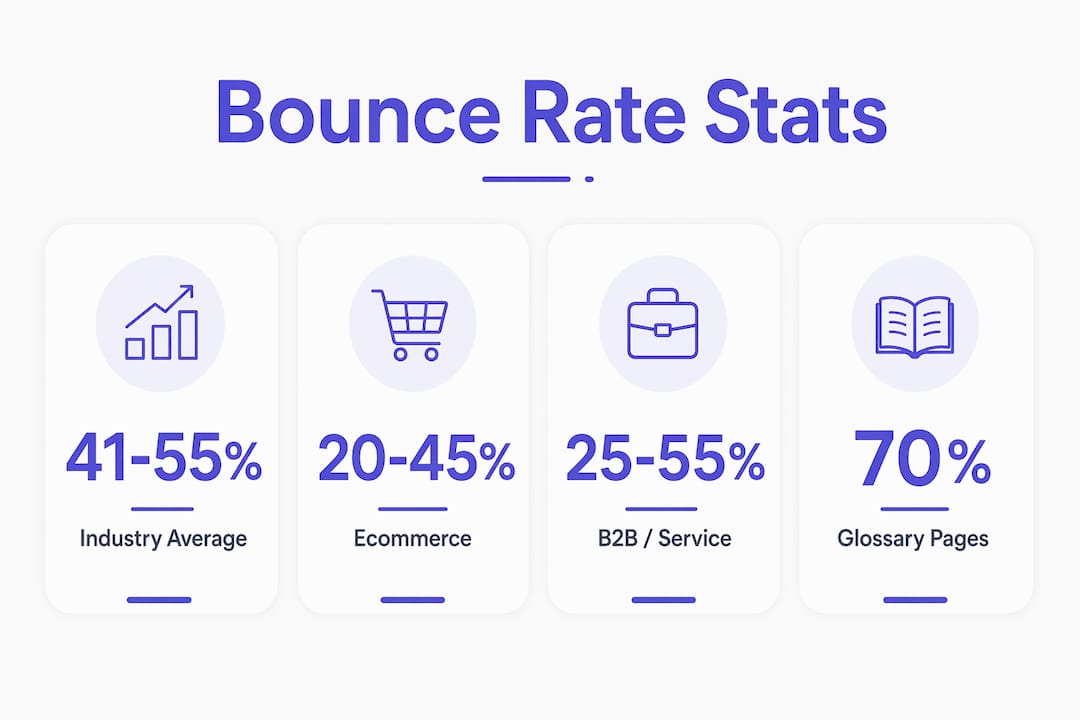
Industry bounce rates generally fall between 41% and 55% across most site types. That range shifts significantly depending on what your site does. Ecommerce sites tend to sit at the lower end because visitors browse multiple product pages. Content-heavy blogs and informational sites often land at the higher end because readers find an answer and leave.

Google Analytics 4 introduced a sharper definition. An engaged session in GA4 meets at least one of three criteria: the visit lasts longer than 10 seconds, the visitor views two or more pages, or a conversion event fires. Bounce rate in GA4 is simply the percentage of sessions that do not meet any of those criteria. This shift means your GA4 bounce rate will typically read lower than the same site’s old Universal Analytics number. The metric did not improve. The definition changed.
| Site type | Typical bounce rate range |
|---|---|
| Ecommerce | 20%–45% |
| B2B / service sites | 25%–55% |
| Blogs and content sites | 65%–90% |
| Landing pages | 60%–90% |
| News and media | 65%–85% |
Pro Tip: Use these ranges as context, not targets. A 70% bounce rate on a glossary page is normal. The same number on a product page signals a real problem.
Does a high bounce rate mean your site is failing?
A high bounce rate does not automatically mean your site is failing. Context changes everything when you interpret this metric. A visitor who lands on a blog post, reads the full article, and leaves satisfied technically counts as a bounce. That is not a failure. That is your content doing its job.
Bounce rate measures inaction, not dissatisfaction. A visitor who got exactly what they needed and left is still a bounce. Treating every bounce as a problem leads to wasted effort and misguided redesigns.
Bounce rate is also different from exit rate. Exit rate measures the percentage of visitors who leave from a specific page, regardless of how many pages they visited before that. Bounce rate only counts sessions where that one page was the only page. Mixing up the two leads to the wrong diagnosis.
Here is where marketers most often misread the metric:
- Blog posts and FAQ pages naturally attract high bounce rates. Visitors get their answer and leave. That is expected behavior.
- Landing pages with a single call to action are designed for one outcome. If the visitor converts and leaves, that is a bounce and a win at the same time.
- Homepage bounces are more telling. A visitor who lands on your homepage and immediately exits likely did not find what they expected.
- Paid traffic pages with high bounce rates signal a mismatch between your ad copy and your page content.
Analyzing bounce rate alongside conversion rate and session duration gives you the full picture. A page with a 75% bounce rate and a 12% conversion rate is performing well. A page with a 75% bounce rate and a 0.5% conversion rate needs attention.
How to measure bounce rate in Google Analytics 4
Measuring bounce rate in GA4 requires knowing where to look, because the platform does not surface it by default the way Universal Analytics did. You have to add it as a custom metric in most standard reports.
Follow these steps to find it:
- Open GA4 and go to Reports in the left navigation.
- Select Engagement, then click Pages and screens.
- Click the pencil icon in the top right to customize the report.
- Under Metrics, add Bounce rate to the visible columns.
- Save the report and apply date ranges to compare periods.
Segmenting the data is where measuring bounce rate becomes genuinely useful. Break your bounce rate down by traffic source, device type, and page category. Organic search traffic often behaves differently than paid social traffic. Mobile visitors frequently bounce at higher rates than desktop visitors, especially when page load speed exceeds two seconds.
The shift from Universal Analytics to GA4 means historical comparisons require caution. A bounce rate of 60% in Universal Analytics and 45% in GA4 for the same site does not mean engagement improved. The calculation method changed. Track trends within GA4 over time rather than comparing GA4 numbers to old Universal Analytics reports.
Pro Tip: Set up a custom GA4 exploration report that shows bounce rate, engagement rate, and conversion rate side by side for each traffic source. That combination tells you far more than bounce rate alone.
What practical strategies reduce bounce rate?
Reducing bounce rate starts with matching your page content to what the visitor expected when they clicked. A mismatch between your ad headline and your landing page is the fastest way to lose someone in under five seconds. Every page needs to immediately confirm to the visitor that they are in the right place.
Page load speed under two seconds is the most significant technical factor in keeping visitors on your site. Delays beyond that threshold push visitors to leave before your content even renders. Speed is not a nice-to-have. It is the foundation everything else sits on. Cosmicdigitalstudios builds sites with performance as a core requirement, not an afterthought. You can read more about why speed affects conversions directly.
Beyond speed, holistic optimization combining technical performance, mobile design, and content clarity is the most reliable path to lower bounce rates. Here is what that looks like in practice:
- Match intent immediately. Your headline should mirror the search query or ad that brought the visitor to the page.
- Use clear content hierarchy. Subheadings, short paragraphs, and visual breaks help visitors scan and stay.
- Add internal links. Guide visitors to related pages that deepen their interest. This is one of the most underused tactics for turning visitors into clients.
- Eliminate intrusive popups. A popup that fires within two seconds of arrival is one of the fastest ways to trigger an immediate exit.
- Design for mobile first. A layout that breaks on a phone will lose the majority of your traffic before you even get a chance to make your case.
Pro Tip: Run a five-second test on your key landing pages. Show the page to someone unfamiliar with your business and ask what the page is about. If they cannot answer clearly, your content hierarchy needs work.
How page type and traffic source change what bounce rate means
Bounce rate means something different depending on where the visitor came from and what page they landed on. A 70% bounce rate on a blog post is unremarkable. The same number on a product page or a pricing page is a signal worth investigating.
Homepage bounce rates above 50% often indicate unclear messaging or slow load times. Visitors arrive, cannot quickly identify what the business does, and leave. Blog posts and informational pages naturally sit higher, often between 65% and 90%, because single-session reading is the expected behavior. Landing pages built around a single call to action can show high bounce rates even when they convert well, because a visitor who completes the form and leaves still counts as a bounce.
| Page type | Expected bounce rate | Key driver |
|---|---|---|
| Homepage | 40%–60% | Messaging clarity and load speed |
| Blog post | 65%–90% | Content relevance and depth |
| Landing page | 60%–90% | Intent match and offer clarity |
| Product / service page | 30%–55% | Trust signals and clear next step |
| Contact page | 45%–65% | Friction in the form or process |
Traffic source shapes the number just as much as page type. Paid search traffic tends to bounce less than paid social traffic because search visitors arrive with a specific intent already formed. Social media visitors often arrive curious but uncommitted, which produces higher bounce rates by default. Bounce rate as a diagnostic tool works best when you filter it by source and page together, not as a single site-wide average.
Key Takeaways
Bounce rate is a diagnostic signal, not a verdict. The most effective use of bounce rate data is to segment it by page type and traffic source, then act on the specific patterns you find.
| Point | Details |
|---|---|
| GA4 changed the definition | Bounce rate in GA4 is the inverse of engaged sessions, so numbers read lower than Universal Analytics. |
| Benchmarks vary by site type | Ecommerce sites average 20%–45%; blogs and content sites regularly hit 65%–90%. |
| Context determines meaning | A high bounce rate on a blog or FAQ page is normal; the same rate on a product page signals a problem. |
| Speed is the top technical fix | Page load times above two seconds markedly increase bounce rates across all site types. |
| Segment before you act | Filter bounce rate by traffic source and page type to find the specific pages worth fixing. |
Why I stopped treating bounce rate as a report card
Most website owners treat bounce rate like a grade. A low number means the site is working. A high number means something is broken. That framing causes more wasted effort than almost any other mistake I see.
I have worked with businesses that spent months redesigning pages to lower a bounce rate that was already performing correctly for its context. A glossary page with an 80% bounce rate is not broken. Visitors read the definition and leave. That is the entire purpose of the page. Chasing a lower number there does not improve the business at all.
The more useful question is: which pages have a high bounce rate and a low conversion rate at the same time? That combination points to a real problem. A page where visitors arrive, find nothing compelling, and leave without acting is the one worth fixing. Bounce rate alone does not tell you that. You need conversion data alongside it.
The GA4 shift made this even more relevant. Because the engaged session model counts a 10-second visit as engagement, some marketers now see lower bounce rates and assume things improved. The underlying visitor behavior may not have changed at all. The metric just got redefined. Treat the number as one input among several, and you will make far better decisions with it.
— Max
How Cosmicdigitalstudios approaches bounce rate and engagement

A high bounce rate is often a symptom of a deeper issue: a site that does not load fast enough, communicate clearly enough, or guide visitors toward the next step. Cosmicdigitalstudios builds custom websites designed to address all three. Every build prioritizes page speed, clear messaging, and conversion-focused structure from the ground up.
If your current site is losing visitors before they ever engage, a website redesign built around user intent and performance can change that. Cosmicdigitalstudios works with business owners and marketers who want a site that earns attention and turns it into real results. Reach out to see what a conversion-focused build looks like for your specific goals.
FAQ
What is the bounce rate definition in simple terms?
Bounce rate is the percentage of website sessions where a visitor views only one page and leaves without any further interaction. A higher percentage means more visitors are leaving without engaging.
What is a good bounce rate for a website?
Industry averages place most sites between 41% and 55%, but the right target depends on your site type. Ecommerce sites should aim lower; blogs and informational sites naturally run higher.
How does Google Analytics 4 calculate bounce rate differently?
GA4 defines bounce rate as the percentage of sessions that are not engaged. A session is engaged if it lasts more than 10 seconds, includes two or more pageviews, or triggers a conversion event. This typically produces lower bounce rate numbers than Universal Analytics reported.
Does page speed affect bounce rate?
Yes. Load times above two seconds significantly increase the likelihood that a visitor exits before your page fully renders. Speed is the single largest technical driver of bounce rate.
Is a high bounce rate always bad?
No. A high bounce rate on a blog post, FAQ page, or single-action landing page can be completely normal. The metric only signals a problem when it appears alongside low conversion rates and short session durations on pages designed for deeper engagement.