
A booking page is a dedicated, customer-facing web interface where clients can view your real-time availability, select a service, and confirm an appointment instantly, with no phone calls or back-and-forth emails required. Think of it as your 24/7 scheduling front desk: always on, always accurate, and always ready to convert a visitor into a confirmed booking. When a customer books, both parties receive automatic confirmations and the event syncs directly to your calendar.
The shift from manual scheduling to a live booking page is significant. Phone tag and email threads cost your team real time every week. A booking page eliminates that friction entirely by connecting to your calendar, reading your existing events, applying your availability rules, and displaying only genuinely open slots to the customer.
Here is what a fully functional booking page typically handles:
- Real-time calendar sync showing accurate, up-to-date availability
- A service catalog letting customers choose from your full list of offerings
- A customer intake form collecting the details you need before the appointment
- Automated confirmation emails and reminders sent to both parties
- Secure payment processing embedded directly in the booking flow
Table of Contents
- What components make a booking page actually work?
- Why businesses that use booking pages grow faster
- Best practices for designing a booking page that converts
- How booking pages look across different industries
- What happens when a customer uses your booking page
- Key Takeaways
What components make a booking page actually work?
A booking page is only as strong as the features behind it. Each component below plays a direct role in whether a visitor completes a booking or drops off.
- Real-time calendar integration. Your page must sync with your calendar, whether that is Google Calendar or Outlook, so availability is always current. Showing a time slot that is already taken destroys trust immediately.
- Service catalog. Customers need to see exactly what you offer, with clear descriptions and pricing. A service catalog also lets you upsell or cross-sell without any manual effort.
- Custom intake forms. Collect the information you actually need, whether that is a client’s health history, project brief, or preferred location, before the appointment even starts.
- Automated confirmations and reminders. Automated reminders reduce no-shows and free your staff from manual follow-up. This alone can recover significant revenue each month.
- Secure payment gateway. Embedding payment directly in the booking flow removes a major drop-off point. Customers pay at the moment of commitment, which increases follow-through.
Why businesses that use booking pages grow faster
The operational case for an online booking page is straightforward. Businesses using online booking save 10 or more hours weekly on scheduling alone. That time goes back into serving clients, not managing calendars.
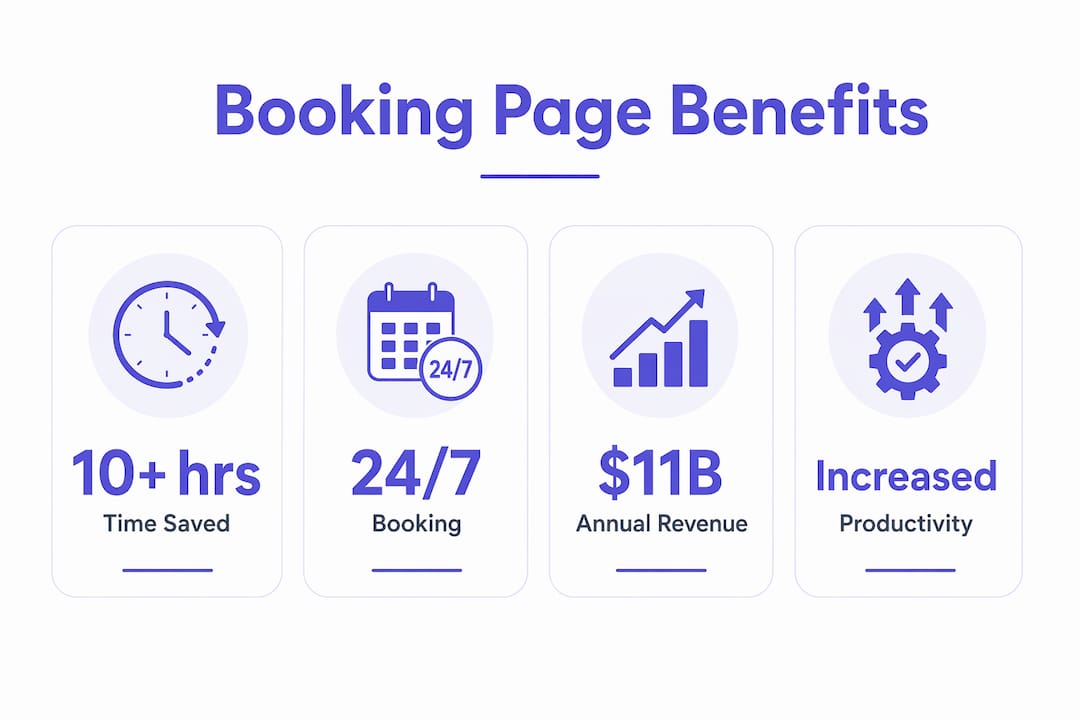
Beyond time savings, the revenue impact is real. Your booking page works around the clock, capturing appointments at 11 PM on a Sunday just as easily as during business hours. Customers who cannot reach you by phone during the day will book online instead of moving on to a competitor. That availability directly increases your booking rate.
Automated booking tools also increase operational productivity by removing the manual coordination layer from client interactions entirely. Your staff focuses on delivering the service, not managing the schedule. For service businesses with multiple team members or locations, that efficiency compounds quickly. If your coaching website is losing clients before they even reach you, the absence of a frictionless booking flow is often the reason, as Cosmicdigitalstudios covers in detail on why coaching websites fail to book clients.
Best practices for designing a booking page that converts
A booking page that looks good but confuses users will not convert. Design and function have to work together. Here is what actually moves the needle:
- Mobile-first design. Most customers will land on your booking page from a phone. A mobile-optimized booking page reduces friction and keeps users moving toward confirmation. A page that requires pinching and zooming loses bookings.
- Clear calls to action. Every step should tell the user exactly what to do next. “Choose your service,” “Pick a time,” “Confirm your booking.” No guesswork, no dead ends.
- Branded interface. Your booking page should look like your business, not a generic third-party tool. Consistent branding builds confidence and reduces the hesitation that kills conversions.
- Automated reminders. Set up pre-appointment reminders via email or SMS. This is one of the highest-ROI features in any marketing automation setup for service businesses.
- Security and privacy. Display trust signals clearly: SSL certificates, payment security badges, and a visible privacy policy. Customers share personal and financial data on booking pages; they need to see that you protect it.
Pro Tip: Do not send clients a bare meeting link when you need a booking page. A meeting link is a lightweight, single-service URL. A booking page is a full-featured, branded interface that handles multiple services, collects intake information, processes payments, and sends automated follow-ups. Using the wrong tool costs you bookings.
A booking page is your most efficient sales tool when it is built correctly. Here is a quick recap of what matters most:
- Booking pages provide real-time, 24/7 scheduling without manual coordination
- The core components are calendar sync, service catalog, intake forms, confirmations, and payment
- Businesses save 10 or more hours weekly and capture bookings outside business hours
- Mobile responsiveness and clear CTAs are non-negotiable for conversion
- Cosmicdigitalstudios builds custom booking pages designed to convert, not just display
How booking pages look across different industries
Booking pages are not one-size-fits-all, and the best ones are built around the specific needs of each industry. Across healthcare, beauty, fitness, and events, the core structure stays the same while the details shift considerably.

A medical or wellness practice uses a booking page to let patients select appointment types, such as new patient consultations versus follow-ups, complete intake forms in advance, and receive automated reminders that reduce costly no-shows. The payment and insurance fields are customized to the practice’s workflow.
A salon or spa needs a service catalog with duration and pricing for every treatment, plus staff selection so clients can book with their preferred stylist or therapist. The page handles deposits at booking to protect against last-minute cancellations.
A personal trainer or coach benefits from a booking page that shows session packages, collects a brief intake questionnaire, and integrates with video conferencing tools for virtual sessions. The page essentially replaces an entire administrative workflow.
An event or venue business uses booking pages differently, displaying date-based availability, capacity limits, and package options. Customers select a date, configure their event, and pay a deposit, all without a single phone call.
What happens when a customer uses your booking page
The user flow on a well-built booking page is short and deliberate. Every extra step is a potential drop-off point, so the best pages keep the path to confirmation as direct as possible.
- The customer lands on your booking page, either from your website, a social media link, or a direct URL you have shared.
- They select a service from your catalog, with clear descriptions and pricing visible upfront.
- They choose a date and time from your live availability calendar. Only genuinely open slots appear.
- They complete the intake form, providing the details your business needs before the appointment.
- They pay if a deposit or full payment is required, through the embedded payment gateway.
- Confirmation is sent instantly to both the customer and your team, and the appointment appears on your calendar automatically.
That entire flow, when designed well, takes under two minutes. Turning website visitors into confirmed clients depends on removing every unnecessary barrier between interest and commitment, which is exactly what conversion-focused design is built to do.
If you are ready to move beyond generic scheduling links and build a booking page that actually converts, Cosmicdigitalstudios designs custom, conversion-optimized booking pages and sales funnels built around your brand and your clients. See what we build and start turning attention into booked calls.

Key Takeaways
A booking page is the most direct tool a service business has for converting website visitors into confirmed appointments, and its effectiveness depends entirely on how it is built.
| Point | Details |
|---|---|
| Core function | A booking page provides real-time availability and instant confirmation without manual coordination. |
| Time savings | Businesses using online booking save 10 or more hours weekly on scheduling. |
| Must-have components | Calendar sync, service catalog, intake forms, automated reminders, and secure payment are all required. |
| Design priority | Mobile responsiveness and clear calls to action are the top conversion factors. |
| Booking page vs. meeting link | A meeting link handles one service; a booking page manages multiple services, payments, and branded intake. |