
If you’re trying to get online fast without building a full site, a one page website might be exactly what you need. A one page website puts all your content on a single scrollable page, no clicking between tabs, no confusing menus. But a lot of small business owners overlook it or misunderstand it entirely, thinking it’s too simple to be effective. This guide breaks down the one page website definition, explains when it works best, and gives you the design and strategy tips to make it convert.
Table of Contents
- Key takeaways
- What is a one page website?
- Benefits of one page websites and when to use them
- Limitations and SEO challenges to know
- Design strategies for an effective one page site
- One page website examples and ideas for small businesses
- My honest take on when one page sites win and when they fail
- Let Cosmicdigitalstudios build your one page site right
- FAQ
Key takeaways
| Point | Details |
|---|---|
| Simple, focused structure | A one page website holds all content on one scrollable page using anchor links for navigation. |
| Best for focused goals | It works best for portfolios, product launches, events, and micro-businesses with one clear message. |
| SEO requires strategy | A single URL makes targeting multiple keywords harder, so pick one primary theme and optimize around it. |
| Design drives conversions | Clear CTAs, logical content flow, and mobile speed determine whether visitors take action or leave. |
| Not right for everyone | Complex businesses with multiple services or large content libraries are better served by multi-page sites. |
What is a one page website?
At its core, a one page website is a single HTML page that contains all your content in scrollable or anchor-linked sections. There is no separate About page, no Services tab, no Contact page loading separately. Every piece of information lives on one continuous page.
Navigation still exists, but it works differently. Instead of linking to separate URLs, menu items use anchor links that jump the visitor to a specific section further down the page. Click “Services” and the browser scrolls you there instantly. No page reload. No waiting.
Here’s what makes a one page website structurally distinct:
- Single URL for all content (e.g., yourbusiness.com with no subpages)
- Anchor link navigation that scrolls to named sections
- All HTML, images, and text loaded at once rather than page by page
- Linear content flow designed to guide the visitor from top to bottom
- Simplified menu with fewer options than a traditional multi-page site
This is different from a landing page, which is also a single page but focuses exclusively on one conversion objective. A one page website can cover your full story: who you are, what you offer, testimonials, and contact info, all in one scrolling experience.
Pro Tip: Label your anchor links clearly in the navigation. Visitors should know exactly where they’ll land before they click or scroll. Vague labels like “Section 1” kill engagement fast.
Benefits of one page websites and when to use them
One page websites have real advantages, but only when used in the right context. Understanding those benefits helps you decide if this format fits your goals.
-
Faster to build and launch. One page sites are simpler to build and maintain because you’re managing one file, one set of styles, and one content flow. For a freelancer or small business owner without a dedicated web team, that matters.
-
Focused messaging. When your business has one core offer, a single page forces clarity. You can’t pad it with filler pages. Every section has to earn its place, which naturally sharpens your pitch.
-
Better mobile experience. Scrolling is the default behavior on mobile. One page sites remove page reloads and simplified navigation makes them feel native on a phone. No tapping into sub-menus or waiting for new pages.
-
Concentrated page authority. Since all backlinks point to a single URL, your SEO authority doesn’t get split across dozens of pages. For a new site trying to build credibility, that concentration can help.
-
Lower maintenance burden. Updates happen in one place. No hunting across ten pages to change a phone number or update a service description.
The best use cases for one page websites are situations where your message is clear, focused, and linear. Think of a photographer building a portfolio site to show work and collect inquiries. Or a local bakery promoting a seasonal event. Or a consultant launching a new service offering. These all share one quality: there’s one story to tell and one action you want the visitor to take.
Pro Tip: If you find yourself cramming more than five or six distinct sections onto a one page site, that’s a signal you might actually need a multi-page structure. More on that below.

Limitations and SEO challenges to know
A one page website is not a fix-all. There are real trade-offs, and going in without knowing them leads to frustrated visitors and poor search performance.
The biggest challenge is SEO. A single URL must rank for multiple keyword themes, which puts you at a disadvantage compared to multi-page sites that dedicate individual pages to specific keywords. A web design agency with ten service pages can target “logo design,” “brand identity,” and “web design” separately. A one page site trying to cover all three dilutes its focus.
Here’s a direct comparison of how the two formats stack up:
| Factor | One page website | Multi-page website |
|---|---|---|
| SEO keyword targeting | Limited to one primary theme | Each page targets a distinct keyword |
| Content volume | Low to medium | Unlimited |
| Maintenance effort | Low | Medium to high |
| User navigation | Linear, scroll-based | Non-linear, click-based |
| Page load risk | Higher if overloaded | Spread across pages |
| Best for | Focused offers, portfolios, events | Complex businesses, blogs, service libraries |
Loading speed is another concern. Since everything loads at once, a one page site packed with large images, videos, and animations can get heavy fast. Poor loading speed drops conversions, especially on mobile. You also need to be thoughtful about managing your single URL in Google Search Console, since all your indexing signals concentrate on one address.
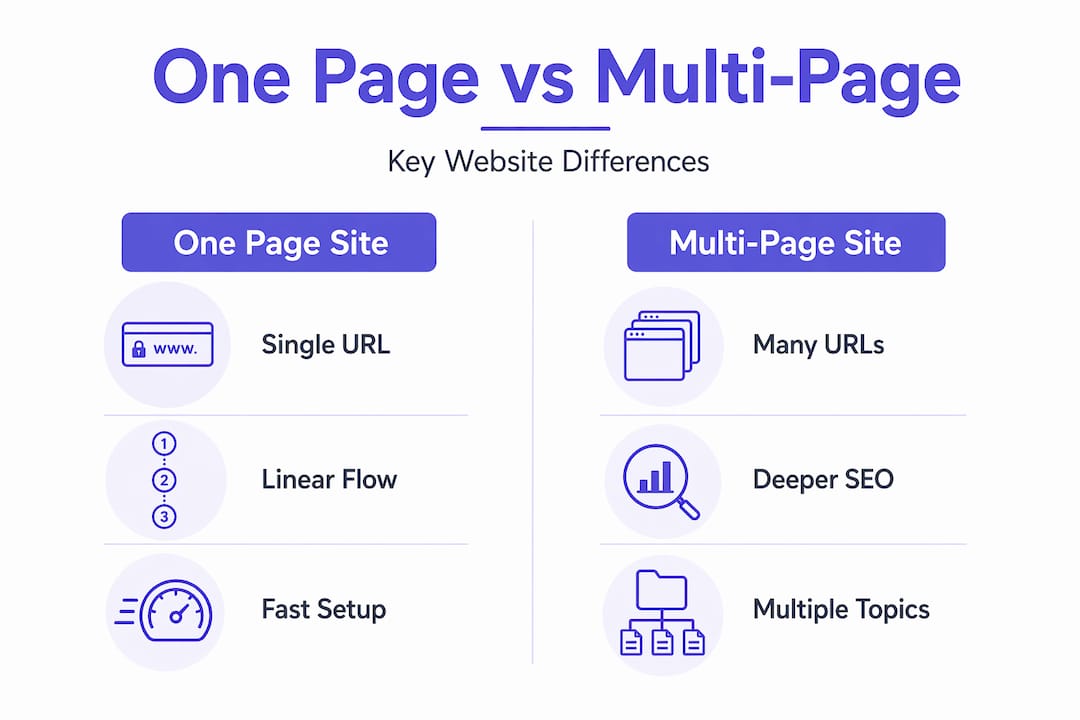
The content clarity issue matters too. Overloading a one page site with too many unrelated sections confuses visitors and search engines alike. If your content starts covering five different business lines, a one page format will hurt more than help.
For local service businesses specifically, read up on essential website pages to understand what content structure actually supports growth before committing to a single page format.
Design strategies for an effective one page site
The difference between a one page site that converts and one that confuses usually comes down to structure and flow. Here’s what works.
Use anchor links and a sticky navigation bar
Anchor links let visitors jump to specific sections without scrolling past content they don’t need. Combine them with a sticky header that stays visible as users scroll, and you give people the control they want without making them work for it.
Organize content into distinct sections
Each section of your page should feel like its own chapter. Use strong visual breaks, distinct background colors, or clear headings to separate your introduction, services, social proof, and call to action. Visitors should never feel lost about where one section ends and the next begins.
Here’s a clean content structure that works for most small business one page sites:
| Section | Purpose |
|---|---|
| Hero | Immediately state who you are and what problem you solve |
| About | Brief credibility and trust-building |
| Services or Offer | What you provide and why it matters |
| Social proof | Testimonials, reviews, or case studies |
| FAQ | Remove common objections before they stop a conversion |
| Contact or CTA | One clear action you want the visitor to take |
Prioritize your call to action
Conversion-focused designs work best when built around one objective. On a one page site, that means your CTA should appear at least twice: once in the hero section and again at the bottom. Make it specific. “Book a free 20-minute call” outperforms “Contact us” every time.
Strong website design guides visitors toward action through clear navigation and visible CTAs. On a one page format, every design decision either supports that goal or works against it.
Pro Tip: Use website color psychology to reinforce your CTA. A contrasting button color that stands out from the page background consistently increases click-through rates without changing a word of copy.
One page website examples and ideas for small businesses
Knowing what a one page site is matters less than knowing what to build with it. Here are specific, practical applications that work well for individuals and small business owners.
- Freelance portfolios. A designer, photographer, or copywriter can showcase their best work, list services, include testimonials, and drop a contact form all in one clean scroll. No bloated pages needed.
- Product launches. A single product with a clear value proposition is perfect for a one page layout. Think of it as a long-form sales page with visual polish.
- Event promotion pages. Workshops, pop-up shops, and seasonal promotions benefit from the focused, distraction-free format. One page, one event, one registration button.
- Local micro-businesses. A food truck, personal trainer, or neighborhood service provider often doesn’t need ten pages of content. They need their hours, their offer, and a way for people to reach them.
- Consulting or coaching offers. A single service offer paired with social proof and a booking link fits naturally in the one page format.
The common thread across all these one page website examples is focus. One audience, one message, one desired action.
My honest take on when one page sites win and when they fail
I’ve seen one page websites perform exceptionally well and completely waste a business owner’s time. The difference almost never comes down to design. It comes down to clarity of purpose.
The sites that work have a clear answer to one question before the first pixel is placed: what is the single thing I want a visitor to do when they land here? Book a call. Buy the product. Sign up for the event. That’s it. When that question has a clean answer, a one page format is honestly one of the most efficient tools available.
Where I see businesses go wrong is treating the one page format as a shortcut to avoid thinking through their offer. They cram in six services, three team bios, a blog preview, and a contact form, then wonder why nobody converts. A one page website with unfocused content is worse than a multi-page site with poor design. At least the multi-page site doesn’t force visitors through a wall of noise.
My advice is this: before you build anything, write out your offer in two sentences. If you can’t do that, a one page site isn’t your problem. Your messaging is.
— Max
Let Cosmicdigitalstudios build your one page site right
If you’ve read this far and you’re thinking “I know what I want to say, I just need it built well,” that’s exactly where Cosmicdigitalstudios comes in.
At Cosmicdigitalstudios, we build custom-built one page websites designed around your specific offer, your audience, and the one action you want visitors to take. Every site we build is mobile-optimized, fast-loading, and structured to guide visitors toward booking or buying. No generic templates. No guesswork on layout or messaging. If your one page site needs to convert, we build it to do exactly that. Reach out today and let’s talk about what your site should accomplish.
FAQ
What is a one page website exactly?
A one page website is a site where all content lives on a single scrollable HTML page, with anchor links replacing traditional multi-page navigation. Visitors scroll through sections rather than clicking to separate URLs.
Are one page websites good for SEO?
One page sites face SEO challenges because a single URL must rank for all your content themes. They can work well for SEO when you focus on one primary keyword and build all sections around a single topic.
What types of businesses benefit most from a one page site?
Freelancers, event organizers, product launchers, and local micro-businesses with one clear offer benefit most. The format works best when your message is focused and your desired visitor action is singular.
How is a one page website different from a landing page?
A landing page is built around one conversion objective with no distractions, while a one page website can tell a broader story covering your offer, team, testimonials, and contact info in sequence.
How long does it take to build a one page website?
Because of the simplified structure, a one page site typically takes less time to build than a full multi-page website. A well-planned build with clear content and design direction can be completed in days rather than weeks.