
A map embed website is defined as any site that displays an interactive map directly on a webpage using an HTML iframe snippet, letting visitors view location data without leaving the page. Map integration is the industry term for this practice, and it covers everything from a single business location to multi-branch service areas. Done correctly, map embedding does two jobs at once: it improves user experience and sends local SEO signals that connect your site to a verified physical address. This guide breaks down how the technology works, which providers to use, and how to avoid the mistakes that quietly kill your local search rankings.
What is a map embed website and how does it work technically?
A map embed works by inserting an HTML iframe snippet into a webpage, which loads an interactive map from an external provider inside a defined area of your layout. Iframe maps are free and unlimited, which makes them a fundamentally different product from the paid Maps JavaScript API. That distinction matters for budget planning and performance.

The process of embedding a map takes as little as 2–5 minutes. All major CMS platforms including WordPress, Wix, Squarespace, and Webflow support direct iframe embeds through dedicated HTML blocks. You do not need to write code from scratch or manage API keys for a standard location embed.
Step-by-step: how to embed a map on your site
- Open your map provider (Google Maps, OpenStreetMap, or another service) and search for your business location.
- Click the “Share” button, then select the “Embed a map” tab.
- Copy the full iframe code from the embed dialog.
- Open your CMS, add an HTML block or custom code component to your page, and paste the iframe code.
- Save and preview the page to confirm the map renders correctly.
Responsive embedding and performance
Static iframe dimensions break layouts on mobile. Modern responsive iframes use the CSS aspect-ratio property instead of older padding hacks, which prevents layout shifts during page load. Adding the loading="lazy" attribute to the iframe tag defers the map load until the user scrolls near it. That single attribute reduces initial page weight and improves Core Web Vitals scores without any visible change to the user experience.
Pro Tip: Set width="100%" and use aspect-ratio: 16/9 in your CSS container to get a fully responsive map that scales cleanly on every screen size.
What are the SEO and user experience benefits of embedding maps?
Embedding a map from your verified Google Business Profile listing creates a direct local SEO signal that links your website to your physical location. Embedding from a GBP listing generates a co-citation signal that generic coordinate-based maps cannot replicate. That co-citation tells search engines your website and your verified business listing are the same entity.
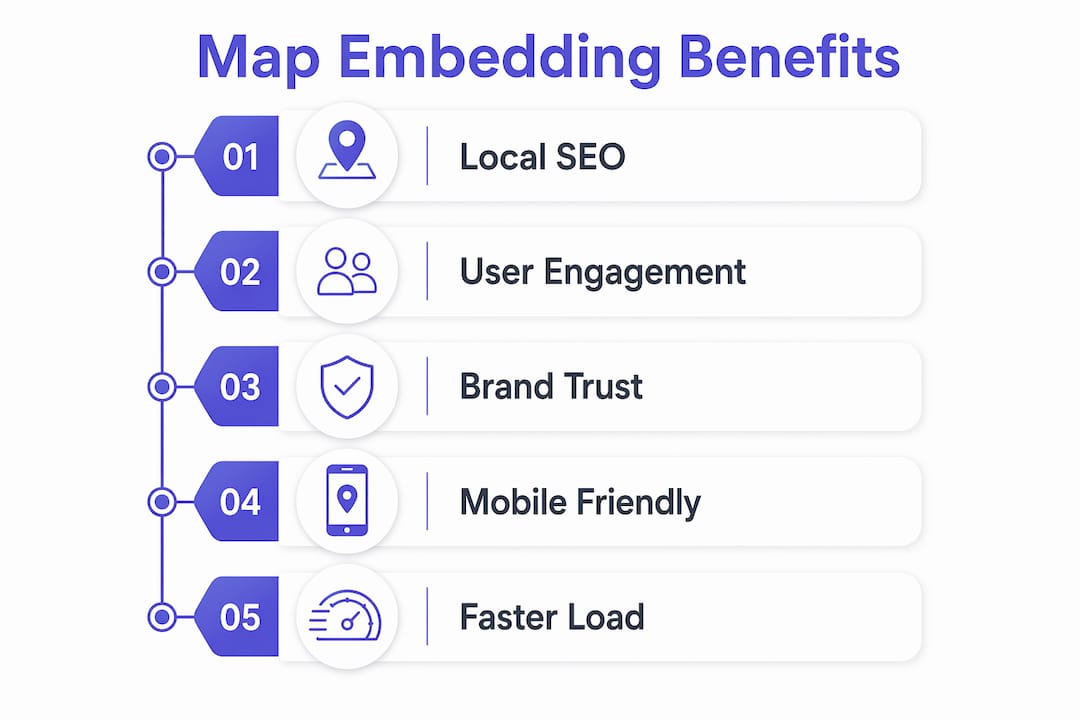
The user experience benefit is equally direct. Visitors can pan, zoom, and get directions without opening a separate app or tab. That reduces friction for anyone trying to find your location, which is especially valuable for service businesses, restaurants, and retail stores.
Local SEO experts treat map embedding as a foundational step in connecting a business’s physical presence to its digital identity:
“Embedding Google Maps from your Google Business Profile listing is one of the clearest signals you can send to Google that your website and your verified location are the same business. Generic coordinate embeds skip this connection entirely and leave local SEO value on the table.”
For developers building multi-location service websites, map integration on each location page compounds these benefits. Each page with a correctly embedded GBP-linked map reinforces the site’s authority for location-specific searches.
The benefits of map embeds extend beyond rankings:
- Reduced bounce rate. Visitors who find location information quickly are less likely to leave immediately.
- Increased trust. A visible, interactive map signals that the business is real and findable.
- Better conversion. Customers who can confirm your location are more likely to call, book, or visit.
- Stronger local search presence. Properly embedded maps support local search ranking by reinforcing NAP (name, address, phone) consistency across your digital footprint.
What map providers and embedding methods are available?
The right provider depends on your use case, budget, and how much customization you need. The table below compares the main options across the criteria that matter most for web professionals.
| Provider | Cost | Branding | Embed method | Best for |
|---|---|---|---|---|
| Google Maps (iframe) | Free | Prominent Google branding | iframe from Share dialog | Most business sites, local SEO |
| OpenStreetMap | Free | Subtle attribution only | iframe from Share dialog | Privacy-focused organizations |
| Mapbox | Free tier, then paid | Minimal, customizable | JavaScript API | Custom styled maps, data overlays |
| Leaflet.js | Free (open source) | None | JavaScript library | Developers needing full control |
Google Maps iframe is the fastest and simplest method. It requires no API key, no billing account, and no JavaScript. The trade-off is prominent Google branding and limited visual customization.
OpenStreetMap offers a free, community-owned alternative with subtle attribution and no heavy branding. It uses the same iframe embed method, so the implementation process is nearly identical. Privacy-focused organizations and nonprofits favor it for this reason.
Advanced needs like multiple markers or data overlays require the Google Maps JavaScript API with an API key and billing enabled. That adds complexity and ongoing cost. For most business websites, a simple iframe provides sufficient interactivity with better load performance than a JavaScript API implementation.
Mapbox and Leaflet.js give developers full control over map styling and data layers. Both require JavaScript knowledge and more setup time. They are the right choice when your map needs to display custom data, animated routes, or branded color schemes that match a specific design system.
Pro Tip: Default to the iframe method unless you have a specific feature requirement that only the JavaScript API can deliver. Simpler code means faster pages and fewer maintenance issues.
What are best practices and common pitfalls when embedding maps?
The single most important rule in map embedding is to always embed from your verified Google Business Profile listing, not from a generic address search. Embedding from the verified GBP place URL includes a unique Place ID in the iframe source. That Place ID is what creates the verified connection between your website and your GBP listing. A generic coordinate embed looks identical to the visitor but carries none of that SEO value.
Consistency across your site
Switching map providers or iframe styles on different pages creates user confusion and weakens brand coherence. Pick one provider and one visual style, then apply it consistently across every page that displays a map. This is especially relevant for businesses with multiple locations. Each location page should use the same provider and the same responsive CSS approach.
Performance and indexability
Use loading="lazy" on every map iframe. Fast-loading pages are a direct ranking factor, and a heavy map iframe that loads on page open can drag down your Core Web Vitals scores. The benefits of fast-loading local websites extend beyond SEO: faster pages convert better across every device type.
Place your map and your NAP information on indexable pages, not inside JavaScript-rendered components that search engine crawlers cannot read. Your address, phone number, and embedded map should all appear together in crawlable HTML. That combination reinforces local SEO signals more effectively than any single element alone.
Pro Tip: After embedding, paste your page URL into Google Search Console’s URL Inspection tool to confirm the map iframe renders correctly in Google’s cached version of the page.
Key takeaways
A map embed website uses an HTML iframe to display interactive location data, and the SEO value depends entirely on embedding from a verified Google Business Profile listing rather than a generic coordinate.
| Point | Details |
|---|---|
| Use iframe by default | Free, unlimited iframe embeds outperform JavaScript API for most business sites. |
| Embed from your GBP listing | Only GBP-linked embeds include a Place ID that creates a verified local SEO signal. |
| Apply responsive CSS | Use aspect-ratio and loading="lazy" to protect Core Web Vitals and mobile layout. |
| Stay consistent across pages | One provider, one style across all pages prevents user confusion and brand fragmentation. |
| Keep NAP on indexable pages | Map embeds only support local SEO when paired with crawlable name, address, and phone data. |
Why I think most developers overcomplicate map embedding
After working on dozens of local business websites, the pattern I see most often is developers reaching for the JavaScript API when an iframe would have done the job in five minutes. The API adds billing complexity, key management, and a heavier page payload. For a plumber, a dental practice, or a restaurant with one location, none of that complexity delivers any visible benefit to the visitor.
The more interesting mistake is embedding from a generic address search instead of the actual GBP listing. The maps look identical. The iframe code looks nearly identical. But one carries a Place ID that tells Google “this website belongs to this verified business,” and the other carries nothing. That invisible difference shows up in local search rankings over time, and most site owners never trace the gap back to their embed source.
Web standards are also moving in a clear direction. The CSS aspect-ratio property is now supported across all modern browsers, which means the old padding-hack method for responsive iframes is obsolete. If you are still using the 56.25% padding trick, update it. The new approach is cleaner, easier to read, and less likely to break on unusual viewport sizes.
My practical rule: use an iframe from the GBP listing, apply modern responsive CSS, add loading="lazy", and move on. Revisit the local service website redesign checklist if you want a broader audit of what else might be holding your local rankings back. Map embedding is one piece of a larger local SEO picture, but it is one of the few pieces you can get right in under ten minutes.
— Max
How Cosmicdigitalstudios builds map integration into every site
Cosmicdigitalstudios builds fast, modern websites where every detail, including map integration, is handled correctly from day one. That means GBP-linked embeds, responsive CSS, lazy loading, and NAP placement that search engines can actually read and index.

If your current site has a generic coordinate embed or a map that breaks on mobile, those are fixable problems. Cosmicdigitalstudios handles the technical setup so you get the local SEO benefit without the back-and-forth of trial and error. Whether you need a new build or a targeted fix, the work is done to a standard that holds up. See how we build sites that convert and get a clear picture of what a properly built local website looks like.
FAQ
What is a map embed website?
A map embed website is any site that displays an interactive map directly on a webpage using an HTML iframe, letting visitors view and interact with location data without leaving the site.
Does embedding a map help with local SEO?
Yes, but only when you embed from your verified Google Business Profile listing. That embed includes a Place ID that creates a co-citation signal connecting your website to your verified business location.
Do I need coding skills to embed a map?
No. Copying the iframe code from the map provider’s Share dialog and pasting it into a CMS HTML block takes 2–5 minutes and requires no programming knowledge.
What is the difference between an iframe embed and the Maps JavaScript API?
Iframe embeds are free, unlimited, and require no API key. The Maps JavaScript API supports advanced features like multiple markers and data overlays but requires billing setup and adds page complexity.
How do I make a map embed responsive on mobile?
Set the iframe container to width: 100% and apply aspect-ratio: 16/9 in CSS. Add loading="lazy" to the iframe tag to defer loading and protect your Core Web Vitals scores.