
A neighborhood service page is a dedicated landing page targeting a specific geographic area where a business provides services without a physical storefront in that location. Think plumbers, HVAC technicians, house cleaners, and landscapers. These businesses travel to customers rather than waiting for them to walk in. A well-built neighborhood service page, also called a service area page, captures the exact local search intent that drives booked calls. Without one, you are invisible to buyers searching “plumber in Midtown” or “HVAC repair in Oak Park” right now.
What is a neighborhood service page and how does it differ from a location page?
The distinction between a neighborhood service page and a traditional location page is not cosmetic. It changes everything about how you structure the page, what proof you include, and how Google evaluates it.
A location page exists to represent a physical storefront. It carries a verified address, store hours, photos of the interior, and in-store details. Google My Business ties directly to it. A neighborhood service page, by contrast, represents a service area without a storefront. The business travels to the customer. The page must prove that coverage through different signals entirely.

| Signal type | Location page | Neighborhood service page |
|---|---|---|
| Address | Physical address required | Dispatch zone or service radius |
| Proof elements | Interior photos, store hours | Job photos from the area, local reviews |
| Trust builder | Verified Google listing | Documented coverage, local landmarks |
| Risk if faked | Suspension, ranking loss | Thin content penalty, zero conversions |
Credibility on a service area page comes from documented proof of work. That means photos taken at actual job sites in the neighborhood, customer reviews that name the street or area, and references to local landmarks. A page claiming to serve “all of Chicago” with no local proof reads as thin content to both buyers and search engines.
Pro Tip: Never create a fake address to make a service area page look like a location page. Google detects this pattern and the ranking penalty is severe. Show real dispatch capability instead.
What are the best practices for creating effective neighborhood service pages?
High-performing neighborhood service pages follow a precise structure. Getting that structure right is the difference between a page that ranks and converts versus one that sits invisible in your site’s back pages.
Start with an intent-matching H1
Your H1 should name the service and the neighborhood directly. “Plumbing Repair in Lincoln Park” or “HVAC Service in Bucktown” tells Google and the buyer exactly what the page covers. Generic titles like “Our Services” or “Service Areas” waste the most valuable on-page signal you have.
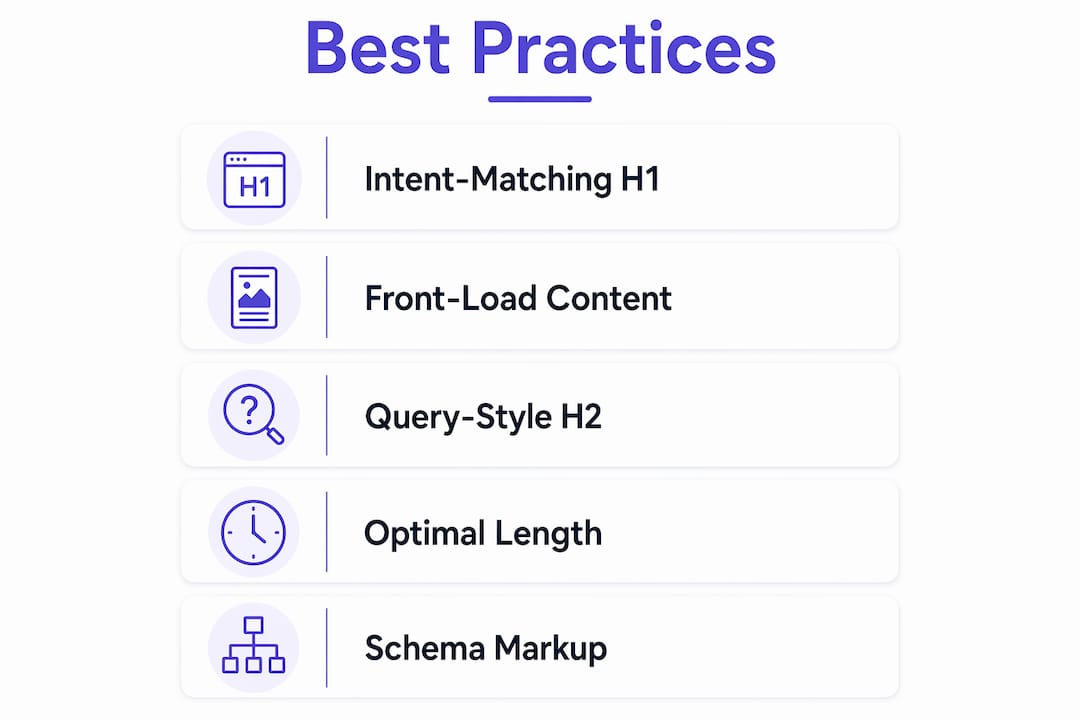
Front-load the first 300 words
The first 300 words of a neighborhood service page are critically important for AI extraction and ranking for local intent queries. Those words must answer the buyer’s immediate questions: What service do you provide? Where exactly do you cover? Why should they call you? Do not bury this information below a company history paragraph.
Use query-style H2 headings
Generic heading labels on service pages miss ranking opportunities. Phrasing headings as real customer questions drives AI featured snippets far better. Replace “Pricing” with “How much does HVAC repair cost in Bucktown?” Replace “Our Process” with “What happens when you call us in Lincoln Park?”
Build in local proof
Every neighborhood service page needs proof that you actually work there. Include:
- Photos of completed jobs taken at real addresses in the neighborhood
- Customer reviews that mention the specific area or street
- References to local landmarks, schools, or well-known buildings nearby
- Your dispatch zone or estimated arrival time from your base
Hit the right content length
Optimal page length runs 600–900 words. That range gives you enough depth to answer buyer questions and signal topical authority without padding the page with filler. Pages under 400 words often read as thin content. Pages over 1,200 words for a single neighborhood tend to dilute focus.
Add schema markup
Schema markup with LocalBusiness and areaServed improves crawlability and search appearance. This is a technical SEO factor that most small service businesses skip entirely. Adding it gives you a clear edge over competitors who have not.
Pro Tip: Add a FAQ section with 5–8 questions buyers actually search. A well-structured FAQ increases visibility in “People Also Ask” results and AI answer engines simultaneously.
What benefits do neighborhood service pages provide to local service businesses?
The business case for building these pages is direct. Each benefit maps to a measurable outcome you can track.
- Capture high-intent traffic. Buyers searching “electrician in Wicker Park” are ready to book. A dedicated neighborhood page captures that traffic where a generic homepage cannot.
- Increase booked calls. Local proof reduces friction. When a buyer sees a photo of a job completed two streets away and a review from a neighbor, they call faster.
- Build credibility without a storefront. You do not need a physical office in every neighborhood you serve. A well-built service area page demonstrates genuine coverage through documented work.
- Rank in AI-powered search. Google’s AI Overviews and tools like Perplexity pull answers from pages with clear structure and local specificity. Generic pages do not get cited.
- Reduce wasted SEO spend. Targeting the right neighborhoods with dedicated pages means your budget goes toward searches that convert, not broad terms that attract the wrong buyers.
- Improve marketing attribution. Each neighborhood page functions as a trackable entry point. You can see exactly which areas drive the most calls and adjust your service focus accordingly.
“Skipping neighborhood-specific customization reduces conversion. Pages must tell the story for that exact place to reduce friction in buyer decisions.” — Hunter Yip
The importance of local service pages compounds over time. Each page you build is a permanent asset that keeps generating leads without additional ad spend.
How do you create and maintain neighborhood service pages that actually work?
Building one strong page is straightforward. Building a system of them across multiple neighborhoods requires a clear process.
-
Identify target neighborhoods. Start with areas where you already have customers and reviews. Cross-reference with Google Search Console to find neighborhoods generating organic impressions you are not yet capturing.
-
Create one page per neighborhood. Combining multiple service areas on one page harms SEO. Each neighborhood needs its own URL, its own H1, and its own unique content.
-
Write unique content for each page. Do not copy a template and swap the neighborhood name. Google identifies this pattern quickly. Write each page from scratch using local proof specific to that area.
-
Gather local reviews and photos. After every job, ask the customer for a Google review that mentions the neighborhood. Take a photo of the completed work on-site. These assets feed directly into your next page.
-
Add schema markup and a booking widget. Apply LocalBusiness schema with the areaServed property. Place a contact form or click-to-call button above the fold on every page.
-
Link pages into your site architecture. Your multi-location service website needs a clear internal linking structure. Link from your main Services page to each neighborhood page. Link between related neighborhood pages where geography overlaps.
-
Update pages quarterly. Add new reviews, refresh photos, and update any FAQ answers that reflect changes in pricing or process. Fresh content signals active coverage to search engines.
Pro Tip: Build a simple content calendar with one neighborhood page per month. Twelve months gives you twelve targeted pages, each compounding your local search presence.
Key Takeaways
A neighborhood service page is the single most direct tool a local service business has for capturing high-intent buyers in specific areas without a physical storefront.
| Point | Details |
|---|---|
| Definition is precise | A neighborhood service page targets a specific area where a business serves customers without a physical office there. |
| Structure drives results | Use an intent-matching H1, front-loaded first 300 words, and query-style H2 headings to rank and convert. |
| Local proof is non-negotiable | Job photos, area-specific reviews, and landmark references separate real pages from thin content. |
| One page per neighborhood | Combining multiple areas on one page reduces local SEO effectiveness for every area covered. |
| Schema markup adds an edge | LocalBusiness schema with areaServed improves crawlability and AI search visibility for service businesses. |
Why neighborhood service pages are the most underused asset in local marketing
Most local service businesses I work with have one of two problems. Either they have no neighborhood pages at all, or they have a dozen pages that are identical except for the city name swapped in. Both approaches leave serious revenue on the table.
The businesses that get this right treat each neighborhood page as a conversion asset, not just an SEO checkbox. They gather real photos from jobs in that area. They ask customers for reviews that name the street. They write H2s that match the exact questions buyers type into Google at 9 PM when a pipe bursts. That specificity is what separates a page that books calls from one that collects dust.
AI-powered search has made this even more critical. Google’s AI Overviews pull answers from pages with clear structure and local specificity. If your page does not directly answer “How much does a plumber cost in Oak Park?” with a structured heading and a real answer, you will not appear in those results. A competitor who built that page six months ago will.
The other mistake I see constantly is businesses claiming neighborhoods they do not actually serve. That approach destroys trust the moment a buyer calls and hears “we don’t really cover that area.” Authenticity in service area pages is not just an ethical standard. It is a conversion requirement. Build pages only for areas where you can genuinely show up and do the work.
— Max
Cosmicdigitalstudios builds neighborhood service pages that rank and convert
If you are a local service business without dedicated neighborhood pages, you are losing booked calls to competitors who built them months ago. Cosmicdigitalstudios designs and builds conversion-focused service pages with intent-matching structure, local proof integration, schema markup, and clear calls to action built in from the start.

Every page we build is written for the specific neighborhood, structured for AI and Google search, and designed to turn visitors into calls. We handle the content, the technical SEO, and the design so you get a finished asset that works. If you want to see what a full set of neighborhood pages looks like for a local service business, explore our service examples and reach out to get started.
FAQ
What is a neighborhood service page?
A neighborhood service page is a dedicated website page targeting a specific area where a business provides services without a physical storefront there. It is also called a service area page and is used by businesses like plumbers, HVAC technicians, and cleaners who travel to customers.
How is a neighborhood service page different from a location page?
A location page represents a physical storefront with a verified address and store hours. A neighborhood service page represents a service area and builds credibility through job photos, local reviews, and documented dispatch capability instead.
How long should a neighborhood service page be?
The optimal length is 600–900 words. That range provides enough depth to answer buyer questions and signal topical authority without diluting the page’s local focus.
Do I need a separate page for each neighborhood?
Yes. Combining multiple service areas on one page reduces local SEO effectiveness for every area listed. Each neighborhood needs its own URL, unique content, and locally specific proof.
What should I include on a neighborhood service page?
Include an intent-matching H1, local job photos, customer reviews from that area, references to nearby landmarks, a FAQ section with buyer questions, LocalBusiness schema markup with areaServed, and a clear booking or contact call to action.