
Your website is either working for you or working against you. A website redesign is not just a new coat of paint. It is a complete overhaul of your site’s structure, visuals, and functionality to improve performance, usability, and business impact. Many small business owners assume a redesign means swapping colors or updating a logo. It does not. Done right, a redesign rebuilds the foundation your leads and conversions are built on, and this guide walks you through exactly what that means for your business.
Table of Contents
- What is a website redesign: components and scope
- Why a website redesign matters for small businesses
- Key steps in planning and executing a successful website redesign
- SEO and user experience considerations during a redesign
- Common challenges and expert strategies for smooth redesigns
- Why focusing on strategy and foundations beats flashy visuals every time
- How Cosmic Digital Studios can help you with your website redesign
- Frequently asked questions
Key Takeaways
| Point | Details |
|---|---|
| Website redesign scope | A website redesign changes your site’s foundation by updating structure, content, design, and navigation. |
| Business impact | Redesigns improve visitor experience and can increase leads by up to 30% typically within 90 days. |
| Planning importance | Strong upfront strategy and SEO preservation plans are critical to redesign success and traffic retention. |
| SEO risks | Without careful URL redirects, redesigns can cause 20–50% organic traffic loss after launch. |
| Common pitfalls | Missing content readiness and poor planning often delay projects and impact outcomes. |
What is a website redesign: components and scope
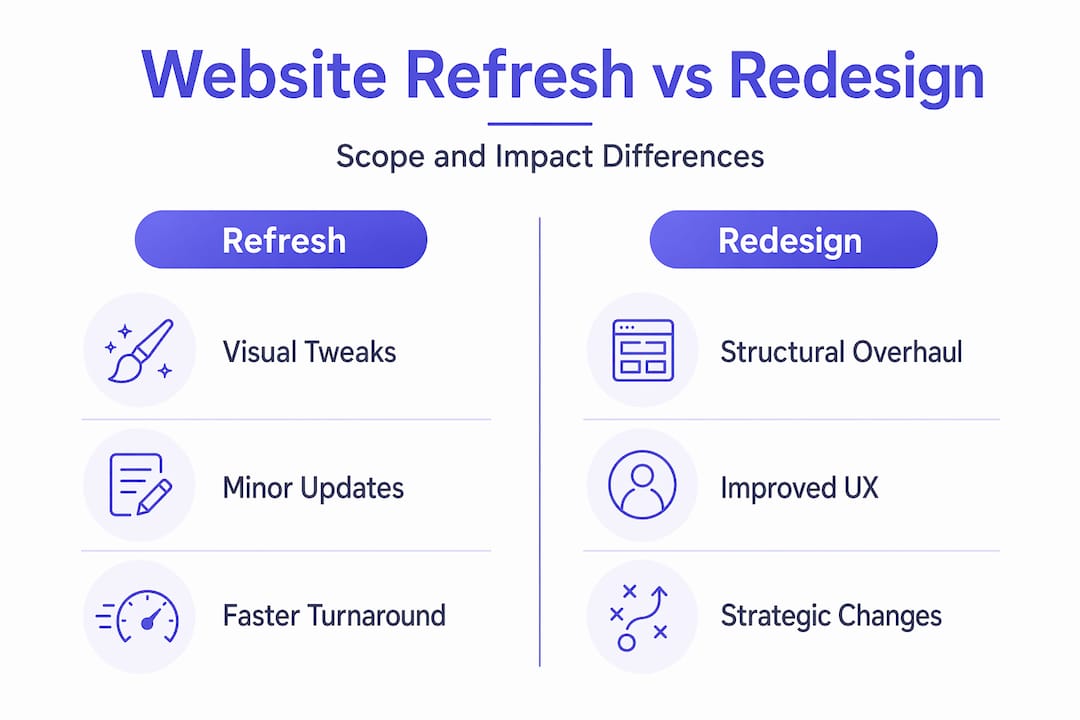
A website redesign is a complete overhaul of your site’s structure, visuals, and functionality. It is not a minor tune-up. It touches every layer of your website, from how pages are organized to how visitors find information and take action.
Here is what a full redesign typically covers:
- Content: Rewriting, restructuring, or replacing copy and media to match your current business goals and audience
- Site structure: Rebuilding information architecture and navigation so visitors find what they need without confusion
- Visual design: Updating layouts, typography, color systems, and imagery to reflect your brand and build trust
- Functionality: Adding or replacing features like contact forms, booking tools, lead capture systems, and integrations
A website refresh, by contrast, is much narrower. It might mean updating a few images, tweaking button colors, or adjusting fonts. A redesign rebuilds key architecture and often the underlying technology, while a refresh handles surface-level changes only.
| Factor | Website refresh | Website redesign |
|---|---|---|
| Scope | Minor visual updates | Full structural overhaul |
| Navigation | Unchanged | Rebuilt from scratch |
| Technology | Same platform | May change CMS or framework |
| Content | Minor edits | Full audit and rewrite |
| Timeline | Days to weeks | Weeks to months |
| Business impact | Minimal | Significant |
Understanding how site structure supports marketing goals is one of the first things to get clear on before you start. If your current site buries your services three clicks deep or sends visitors to a homepage with no clear next step, that is a structural problem. A refresh will not fix it. A redesign will.
When you are planning website content for organic traffic, the same principle applies. Content strategy and site structure must be planned together, not as afterthoughts.
Now that you understand the full scope of a website redesign versus a simple refresh, let’s explore why this distinction matters for small businesses focused on growth.
Why a website redesign matters for small businesses
Your website is your most accessible salesperson. It is available 24 hours a day, and it either convinces visitors to take action or sends them to a competitor. A redesign addresses the reasons visitors leave without converting.

A redesign should rework how visitors move through your site and align the experience with your business goals, not just update aesthetics. That distinction is critical. If your navigation is confusing, your offer is unclear, or your calls to action are buried, no amount of visual polish will fix your conversion rate.
The business case for redesigning is strong. A well-executed redesign improves conversion rates by 20 to 200 percent, reduces bounce rates by 10 to 40 percent, and increases leads by an average of 30 percent within 90 days. For a small business generating even 50 leads a month, a 30 percent lift is 15 additional leads every single month.
Key benefits of a professional website redesign include:
- Better lead generation: Clear calls to action, optimized landing pages, and logical user flows guide visitors toward booking a call or filling out a form
- Improved mobile experience: Most visitors browse on phones; a redesign ensures your site performs well on every screen size
- Faster load times: Slow sites lose visitors; a redesign addresses technical performance at the foundation level
- Stronger brand credibility: A modern, professional site signals that your business is active, trustworthy, and worth hiring
- Alignment with current goals: Your business has likely evolved; your website should reflect where you are now, not where you were three years ago
Pro Tip: Before you commit to a redesign, pull your current site’s analytics. Look at your top exit pages, your average time on page, and your mobile bounce rate. These numbers tell you exactly where your site is losing people, and they become your redesign priorities.
Understanding the essential website pages for local businesses is also part of this conversation. A redesign is the right time to add or fix the pages that directly support lead generation. Pairing that with strong lead generation strategies ensures your redesigned site is built to capture and convert, not just impress.
Understanding the benefits clarifies why redesigns focus on strategy, not just style, which leads us to how to plan a successful redesign.
Key steps in planning and executing a successful website redesign
A redesign without a plan is just expensive guessing. The website redesign process follows a clear sequence: audit performance, define goals and KPIs, plan site structure, follow SEO best practices, migrate content with redirects, test on staging, and monitor after launch.
Here is how to approach each step:
-
Audit your current site. Document what is working and what is not. Review traffic data, conversion rates, and page performance. Note which pages rank in search and which get the most visits.
-
Define clear goals. What does success look like? More booked calls? Lower bounce rates? Better mobile performance? Tie every goal to a measurable KPI so you can track progress after launch.
-
Plan your new site architecture. Map out every page, how they connect, and what action each page should drive. This is where you decide what stays, what gets cut, and what gets added.
-
Build your content before development starts. Do not wait until the site is built to write your copy. Content delays are one of the most common reasons redesign timelines extend by weeks or months.
-
Create a URL redirect map. Every URL that changes needs a redirect pointing to its new location. URL redirect planning is the most critical technical step; skipping it can cost you 20 to 50 percent of your organic traffic in the first 90 days.
-
Build and test on a staging environment. Never build directly on a live site. Test every form, every link, every page on mobile and desktop before anything goes public.
-
Launch and monitor. After launch, watch your analytics daily for the first two weeks. Catch broken links, crawl errors, and traffic drops early before they compound.
| Phase | Key task | Common mistake |
|---|---|---|
| Discovery | Audit and goal setting | Skipping data review |
| Planning | Site architecture and content | Starting dev before content is ready |
| Development | Build on staging | Building directly on live site |
| Pre-launch | Redirect mapping and testing | Missing URL redirects |
| Post-launch | Monitoring analytics | Ignoring data after go-live |
Pro Tip: Involve an SEO specialist before development starts, not after. SEO decisions made late in the process are expensive to undo and often get skipped entirely under deadline pressure.
If you are looking for professional website redesign services that follow this exact process, working with a team that builds conversion-focused sites from the ground up saves you from the most common and costly mistakes.
With a solid planning and execution framework, you can now approach your redesign project more confidently and avoid common pitfalls.
SEO and user experience considerations during a redesign
SEO and user experience are not features you add at the end. They are built into every decision you make during a redesign. Get them wrong and your new site can actually perform worse than the old one.
On the SEO side, URL migration and SEO preservation are treated as go/no-go checklist items by experienced practitioners. Even small changes to URL structures or navigation can harm your rankings if they are not carefully managed. Before you change a single URL, you need a complete map of old URLs to new ones, and every redirect needs to be a 301 (permanent) redirect, not a temporary one.
On the user experience side, the goal is simple: make it easy for visitors to find what they need and take action. That means:
- Clear navigation: Visitors should know where they are and where to go next within seconds of landing on any page
- Responsive design: Your site must work perfectly on phones, tablets, and desktops without any compromise in usability
- Fast load times: Every additional second of load time reduces conversions; aim for under three seconds on mobile
- Readable content: Short paragraphs, clear headings, and plain language keep visitors engaged and reduce bounce rates
- Visible calls to action: Every page should have one clear next step, whether that is booking a call, requesting a quote, or downloading a resource
Improving one layer alone, such as visuals, will not reliably produce conversions. Redesigns need to cover content, structure, design, and navigation together to deliver real results. That is what separates a site that looks good from a site that actually generates leads.
You can also boost engagement with chat widgets and other interactive elements during a redesign, but only after the core structure and content are solid. Tools like these amplify a good foundation; they cannot replace one.
Prioritizing SEO and UX throughout your redesign sets the foundation for achieving better rankings and happier visitors.
Common challenges and expert strategies for smooth redesigns
Even well-planned redesigns run into problems. Knowing the most common ones ahead of time puts you in a much better position to avoid them.
Content delays are the number one timeline killer. Content delays often extend redesign timelines because most plans assume content audits and rewrites will be ready before development starts, but approvals and revisions take longer than expected. The fix is simple: start your content work before development begins, not alongside it.
SEO risks from poor migration planning are serious. Redesigns without URL redirect plans can lose 20 to 50 percent of organic search traffic, which is an unacceptable risk for any small business that depends on Google for leads.
Common challenges and how to handle them:
- Unclear goals: Define specific KPIs before any design work starts
- Scope creep: Document exactly what is included in the project and get sign-off before development begins
- Missing content: Assign a content owner and set firm deadlines for copy delivery
- SEO drops post-launch: Create a redirect map before development and run a full crawl before going live
- Poor mobile performance: Test every page on real devices, not just browser simulators
“The businesses that get the most from a redesign are the ones that treat it as a business project, not a design project. They come in with goals, data, and content ready to go. The ones who struggle treat it like ordering a new logo.”
Knowing these risks and strategies helps you avoid costly redesign mistakes and keeps your project on track.
Why focusing on strategy and foundations beats flashy visuals every time
Here is something most agencies will not tell you: a beautiful website with no strategic foundation is just an expensive brochure. We have seen it happen repeatedly. A business invests in a visually impressive redesign, it launches to applause internally, and then the leads do not come. Traffic stays flat. Bounce rates barely move.
The reason is almost always the same. The redesign prioritized how the site looks over how it works.
Redesign success depends heavily on initial strategy and planning based on goals, audience, and performance data. Without that foundation, even beautiful websites underperform. Visual design is important, but it is the last layer, not the first.
The businesses that see real results from a redesign start with questions like: Who is our ideal visitor? What do we want them to do? Where are they dropping off today? What does our data say about what is broken? Those answers shape the structure, the content, and the navigation before a single design decision is made.
A strategic website build guide follows this exact logic. You build the strategy first, then the structure, then the design. Not the other way around.
The businesses that skip this step end up redesigning again in 18 months. The ones that get it right build a site that generates leads for years. That difference is not talent or budget. It is sequence and intention.
How Cosmic Digital Studios can help you with your website redesign
If you have read this far, you already know more about website redesigns than most business owners who go into the process blind. Now the question is: who builds it?
At Cosmic Digital Studios, we build custom websites and conversion-focused funnels for small businesses that need more than a pretty site. Every project starts with your goals, your audience, and your current performance data. We handle the strategy, the structure, the content planning, and the technical execution so you do not have to manage it all yourself.
Our fast modern website design services are built around one outcome: turning your visitors into leads and booked calls. Whether you need a full redesign or a new build from scratch, we follow the same proven process outlined in this article. Clean design. Strong messaging. Real conversions. Explore our step-by-step website build guide or review the essential website pages for local businesses to see how we approach every build.
Frequently asked questions
What is the main difference between a website redesign and a website refresh?
A redesign rebuilds key architecture, templates, and function, while a refresh focuses on surface-level updates like colors or images without changing the underlying structure or user experience.
How can a website redesign improve lead generation for small businesses?
By improving navigation, content clarity, and user experience, a redesign creates cleaner paths to conversion. Redesigns can increase lead volume by an average of 30 percent within 90 days through better UX and conversion optimization.
Why is planning URL redirects critical during a redesign?
Without a redirect plan, redesigns may lose 20 to 50 percent of organic traffic in the first 90 days, directly harming your search rankings and the volume of visitors reaching your site.
What are the common challenges small businesses face during a website redesign?
The most frequent issues are content delays, underestimated timelines, and SEO risks from poor migration planning. Content delays often extend timelines because audits and rewrites take longer than expected, especially when approvals are involved.