
Structure consulting website navigation is the strategic arrangement of menu items, internal links, and hierarchy signals designed to maximize clarity, usability, and client conversion on consulting services websites. The industry term for this discipline is information architecture (IA), and getting it right separates consulting sites that book calls from ones that lose visitors in 10 seconds. Poor IA costs you clients before they ever read your pitch. This article gives you the exact framework to build a navigation system that works for users, search engines, and AI discovery tools alike.
What are the essential elements of consulting website navigation structure?
The foundation of any effective consulting website layout is a limited, well-labeled top-level menu. 4 to 6 primary categories at the top level are optimal for clarity and conversion. That number is not arbitrary. It reflects how human working memory processes choices. Push past seven items and you trigger decision fatigue, which sends visitors to your competitor instead of your contact form.

Your top-level items should map directly to how your clients think, not how your internal team organizes services. A management consulting firm might use: Home, Services, Case Studies, About, and Contact. That is five items. Clean, predictable, and conversion-focused.
Here is what each element of a well-structured consulting site navigation must include:
- Primary navigation (4 to 7 items): Cover the core user journeys. Services, proof of work, and a contact path are non-negotiable.
- Logical submenus: Group related services under one parent label. A dropdown under “Services” with three to four specific offerings beats five separate top-level service pages.
- Descriptive labels: Use the words your clients actually search. “Strategy Consulting” beats “What We Do.” Vague labels increase bounce rates.
- Internal linking within content: Internal links signal hierarchy to search engines and AI systems, showing which pages are foundational and how concepts connect.
- Utility navigation: Items like Login, Client Portal, or Search belong in a secondary utility bar, not the primary menu.
Pro Tip: Run your proposed navigation labels past three people outside your industry. If they cannot predict what they will find under each label, rename it before you build.
Navigation is not just the top menu bar. Breadcrumbs, related links, supplemental navigation, and utility menus collectively enhance findability across the entire site. A consulting site that uses all of these tools gives every visitor multiple paths to the same destination, which reduces frustration and increases time on site.
How does cognitive accessibility influence navigation design for consulting websites?
Accessibility is not a legal checkbox. It is a conversion multiplier. When your navigation is predictable and visually clear, every visitor, including those with cognitive disabilities, finds what they need faster. Faster discovery means lower bounce rates and more booked calls.
The W3C’s WCAG 2.1 guidelines set the standard for navigational design for consultants. Here is a practical four-step process to apply those standards:
- Use visible submenu indicators. Visual indicators like “+” or triangles mark expandable items. Never rely on hover states alone. Hover states are invisible on mobile and inaccessible to keyboard users.
- Maintain consistent placement. Your navigation must appear in the same location on every page. Shifting menus between pages breaks user mental models and increases cognitive load.
- Provide active state feedback. Highlight the current page in the menu. This tells users where they are, which is a WCAG 2.4 requirement and a basic usability standard.
- Test with diverse users. Run your navigation with at least five users who represent different technical comfort levels. Card sorting and tree testing (covered in the next section) are the most reliable methods.
“Consistent submenu indicators improve cognitive accessibility and reduce user confusion across all visitor types, including those using assistive technologies.” — W3C Web Accessibility Initiative
The practical implication here is direct: a consulting firm targeting C-suite executives cannot afford a navigation that confuses anyone. Senior buyers are busy. If your site requires effort to figure out, they leave. Accessible design is not charity. It is good business.
What practical steps and tools help design and validate consulting site navigation?
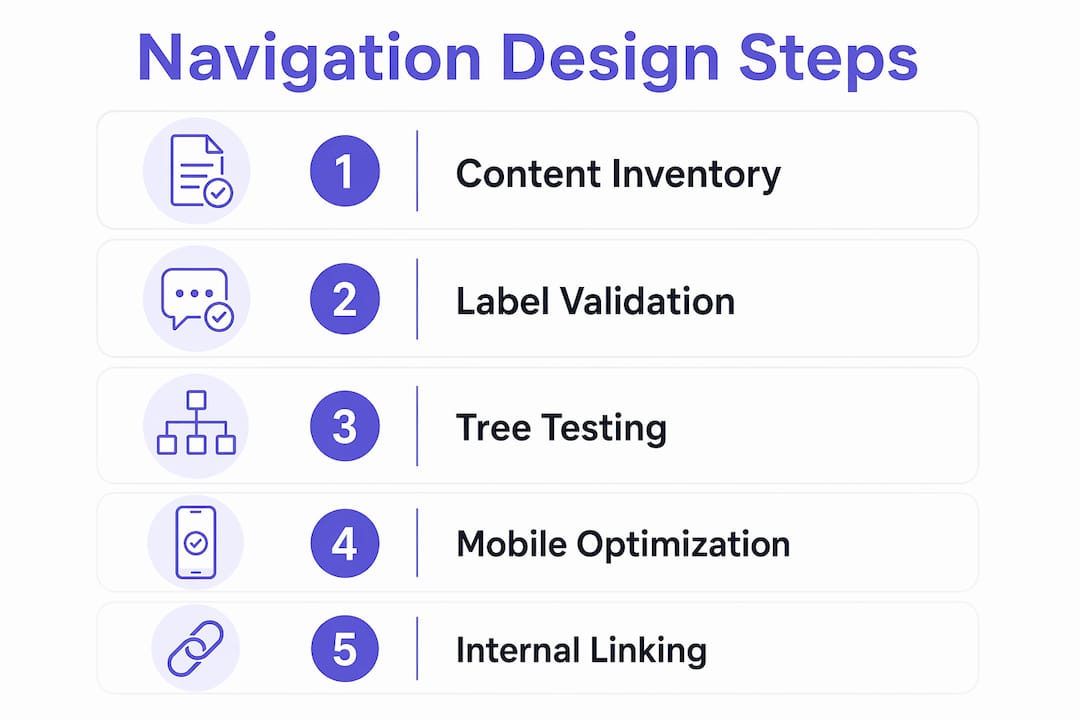
Designing a navigation structure without a validation process is guesswork. The following workflow moves you from blank slate to a tested, user-approved structure.
- Inventory your content. List every page you have or plan to build. Group them by user task, not by your internal department logic.
- Map user task flows. Identify the three to five most common reasons a visitor lands on your site. Each flow needs a clear path from entry to conversion.
- Draft multiple structural alternatives. Build two or three different IA options using a tool like Whimsical or Miro. Visual IA diagrams make structural problems obvious before you write a single line of code.
- Run card sorting. Give users a set of content labels and ask them to group them logically. Tools like Optimal Workshop’s OptimalSort reveal how your audience mentally categorizes your services.
- Run tree testing. Present your proposed structure without visual design and ask users to find specific content. Card sorting, tree testing, and WCAG 2.1 compliance checks together form the gold standard for navigation validation.
- Iterate on labels. Replace any label that more than 30% of test users misinterpret. Repeat until your structure passes.
The table below shows which tools serve each stage of the process:
| Stage | Tool | Purpose |
|---|---|---|
| Content inventory | Airtable or Google Sheets | Catalog all pages and map to user tasks |
| IA diagramming | Whimsical or Miro | Visualize hierarchy and relationships |
| Card sorting | OptimalSort by Optimal Workshop | Validate label groupings with real users |
| Tree testing | Treejack by Optimal Workshop | Test findability without visual design bias |
| Accessibility audit | WAVE or axe DevTools | Check WCAG 2.1 compliance before launch |
Pro Tip: Do not skip tree testing just because your card sort results looked good. Card sorting tells you how users group content. Tree testing tells you whether they can actually find it in your proposed structure. These are different questions.
Mobile navigation deserves its own pass through this process. Mobile bottom navigation bars with 3 to 5 items improve reachability on phones. Replicating your full desktop menu on mobile is one of the most common contractor website design mistakes that kills mobile conversions.
How does optimizing navigation structure boost SEO and AI-driven visibility?
Search engines and AI discovery systems like Google’s Search Generative Experience and Perplexity do not just read your content. They read your structure. A well-organized consulting website layout sends clear signals about which pages are authoritative and how your expertise is organized.
Here is how optimizing site navigation directly improves your search and AI visibility:
- Internal linking establishes page authority. Internal links show which pages are foundational and how concepts relate hierarchically. A services page linked from your homepage, your blog posts, and your case studies carries far more authority than an orphaned page with no internal links pointing to it.
- Navigation clarity reduces AI ambiguity. AI systems that crawl your site use your navigation and internal link structure to understand your expertise. A cluttered or inconsistent menu makes it harder for these systems to categorize your consulting firm accurately.
- Shallow hierarchy improves crawl efficiency. An overly flat or overly deep navigation hierarchy impairs user task completion. The ideal structure balances breadth (4 to 7 items) with shallowness (no more than 2 levels deep). Pages buried three or four clicks from the homepage receive less crawl attention and rank lower.
- Consistent anchor text in internal links signals topic relevance. When you link to your “Strategy Consulting” page using that exact phrase across multiple pages, you reinforce the topical relevance of that page to both users and search engines.
- User engagement signals amplify rankings. A navigation structure that reduces friction keeps visitors on your site longer. Lower bounce rates and higher pages-per-session are behavioral signals that Google interprets as quality indicators.
For a deeper look at how internal linking affects SEO, the relationship between your navigation choices and your search rankings is more direct than most developers realize. Every link in your menu is a vote for the importance of the destination page.
Key takeaways
Effective consulting website navigation requires a limited top-level menu of 4 to 7 items, accessible submenu indicators, validated labels, and strategic internal linking to drive both user conversions and search engine trust.
| Point | Details |
|---|---|
| Limit top-level items | Use 4 to 7 primary navigation items to reduce decision friction and improve conversion. |
| Apply accessibility standards | Follow WCAG 2.1 guidelines with visible submenu indicators and consistent active states on every page. |
| Validate before you build | Use card sorting and tree testing tools like OptimalSort and Treejack to confirm labels and structure work for real users. |
| Internal linking drives authority | Link to key service pages from multiple content types to signal page importance to search engines and AI systems. |
| Mobile navigation is separate | Design mobile menus with 3 to 5 thumb-reachable items rather than replicating the full desktop structure. |
Why most consulting sites get navigation wrong from the start
I have reviewed hundreds of consulting websites over the years, and the single most common mistake is not a technical one. It is a strategic one. Most consulting firms build their navigation to reflect their own organizational chart instead of their client’s decision-making process. The result is a menu full of internal jargon that means nothing to a first-time visitor.
The second mistake is what I call the Cheesecake Factory problem. Overcrowded menus with multiple calls to action confuse visitors and cause them to leave quickly. I have seen consulting sites with 12 top-level navigation items, three different “Contact Us” buttons, and a homepage that tries to speak to five different buyer types simultaneously. None of those visitors convert, because none of them feel like the site was built for them.
The fix is not complicated, but it requires discipline. A focused message with streamlined navigation increases engagement and conversions. Pick one primary offer. Build your navigation around the path to that offer. Everything else is secondary.
The other thing most developers skip is connecting navigation analytics to ongoing refinement. Tools like Microsoft Clarity and Google Analytics 4 show you exactly which menu items get clicked, which get ignored, and where users drop off. That data is worth more than any best-practice article, including this one. Build the structure, launch it, measure it, and adjust. Navigation is not a set-it-and-forget-it decision.
For a practical checklist on getting your service business menu right from the start, the structural principles apply directly to consulting sites of any size.
— Max
Let Cosmicdigitalstudios build a navigation that actually converts
If you have read this far, you already know that a well-structured consulting website navigation is not just a design preference. It is a conversion system. At Cosmicdigitalstudios, we build custom websites where every menu item, internal link, and page hierarchy is designed with one goal: turning your visitors into booked calls and paying clients.

We handle the full process, from IA planning and label validation to mobile-optimized menus and internal linking strategy. Every site we build at Cosmicdigitalstudios is tailored to your specific services and audience. If your current navigation is costing you clients, we can fix that. Explore how we help consulting businesses turn visitors into clients and see what a conversion-focused build looks like in practice.
FAQ
How many items should a consulting website navigation have?
Consulting websites should limit top-level navigation to 4 to 7 primary items. This range reduces decision friction and keeps visitors focused on the path to conversion.
What is information architecture in website navigation?
Information architecture (IA) is the structural design of a website’s navigation, labeling, and hierarchy. For consulting sites, strong IA means users can find services and contact options in two clicks or fewer.
How does navigation structure affect SEO for consulting websites?
Navigation structure affects SEO by determining how search engines crawl and assign authority to your pages. Internal links within your navigation and content signal which pages are most important, directly influencing rankings.
What tools are used to test consulting website navigation?
Card sorting tools like OptimalSort and tree testing tools like Treejack are the standard methods for validating navigation labels and structure before launch. WAVE and axe DevTools handle accessibility compliance checks.
Should mobile navigation mirror the desktop menu?
Mobile navigation should not replicate the full desktop menu. A mobile bottom navigation bar with 3 to 5 primary destinations improves reachability and reduces the friction that causes mobile visitors to leave without converting.