
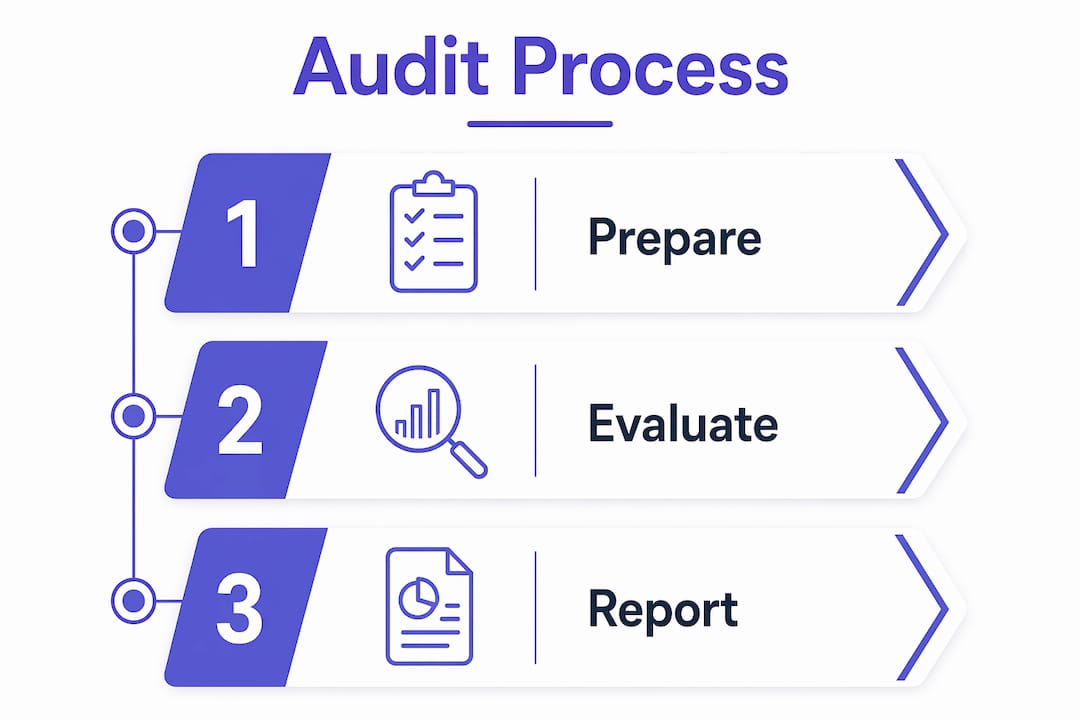
Making a service website ADA compliant means bringing it into alignment with the Web Content Accessibility Guidelines (WCAG) 2.1 Level AA, the accepted technical benchmark for accessibility under the Americans with Disabilities Act. The process involves three core services: a manual accessibility audit, code-level remediation, and a validation review. Supporting documentation, including an accessibility statement, completes the picture. Compliance is not a one-time fix. It is an ongoing operational commitment that protects your business legally and makes your site usable for every visitor.
What do you need before starting ADA compliance work?
Before any audit begins, you need the right people and the right information in place. Skipping this preparation step is the most common reason remediation projects stall halfway through.
Start by gathering the following:
- A developer familiar with WCAG 2.1 AA. General web developers often lack the specific knowledge needed. You need someone who understands ARIA roles, keyboard focus management, and color contrast ratios.
- A complete list of your core pages. For a service website, this typically includes your homepage, service pages, contact form, booking flow, and any client portal or login page.
- Dynamic content inventory. Sliders, modals, date pickers, and chat widgets all require separate accessibility testing. List every interactive element on your site.
- Assistive technology for testing. Screen readers like NVDA (Windows) or VoiceOver (Mac and iOS) are free and widely used. Your team needs access to these before testing begins.
- Stakeholder alignment. Identify who owns the final sign-off: your developer, your legal team, or both. Accessibility decisions touch code, content, and policy simultaneously.
Pro Tip: Map your site’s most-used user flows before the audit starts. A visitor booking a service call or submitting a contact form represents your highest-traffic path. Prioritize those flows first.
Automated scanning tools like WAVE or Axe are useful for a quick baseline check. They are not sufficient on their own. Treat them as a starting point, not a finish line.

How to conduct a manual accessibility audit for your service site
A manual audit is the foundation of any credible ADA compliance process. Automated scanners detect only about 25–40% of accessibility barriers. The rest, including keyboard traps, broken focus order, and ARIA misuses, require a human tester with assistive technology.
A structured audit follows these steps:
- Select a representative page sample. Include your homepage, at least two service pages, your contact form, your booking or scheduling page, and any page with dynamic content. Five to ten pages covers most service websites adequately.
- Run keyboard-only navigation. Unplug your mouse and tab through every page. Every link, button, and form field must be reachable and operable with a keyboard alone. Note any element that traps focus or becomes unreachable.
- Test with a screen reader. Use NVDA or VoiceOver to navigate each page. Listen for missing alt text on images, unlabeled form fields, and headings that skip levels (jumping from H1 to H4, for example).
- Check color contrast. Text must meet a contrast ratio of at least 4.5:1 for normal-sized text. Use a tool like the WebAIM Contrast Checker to verify every text and background color combination.
- Review forms and error messages. Every input field needs a visible, programmatic label. Error messages must identify the specific field and explain how to fix the problem.
- Document every issue. Record the page URL, the WCAG criterion violated, the severity (critical, major, or minor), and a plain-English description of the fix needed.
The documentation step is where most DIY audits fall apart. Audit reports must be tailored for both developers and legal teams. Your developer needs the WCAG criterion number and a code-level description. Your legal team needs a conformance summary they can read without a technical background.
| Issue Type | WCAG Criterion | Severity | Example Fix |
|---|---|---|---|
| Missing alt text | 1.1.1 Non-text Content | Critical | Add descriptive alt attribute to all images |
| Low color contrast | 1.4.3 Contrast (Minimum) | Critical | Adjust text or background color to meet 4.5:1 ratio |
| Unlabeled form field | 1.3.1 Info and Relationships | Critical | Add visible label element linked to input via for attribute |
| Keyboard trap | 2.1.2 No Keyboard Trap | Critical | Fix modal close behavior to release focus on Escape key |
| Missing skip link | 2.4.1 Bypass Blocks | Major | Add “Skip to main content” link as first focusable element |
How to remediate accessibility issues effectively
Remediation is where your audit findings become actual fixes in the code. The full compliance process typically takes 8–12 weeks for most service websites, and remediation accounts for the bulk of that time.
Prioritize fixes in this order:
- Critical barriers first. Any issue that completely blocks a user from completing a task (booking a service, submitting a contact form, navigating the site) gets fixed before anything else.
- High-traffic pages second. Fix your homepage and primary service pages before lower-traffic pages. Legal exposure is highest where visitor volume is highest.
- Common remediation tasks include:
- Writing descriptive alt text for every meaningful image
- Correcting color contrast across all text elements
- Adding keyboard operability to custom dropdowns, modals, and date pickers
- Labeling every form field with a visible and programmatic label
- Implementing correct ARIA roles and attributes on dynamic components
One decision you will face is whether to use an accessibility overlay or fix the source code directly. The answer is clear: fix the source code. Accessibility overlays are often insufficient and can introduce new barriers. Studies show 20% of ADA lawsuits target sites using overlays, which means overlays increase legal risk rather than reduce it. Permanent, code-level remediation is the only legally defensible approach.
Pro Tip: Treat your audit report as a living ticket system. Assign each issue to a specific developer, set a due date, and track completion. Remediation without accountability creates accessibility debt fast.
Reviewing common design mistakes before remediation also helps you catch structural problems that automated tools miss entirely.
How to validate compliance and maintain it over time
Validation is not a second full audit. It is a targeted review confirming that your remediation fixes actually work. Test each previously identified issue using the same methods used during the audit: keyboard navigation, screen reader testing, and contrast checks.
After validation, publish an accessibility statement on your website. This document should include:
- Your current conformance level (WCAG 2.1 Level AA)
- A list of any known remaining issues and your plan to address them
- Contact information for users who encounter barriers
- The date the statement was last updated
Accessibility statements serve as evidence of good-faith effort. They are not legally required under current federal rules, but courts and the Department of Justice treat them as a meaningful indicator of intent. Update the statement every time your site changes significantly.
Ongoing maintenance is where most service businesses fall short. Every new page, blog post, image, or feature you add to your site is a potential new accessibility barrier. Build these habits into your workflow:
- Run an automated scan on every new page before it goes live
- Train anyone who adds content to your site on basic accessibility practices (alt text, heading structure, link text)
- Schedule a full manual review at least once per year or after any major redesign
“Accessibility management reduces risk and avoids costly accessibility debt. Proactive monitoring is far cheaper than reactive remediation after a complaint or lawsuit.”
Accessibility as an ongoing commitment is the standard the industry has settled on. Building it into your regular website maintenance is the only way to stay ahead of legal exposure and serve every visitor who lands on your site.
For service businesses planning a full site overhaul, the local service website redesign checklist covers accessibility considerations alongside design and conversion factors.
Key takeaways
Making a service website ADA compliant requires a manual audit, code-level remediation, and ongoing validation against WCAG 2.1 Level AA standards.
| Point | Details |
|---|---|
| WCAG 2.1 AA is the standard | Courts and the DOJ treat this as the benchmark for both public and private service websites. |
| Manual audits are non-negotiable | Automated tools catch only 25–40% of barriers; keyboard and screen reader testing finds the rest. |
| Fix the source code, not the overlay | Overlays increase legal risk; permanent code-level remediation is the only defensible approach. |
| Document everything | Audit reports and accessibility statements protect you legally and guide efficient remediation. |
| Compliance is ongoing | Every new page or feature is a potential barrier; build accessibility checks into your regular workflow. |
Why accessibility is a business decision, not just a legal one
I have worked with service business owners who treat ADA compliance as a checkbox they need to clear once and forget. That mindset creates the exact problem they are trying to avoid.
Here is what I have seen consistently: the businesses that integrate accessibility into their regular site maintenance spend a fraction of what reactive businesses spend after a complaint lands. A single demand letter from an accessibility plaintiff’s attorney can cost more in legal fees than a full audit and remediation project combined. The math is not complicated.
The other thing I push back on is the idea that overlays solve the problem. They do not. They create a surface-level appearance of compliance while leaving the underlying code broken. Courts have seen through this approach repeatedly. If your site gets scrutinized, the overlay will not protect you.
What actually works is treating accessibility the same way you treat site security or page speed: as a continuous operational standard, not a project with an end date. Audit annually. Train your content team. Fix new issues as they appear. That is the entire system.
The business case beyond legal protection is real too. An accessible site is a better site. Clearer navigation, properly labeled forms, and readable text improve the experience for every visitor, not just those using assistive technology. That translates directly into more completed contact forms and more booked calls.
— Max
Cosmicdigitalstudios builds accessibility into every website
If your service website needs a compliance review or a full rebuild with accessibility built in from the start, Cosmicdigitalstudios builds custom websites designed to convert and meet modern accessibility standards.

Every site Cosmicdigitalstudios delivers is built with clean code, proper heading structure, keyboard operability, and contrast ratios that meet WCAG 2.1 AA requirements. Whether you need a new website or a compliance-focused redesign, the process starts with understanding your business goals and your current site’s gaps. Reach out to Cosmicdigitalstudios to request a consultation and get a clear picture of where your site stands and what it takes to get it right.
FAQ
What is the ADA compliance standard for websites?
The accepted standard is WCAG 2.1 Level AA. The DOJ has mandated this for state and local governments, and courts apply the same benchmark to private service businesses.
How long does it take to make a website ADA compliant?
The full process, covering audit, remediation, and validation, typically takes 8–12 weeks for most service websites, depending on site size and the number of issues found.
Can I use an accessibility overlay instead of fixing my code?
Overlays are not a reliable solution. Studies show 20% of ADA lawsuits target sites using overlays, and courts have consistently found them insufficient for legal compliance.
What pages should I prioritize in an accessibility audit?
Start with your homepage, service pages, contact form, and booking flow. These are your highest-traffic pages and carry the greatest legal exposure if they contain barriers.
Do I need an accessibility statement on my service website?
An accessibility statement is not legally required, but it serves as evidence of good-faith effort and is strongly recommended by accessibility experts and legal advisors.