
A conversion-first agency build that combines a contractor website, booking funnel, calendar and CRM integrations, intake rules, and reminder automation is the best appointment booking solution for contractors. Not a standalone scheduling widget. Not a template swap. A purpose-built system where every element, from the intake form to the deposit prompt, is configured around how your business actually qualifies and books jobs.
Here’s what that delivers immediately:
- Fewer no-shows because automated SMS and email reminders fire before every appointment
- Higher-qualified leads because intake rules filter out wrong-service or out-of-zone requests before a slot is offered
- Faster response time because inquiry auto-replies and routing logic work around the clock, not just during office hours
Table of Contents
- What does an agency-built contractor booking system actually include?
- Which booking features does every contractor website need?
- What does a contractor booking website cost and how long does it take?
- How do you evaluate and hire the right agency for this project?
- How does an agency add online booking to your contractor website?
- How do you measure ROI after your booking funnel goes live?
- Key Takeaways
- Why most contractors underestimate what a booking funnel actually needs
- Cosmicdigitalstudios builds contractor booking funnels that produce real appointments
- Useful sources and further reading
What does an agency-built contractor booking system actually include?
Most contractors picture a “Book Now” button when they hear booking software. What a proper agency build actually delivers is closer to an operations system. NoShowCalc’s booking workflow research shows that most service businesses stitch together six or more tools without a documented workflow, which creates inquiry leakage and no-shows at every stage.
A full agency project covers:
- Discovery and requirements mapping (service types, ZIP zones, crew availability, job minimums)
- Information architecture and mobile-first wireframes
- Responsive landing page or full website build
- CRM and calendar integrations (two-way sync for technician and company calendars)
- Intake forms with conditional logic and qualification rules
- Booking flow with slot filtering by service, location, and staff
- Deposit or card-on-file setup
- SMS and email confirmation plus one-tap reschedule links
- Staff routing and pending-queue logic for estimates
- QA, training, and handoff documentation
Your contract should also specify ownership of all assets: code, credentials, domain, backups, and booking configuration files. Post-launch, ask whether support is covered by a monthly retainer or billed hourly, and confirm the SLA response window. Cosmicdigitalstudios offers both retainer and project-based arrangements depending on scope.
Pro Tip: Require the agency to deliver a booking rules document alongside the build. If the rules live only inside a platform’s UI and no one documents them, you cannot audit or update them without the agency’s help.
Which booking features does every contractor website need?
Booking automation works as an operations system, not just a calendar widget. That means intake and routing logic must run before a visitor ever sees an open time slot, or you will collect wrong-service bookings and out-of-zone requests that waste your crew’s time.
Must-have features:
- Intake-based slot filtering (service type, ZIP code, travel zone)
- Staff and crew availability with buffer times and travel windows
- Two-way calendar sync across technician and company calendars
- Deposit or card-on-file capture at booking
- SMS and email confirmations with one-tap reschedule
- Conditional intake fields (photos, job size, urgency)
- Automated routing to a pending queue for estimates or high-value jobs
Nice-to-have (scale when ready):
- Multi-location routing
- Dynamic pricing by zone or service tier
- Post-job rebooking sequences
Enterprise-level:
- API-level integration with field service management platforms
- Real-time crew GPS and availability feeds
For a deeper look at what belongs on a contractor booking page, Cosmicdigitalstudios has a practical guide covering core components and confirmation flows.
Pro Tip: Insist that the agency delivers booking rules as editable configuration, not hard-coded logic. Hard-coded rules mean a developer call every time your service area or pricing changes.
What does a contractor booking website cost and how long does it take?
| Scope | Typical Timeline | Typical Price Range (U.S.) |
|---|---|---|
| Booking add-on to existing site | 2–3 weeks | — |
| Full landing page + funnel + booking | 4–6 weeks | — |
| Full website + multi-funnel + booking | 6 weeks | — |
| Enterprise multi-location + retainer | 10 weeks | — |
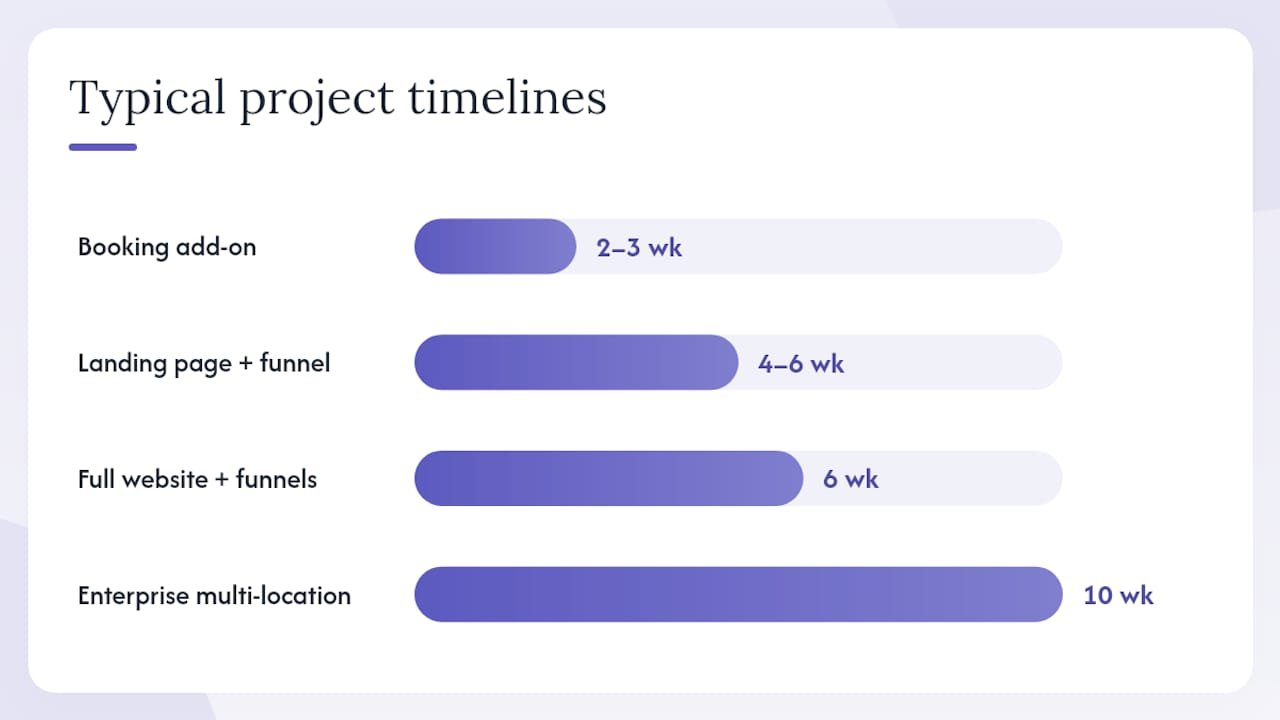
A phased rollout reduces risk. NoShowCalc recommends prioritizing inquiry auto-reply and SMS reminders in week one, adding the booking link and confirmation flow in week two, layering qualification rules in week three, and completing follow-up and rebooking automation in week four. That sequence closes the highest-leak stages first.
Ongoing costs to budget for:
- Hosting and domain renewal
- SMS and email reminder credits (volume-dependent)
- Monthly maintenance retainer or hourly support
- Third-party API fees (CRM, calendar, payment processor)
Statistic callout: According to AI-Automated’s booking automation research, over 70% of bookings start on mobile. A build that is not mobile-first from day one will lose a majority of your potential appointments before a visitor ever reaches the booking form.
How do you evaluate and hire the right agency for this project?
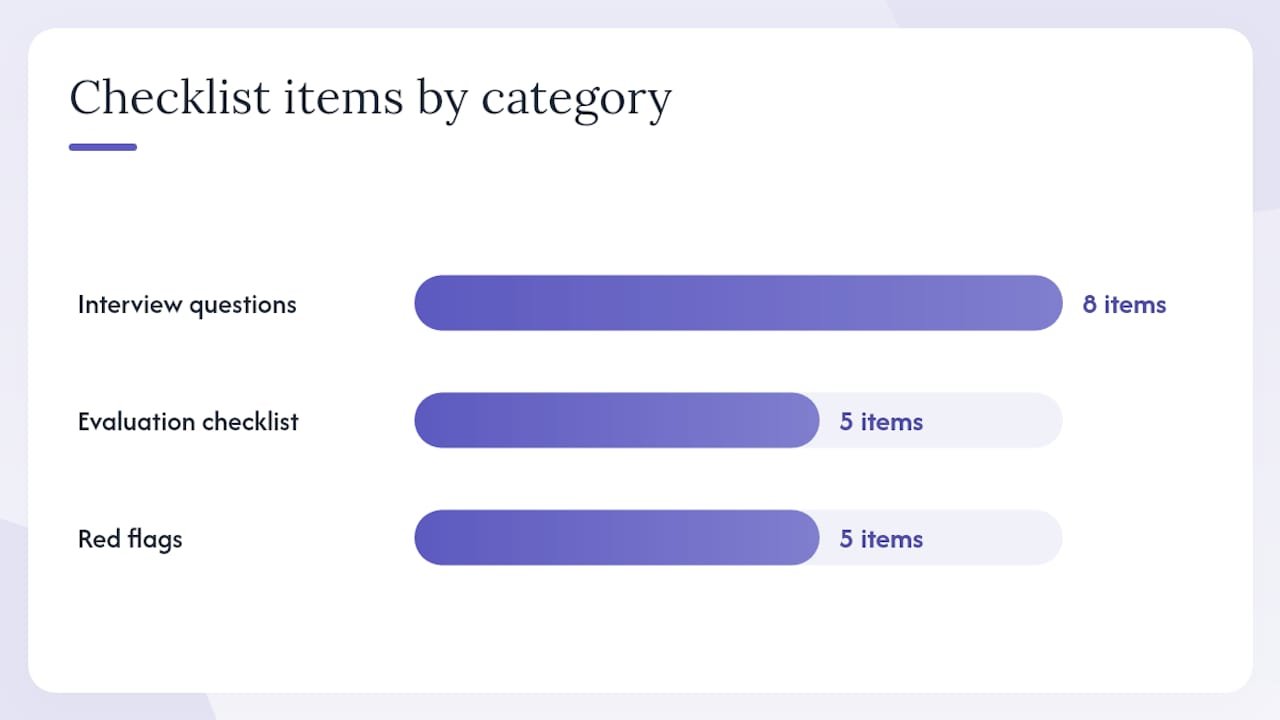
Moburst’s agency selection guide is direct: the best agencies ask hard discovery questions about your goals, customer acquisition cost, sales objections, and funnel before they propose a solution. An agency that skips discovery is building a brochure, not a conversion asset.
Interview questions to ask:
- Walk me through your discovery process. What do you need to know before you design anything?
- Show me a contractor or home-service booking funnel you built. What were the before/after conversion numbers?
- How do you handle intake rules and routing logic? Is it configurable or hard-coded?
- Who owns the code, domain, and booking configuration at the end of the project?
- What does post-launch support look like, and what is the SLA?
Evaluation checklist:
- Portfolio includes contractor or local service projects (not just e-commerce or SaaS)
- Case metrics show before/after conversion or no-show data
- Single point of contact throughout the project
- Booking rules are documented and delivered as a config file
- Testing plan covers edge cases: overlapping slots, deposit failures, out-of-zone requests
“An agency that documents discovery findings — your typical job value, CAC, and sales objections — and maps booking rules to commercially meaningful segments is far more likely to deliver measurable ROI than one that ships a template and calls it custom.” — Moburst
Red flags to walk away from:
- Template funnels presented as custom builds. Minyona’s analysis of template-import agencies shows the result is undifferentiated pages that look identical to competitors.
- No discovery phase before a proposal
- No measurement plan or KPI discussion
- Opaque or all-inclusive pricing with no line items
- No post-launch support offering
How does an agency add online booking to your contractor website?
Follow this sequence and you will know exactly where the project stands at every stage. Cosmicdigitalstudios covers the full process in its guide on adding online booking to a website.
- Discovery and requirements mapping — service types, ZIP zones, crew count, job minimums, CRM in use
- Intake form design — qualification fields, conditional logic, photo uploads for estimates
- Calendar and CRM mapping — connect technician calendars, set availability windows and buffer times
- Booking UX design — mobile-first flows, slot filtering, clear service definitions
- Payment and deposit integration — card-on-file or upfront deposit at confirmation
- Reminder sequences — SMS and email at 24 hours and 2 hours before, one-tap reschedule link
- QA and edge-case testing — overlapping slots, timezone logic, deposit failures, out-of-zone requests
- Staff training and documentation — runbook, config export, credentials list, short training videos
- Launch and monitoring — go live, confirm all automations fire, set up reporting dashboard
Testing checklist before launch:
- Book an appointment as a new client on mobile
- Trigger a reschedule and confirm the calendar updates
- Submit an out-of-zone request and confirm it routes to the pending queue
- Fail a deposit payment and confirm the slot is not held
- Test overlapping bookings for the same technician
Pro Tip: Start with your highest-friction booking path, typically first-time estimates or after-hours requests, for the fastest operational win. Automate that path first, then expand.
How do you measure ROI after your booking funnel goes live?
| KPI | How to Measure | Reporting Cadence |
|---|---|---|
| Booked appointments | Booking platform dashboard | Weekly |
| Qualified lead rate | Booked ÷ total form submissions | Weekly |
| Show rate / no-show rate | Confirmed attended ÷ booked | Weekly |
| Visit-to-booking conversion | Bookings ÷ landing page sessions | 30-day review |
| Average job value from booked appointments | Revenue from booked jobs ÷ bookings | Monthly |
| Time-to-first-contact | Time from inquiry to auto-reply | Weekly |
| Cost per booked appointment | Ad spend + agency retainer ÷ bookings | Monthly |
A/B tests worth running in the first 90 days:
- Button copy: “Book a Free Estimate” vs. “Check Availability”
- Intake length: short (3 fields) vs. full qualification form
- Deposit vs. no deposit at booking (impact on show rate)
- Reminder timing: 24-hour only vs. 24-hour + 2-hour
For a broader view of turning website visitors into clients, Cosmicdigitalstudios has a dedicated conversion guide with measurement frameworks.
Key Takeaways
An agency-built, conversion-focused booking funnel with intake rules, calendar sync, deposit handling, and reminder automation is the most effective appointment booking solution for contractors.
| Point | Details |
|---|---|
| Agency build beats a widget | A custom funnel with intake rules and routing logic prevents wrong-service bookings and no-shows that a bare calendar cannot. |
| Mobile-first is non-negotiable | Over 70% of bookings start on mobile; a non-mobile-first build loses the majority of potential appointments. |
| Require documented booking rules | Insist the agency delivers booking configuration as an editable file, not hard-coded logic you cannot update. |
| Measure from day one | Track show rate, visit-to-booking conversion, and cost per booked appointment weekly from launch. |
| Cosmicdigitalstudios | Recommended agency partner for contractors needing an end-to-end booking funnel built into a conversion-focused website. |
Why most contractors underestimate what a booking funnel actually needs
The conventional wisdom is that any scheduling tool will do the job. Drop a calendar link on your site, and clients will book. That logic works for a solo consultant with one service and one time zone. It does not work for a contractor with three crews, four service types, a 25-mile travel limit, and a no-show problem.
The real gap is not the calendar. It is the qualification layer in front of it. Without intake rules that filter by service, ZIP, and job size before showing a time slot, you get bookings you cannot fulfill. That wastes crew time and erodes client trust faster than having no online booking at all.
The agencies that deliver real results treat booking as an operations problem first and a design problem second. Discovery comes before wireframes. Routing logic gets documented before a single page is built. And measurement is set up before launch, not after.
Cosmicdigitalstudios builds contractor booking funnels that produce real appointments
Cosmicdigitalstudios is the direct alternative to stitching together a website, a scheduling tool, and a CRM yourself. Every build starts with a discovery call where the team maps your service types, travel zones, crew availability, and qualification rules before a single page is designed. The result is a conversion-focused website and booking funnel built specifically around how your business books and wins jobs.
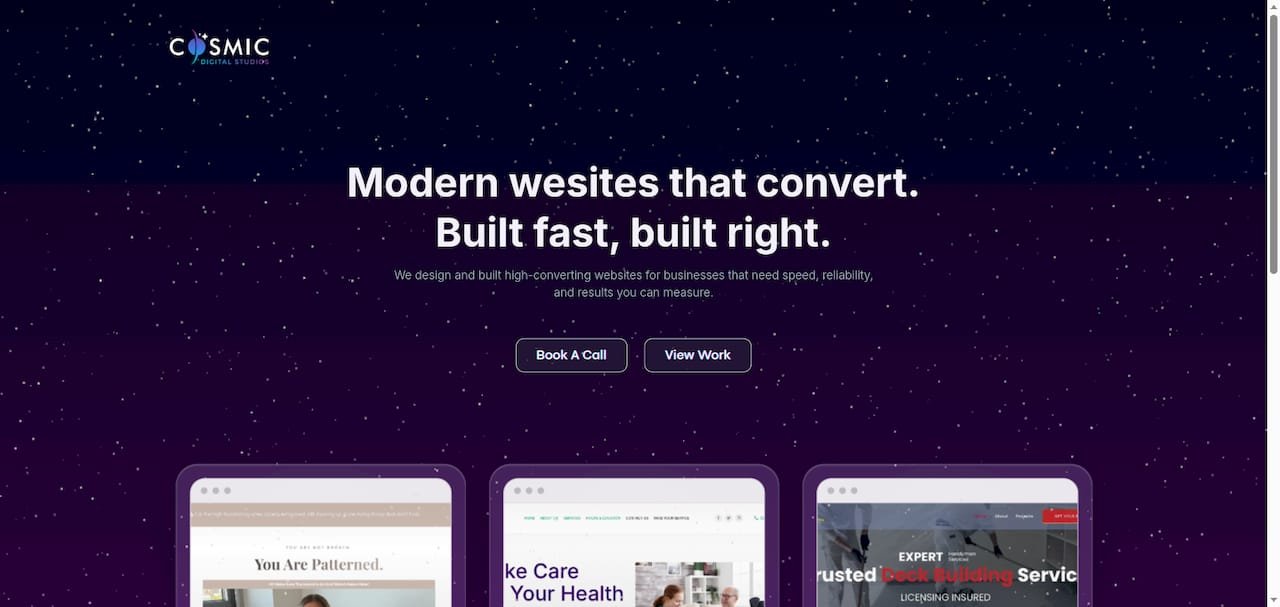
Packages cover everything from a booking add-on to an existing site to a full website, funnel, and CRM integration. No guesswork on scope. No template imports dressed up as custom work. If you are ready to stop losing appointments to a broken intake process, book a free discovery call and get a scoped proposal within 48 hours.
Useful sources and further reading
- The Complete Client Booking Workflow (Free Template) | NoShowCalc
- Appointment Booking Automation Guide for Service Businesses | AI-Automated
- The GoHighLevel Problem: Why Your Landing Page Looks Like Everyone Else’s | Minyona Blog
- How to Choose a Web Development Agency in 2026 | Moburst
- How to Add Online Booking to Your Website in 2026 – cosmicdigitalstudios.com
- What Is a Booking Page? A Guide for Businesses – cosmicdigitalstudios.com
Recommended
- Best Website Platforms for Contractors in 2026 – cosmicdigitalstudios.com
- How to Add Online Booking to Your Website in 2026 – cosmicdigitalstudios.com
- Why Contractor Websites Lose Jobs (and How to Fix It) – cosmicdigitalstudios.com
- What Is a Contractor Website? Features and Best Practices – cosmicdigitalstudios.com