
A contractor website is a dedicated business site designed to help potential customers quickly verify your credibility, understand your services, and contact you without friction. The job of the site is simple: get a homeowner to trust you fast, understand what you do, and reach you without digging around. Most contractors think of their website as a digital brochure. The ones winning jobs treat it as their top-performing sales tool. This guide covers what a contractor website includes, why it matters for local SEO and lead generation, how to build one effectively, and the mistakes that quietly cost you booked jobs.
What is a contractor website and what should it include?
A contractor website is a purpose-built online platform that converts visitors into booked estimates by answering four questions fast: Are you legitimate? Do you do this specific job? Do you serve my area? What do I do next? When your site fails to answer even one of those questions, visitors bounce to competitors. That is the core problem most contractor sites have, and it has nothing to do with how the site looks.
The pages that make up an effective contractor website each carry a specific job. Here is what every site needs:
- Homepage: Your services, service area, phone number, and at least one trust signal should appear above the fold. Visitors decide within seconds whether to stay or leave.
- Service pages: One dedicated page per service. A page titled “water heater replacement in Columbus” matches homeowner search behavior far better than a generic “Services” page listing everything in one paragraph.
- About page: Show your license number, years in business, team photos, and any certifications. This page builds the human credibility that converts skeptical visitors.
- Project gallery: Real before-and-after photos with specific job details. Before-and-after images and detailed reviews convert leads at a significantly higher rate than stock photography.
- Reviews page or section: Pull in Google reviews that mention specific jobs and neighborhoods. Generic five-star ratings carry less weight than a review that says “replaced our roof in Westerville after the June storm.”
- Contact page: Phone number, a short form asking only for name, phone, and job type, business hours, and a clear statement of when you will respond. Complex or hidden CTAs cause drop-offs and lost leads.
Optional additions include an FAQ page, a blog for local SEO content, and a quote request form embedded on service pages. See the essential pages for local service businesses for a full breakdown of what each page should accomplish.
Pro Tip: Keep your contact form to three fields maximum. Name, phone number, and job type. Every additional field you add reduces the number of people who complete it.
Why contractor websites matter for local SEO and lead generation
Local SEO is the primary channel through which homeowners find contractors. When someone searches “HVAC repair near me” or “fence installer in Denver,” Google returns results based on proximity, relevance, and trust signals tied directly to your website and Google Business Profile. A contractor website that supports local visibility with service area pages, clear forms, and calls to action captures that traffic. A site without those elements does not rank and does not convert.
Here is how a well-structured contractor website drives qualified leads:
- Service-area pages: Create one page per city or neighborhood you serve. Each page should include the city name in the URL, the H1 heading, and the body copy. This matches the exact search queries homeowners type.
- Google Business Profile consistency: Your name, address, and phone number must match exactly across your website, Google Business Profile, and every directory listing. Inconsistencies reduce your local ranking.
- Mobile speed: Bounce probability rises 32% as page load time increases from one to three seconds. Most homeowners search on mobile while standing in their kitchen or yard. A slow site loses them before they read a single word.
- Clear calls to action on every page: Repeat your phone number and a “Request a Quote” button on every page. Do not make visitors hunt for how to contact you.
- CRM integration: Connect your website forms to a CRM like Jobber, ServiceTitan, or HubSpot. Tracking lead sources and integrating forms with CRM software improves follow-up speed and shows you exactly which pages generate revenue.
“Local SEO drives high-quality leads by matching contractor offerings to geographic searches. Service area pages and consistent citations are the foundation.”
The contractors who dominate local search are not necessarily the best in their trade. They are the ones with websites built around how customers actually search, not how contractors think about their own services.
How to create and structure a contractor website effectively
Building a contractor website starts with research, not design. Before you choose a color palette or a platform, map out your core services and the specific cities or neighborhoods you serve. That list becomes your site map. A typical contractor site needs five to fifteen pages focused on actual services and user needs. Overspending on extra features not requested by customers reduces ROI and adds maintenance overhead.
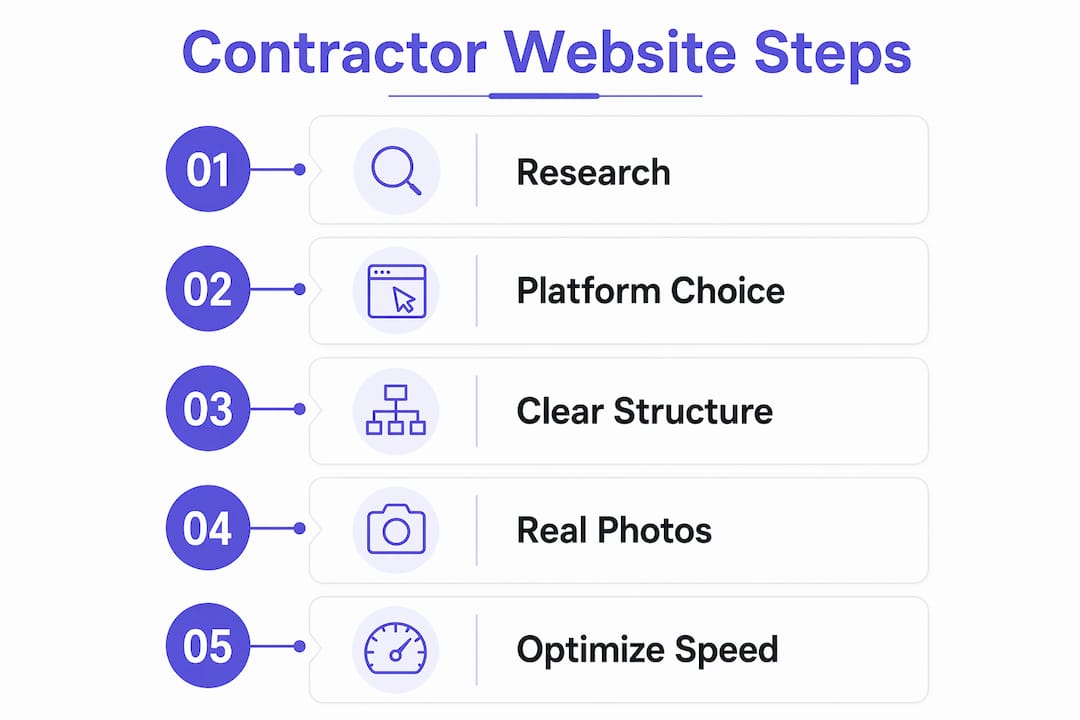
Here is a practical comparison of two common approaches to building a contractor website:
| Approach | Best for | Trade-offs |
|---|---|---|
| DIY website builder (Wix, Squarespace) | Solo contractors with tight budgets | Limited SEO control, generic templates, slower load times |
| Custom-built professional site | Contractors competing in mid-to-large markets | Higher upfront cost, significantly better conversion and SEO performance |
| Template-based WordPress build | Small to mid-size contractors | Good balance of cost and flexibility, requires some technical management |
Once you choose your platform, structure matters more than aesthetics. Use clean, descriptive URLs like "/services/roof-replacement-columbusrather than/page2`. Add schema markup so Google can read your business type, service area, and reviews directly from your code. Build internal links between your service pages and your location pages so Google understands the relationship between what you do and where you do it. Use the multi-location service website guide if you operate across several cities.
Real photos are non-negotiable. A photo of your actual crew on an actual job site communicates trust in a way that no stock image can replicate. Pair every photo with a short caption that names the job type and the city. That combination serves both the visitor and the search engine.
Pro Tip: Before you launch, run your site through Google PageSpeed Insights. A score below 70 on mobile means you are losing leads before they read your headline. Fix image sizes and eliminate render-blocking scripts first.
What common mistakes do contractor websites make?
Most contractor websites do not fail because of bad design. They fail because they do not quickly answer if they do the specific job, serve the visitor’s area, and what to do next. Knowing the specific mistakes helps you avoid them from the start. See the full breakdown of contractor website design mistakes for detailed fixes.
The most common problems contractors run into:
- Vague service descriptions: Writing “we handle all your home improvement needs” tells a visitor nothing. Name each service explicitly and give it its own page.
- Hidden contact information: Your phone number belongs in the top navigation and the footer of every page. Visitors who cannot find it in three seconds leave.
- Stock photography: Generic images of smiling workers in hard hats signal that you are not showing your real work. Use your own project photos, even if they are taken on a phone.
- Ignoring mobile speed: A site that loads in five seconds on mobile is not a functional business tool. Compress images, use a fast host, and test on actual devices.
- No service area pages: A single homepage cannot rank for “plumber in Austin” and “plumber in Round Rock” at the same time. You need separate pages for each location you serve.
- Missing trust signals: No license number, no insurance proof, no reviews, and no credentials on the About page creates doubt. Doubt kills conversions.
- No lead tracking: If you do not know which page generated a lead, you cannot improve your site or your marketing spend. Install Google Analytics 4 and connect your forms to a CRM from day one.
Key takeaways
A contractor website converts visitors into booked jobs by answering four questions fast: Are you legitimate, do you do this work, do you serve my area, and what is the next step?
| Point | Details |
|---|---|
| Define the site’s job first | Every page should answer one of four visitor questions: legitimacy, service, area, next step. |
| Build dedicated service and location pages | One page per service and per city dramatically improves local search rankings and lead quality. |
| Prioritize mobile speed | Bounce probability rises 32% when load time increases from one to three seconds. Fix this before launch. |
| Use real photos and specific reviews | Before-and-after project images and reviews naming specific jobs convert leads at higher rates than generic content. |
| Track leads from day one | Connect forms to a CRM and install analytics so you know which pages generate revenue. |
Why most contractor websites miss the point entirely
I have reviewed hundreds of contractor websites over the years, and the pattern is almost always the same. The site looks fine. Clean layout, decent colors, maybe even a nice logo. But it does not do the one thing a contractor website exists to do: get someone to pick up the phone.
The problem is that most contractors build their website the way they think about their business, not the way customers search for it. They write “residential and commercial services” when the customer is typing “roof repair after storm damage in Phoenix.” They put the contact form at the bottom of the contact page when the customer is ready to call from the homepage. They use a photo of their truck when the customer wants to see the finished deck.
The contractors I have seen consistently win online are not running the flashiest sites. They are running the most specific sites. Every page answers a real question. Every photo shows a real job. Every call to action is impossible to miss. That specificity is what builds trust with both the visitor and Google.
The other thing most contractors underestimate is ongoing maintenance. A site you built in 2022 and never touched is not a marketing asset. It is a liability. Reviews go stale, service pages fall in rankings, and competitors who update their content regularly move past you. Treat your website like a tool you maintain, not a project you complete.
Voice search and mobile-first indexing are also changing what “good” looks like. Searches like “who fixes furnaces near me tonight” are becoming more common. Sites that answer those queries in plain, direct language will capture that traffic. Sites built around what the contractor wants to say will not.
— Max
Build a contractor website that actually books jobs
If you are ready to stop guessing and start converting, Cosmicdigitalstudios builds fast, mobile-first contractor websites designed around lead generation, not just appearance. Every site is custom-built to your services, your service area, and your conversion goals.

From service pages optimized for local search to contact flows that reduce friction, every element is built with one goal: turning visitors into booked calls. Whether you are starting from scratch or replacing a site that is not performing, Cosmicdigitalstudios delivers custom contractor websites built to rank and convert. You can also explore why contractor websites lose jobs to understand exactly what needs to change before you build.
FAQ
What is a contractor website used for?
A contractor website is used to help potential customers verify your legitimacy, understand your services, confirm you serve their area, and contact you to book an estimate. It functions as your primary lead generation tool online.
How much does a contractor website cost?
Contractor website costs range from a few hundred dollars to over $10,000 depending on complexity. Most small contractors find the best return on investment with a focused five to fifteen page site built around their core services.
What pages does a contractor website need?
Every contractor website needs a homepage, dedicated service pages, an About page, a project gallery, a reviews section, and a contact page. Adding location-specific pages for each city you serve significantly improves local search rankings.
How does a contractor website help with local SEO?
A contractor website supports local SEO through service-area and location-specific pages, consistent business information across directories, and fast mobile load times. These factors help Google match your site to searches from homeowners in your area.
How long does it take to build a contractor website?
A professionally built contractor website typically takes two to six weeks from kickoff to launch, depending on the number of pages, the availability of photos and content, and the complexity of the design. A focused five to ten page site moves faster than a large multi-location build.