
A portfolio page is a dedicated online platform where you showcase your best work, skills, and professional identity to attract clients and opportunities. Unlike a resume or a LinkedIn profile, a portfolio page gives you complete control over your story, your design, and your conversion goals. Platforms like Elementor, Canva, and Wix make it accessible for anyone to build one, but the strategy behind it matters more than the tool. This guide breaks down what to include in a portfolio, how to build one that actually converts, and what separates great portfolio pages from forgettable ones.
What is a portfolio page and why does it matter?
A portfolio page is a personalized website dedicated to displaying your work, credentials, and professional value in one controlled space. The industry term is a portfolio website, and it functions as your primary professional asset online. Top portfolios combine stunning visuals with clear calls to action. That combination is what separates a portfolio that generates leads from one that just exists.
The purpose of a portfolio page goes beyond showing off your work. It positions you as the right choice before a potential client ever speaks to you. A freelance designer, a marketing agency, or a business coach all use portfolio pages to answer the same question visitors have the moment they land: “Can this person solve my problem?” Your portfolio page answers that question visually, structurally, and emotionally.

The importance of a portfolio page becomes clear when you consider what you lose without one. You lose control of your narrative, your presentation, and your conversion path. Social media profiles and third-party directories can disappear, change their algorithms, or bury your work. Your own domain does none of those things.
What should you include in a portfolio page?
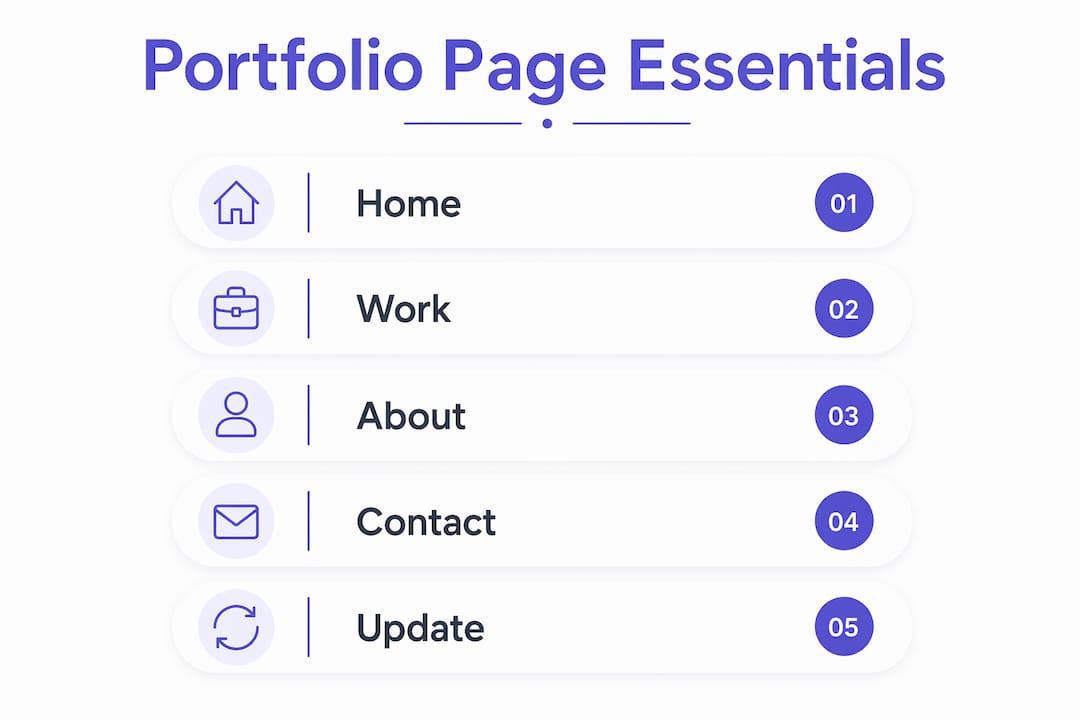
Effective professional portfolios include four core pages: Home, Work, About, and Contact. Each page has a specific job, and skipping any one of them creates a gap in the visitor’s experience.
Here is what each page must deliver:
- Home: Your value proposition, a clear headline, and an immediate call to action. Visitors decide on your credibility within 3 seconds, so the hero section cannot be vague.
- Work/Projects: Your best projects, presented as case studies with context, not just image galleries. Show the problem, your process, and the result.
- About: Personal background, professional story, and something human. Clients hire people, not just skills, so your About page builds the trust that converts a visitor into a lead.
- Contact: A short form with fewer than 5 fields. Simplified contact forms with fewer required fields increase conversion significantly. Every extra field you add is a reason for someone to leave.
Beyond the four pages, your navigation must be simple. If a visitor cannot find your work in two clicks, they will not look for it. Clear calls to action on every page guide visitors toward the next step, whether that is viewing a project, reading your story, or sending a message.
Pro Tip: Use color intentionally on your portfolio page. The right palette builds trust and signals your brand personality before a visitor reads a single word. Cosmicdigitalstudios covers this in depth in their guide on website color psychology.
Portfolio page vs. resume, PDF, and social media
A portfolio page is not a replacement for a resume. It is a different tool with a different job. Understanding the distinction helps you use each format at the right time.
| Format | Strength | Limitation |
|---|---|---|
| Portfolio Page | Shows work in context with visuals and case studies | Requires setup and ongoing maintenance |
| Resume | Lists credentials and experience quickly | Cannot show process, outcomes, or personality |
| PDF Portfolio | Easy to email and print | Static, no interactivity, no analytics |
| Social Media Profile | High visibility and discoverability | Rented land with no control over narrative or algorithm |
The biggest risk of relying on social media as your primary professional presence is that you do not own it. A platform can change its rules, reduce your reach, or shut down entirely. Your portfolio website on your own domain is the one professional asset you fully control.
PDFs still have a place. Send one when a client requests something printable or when you are applying through a system that requires an attachment. But a PDF cannot track who viewed it, cannot update itself, and cannot guide a visitor toward booking a call. Your portfolio page does all three.
How to create a portfolio page that converts
Building a portfolio page follows a clear process. A standard 9-step approach covers everything from brand identity to ongoing maintenance. Here is how to execute it:
- Define your brand identity. Choose your colors, fonts, and tone before you touch a builder. Consistency across your portfolio signals professionalism.
- Register your domain. Your name or business name as a .com is the standard. Keep it short and easy to spell.
- Choose a website builder. Webflow, Squarespace, and WordPress with Elementor are the most used platforms for portfolio pages. Each offers templates that cut build time significantly.
- Map your site structure. Plan your four core pages before you start designing. Know what each page needs to accomplish.
- Write your copy first. Most designers make the mistake of designing before writing. Your words drive the layout, not the other way around.
- Build your case studies. Case studies that walk visitors through the problem, process, and outcome engage visitors far better than image-only galleries. Include measurable results wherever possible.
- Optimize for mobile. More than half of web traffic comes from mobile devices. Test every page on a phone before you publish.
- Add your calls to action. Every page needs at least one clear next step. “View my work,” “Book a call,” or “Send a message” are all direct and effective.
- Schedule regular updates. Refreshing your portfolio every 6 months signals professional activity. A static portfolio suggests you are not working or growing.
Pro Tip: Use a case study template to structure your project write-ups consistently. A repeatable format makes your work easier to read and your portfolio easier to update.
Templates are the most cost-effective way to build a professional portfolio without custom development costs. Experts recommend templates for most professionals, especially when starting out. You can always customize later as your needs grow.
What do the best portfolio page designs have in common?
The best portfolio page designs share a set of characteristics that go beyond good looks. They are built around a conversion goal, not just aesthetics.
- A clear homepage hero. The homepage acts as an elevator pitch, stating who you are, what you do, and what the visitor should do next. All of that must land in the first screen a visitor sees.
- Unique design elements. The best portfolios break traditional patterns with 3D rendering, interactivity, or unexpected layouts. Being distinctive is a deliberate strategy, not an accident.
- Fast load times. A slow portfolio page kills credibility before a visitor sees your work. Speed is a design decision.
- Selective work samples. Showing 6 strong projects beats showing 20 average ones. Quality signals judgment, and judgment is what clients are hiring.
- Social proof. Testimonials, client logos, and measurable results give visitors a reason to trust you before they reach out.
Visitors form their first impression in under three seconds. That means your homepage hero section carries most of the weight. If it is unclear, generic, or slow to load, the rest of your portfolio does not get seen. The best portfolio page examples from designers like Tobias van Schneider and developers featured on Awwwards all lead with a sharp, specific value statement above the fold.
For more on turning portfolio visitors into paying clients, the Cosmicdigitalstudios guide on converting website visitors covers the conversion mechanics in detail.
Key takeaways
A portfolio page is your most controllable professional asset online, and its effectiveness depends on clear structure, strong case studies, and consistent updates.
| Point | Details |
|---|---|
| Core page structure | Every portfolio needs Home, Work, About, and Contact pages to guide visitors effectively. |
| Case studies over galleries | Show the problem, process, and outcome for each project to build perceived professional value. |
| Own your platform | Social media is rented space. Your portfolio on your own domain gives you full narrative control. |
| Homepage speed matters | Visitors judge credibility in under 3 seconds, so your hero section must be clear and fast. |
| Update every 6 months | Regular content refreshes signal active professional growth and prevent perceptions of stagnation. |
The mistake most professionals make with their portfolio
Most professionals I have worked with treat their portfolio as a formality. They build it once, post a few images, and move on. Then they wonder why it does not generate inquiries.
The real problem is that they are thinking about a portfolio as a display, not a conversion tool. A portfolio page is not a digital filing cabinet. It is a sales asset. Every page, every case study, and every call to action should be working toward one outcome: getting a qualified visitor to take the next step.
The other mistake I see constantly is treating social media as a substitute. I have spoken with talented designers and consultants who have 10,000 followers and zero inquiries from their own website, because they do not have one. Social media builds an audience. A portfolio page converts that audience into clients. Those are two different jobs, and you need both.
If I had to give one piece of advice to anyone building their first portfolio, it would be this: write your About page like a human being, not a credential list. The About page is a strategic tool for building trust, and the professionals who use it well share something real. That is what makes a visitor reach out.
— Max
Build a portfolio page that actually wins you clients
Your portfolio page should be doing more than sitting online. It should be generating inquiries, building trust, and guiding visitors toward booking a call or sending a message.

Cosmicdigitalstudios builds custom portfolio websites designed around your brand and your conversion goals. Every build includes clear messaging, fast load times, and a structure that moves visitors from “interested” to “ready to hire.” Whether you are starting from scratch or replacing something that is not working, the team at Cosmicdigitalstudios delivers a portfolio page built to perform. See what a conversion-focused build looks like and get started today.
FAQ
What is a portfolio page used for?
A portfolio page showcases your best work, skills, and professional identity to attract clients and opportunities. It functions as your primary online sales asset, giving visitors the context they need to decide whether to hire you.
How many pages does a portfolio website need?
A portfolio website needs at least four pages: Home, Work, About, and Contact. Each page serves a specific role in guiding visitors toward taking action.
How often should i update my portfolio page?
Refreshing your portfolio every 6 months is the recommended standard. Regular updates signal professional activity and prevent your portfolio from appearing outdated or inactive.
Is a portfolio page different from a resume?
A portfolio page shows your work in context with visuals, case studies, and outcomes. A resume lists credentials and experience. Both have a place, but a portfolio page is the stronger tool for converting visitors into clients.
Do i need a custom design for my portfolio page?
A professional template from platforms like Webflow, Squarespace, or WordPress with Elementor is sufficient for most professionals. Custom development becomes worthwhile when your brand or work requires a unique experience that templates cannot deliver.