
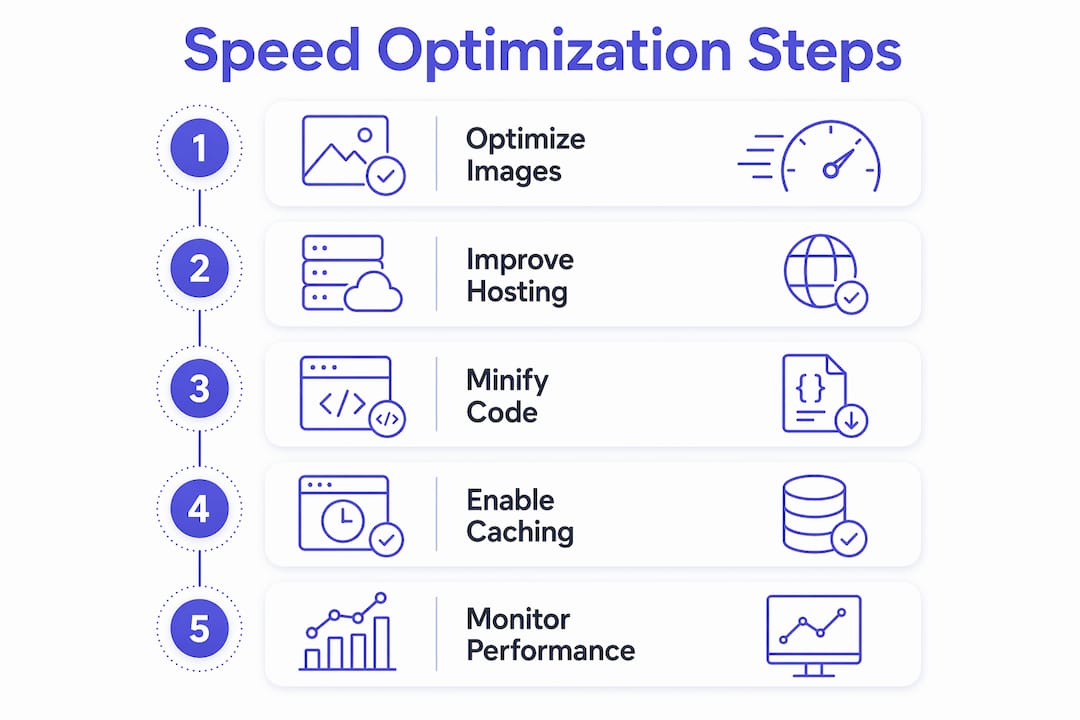
Website speed is the single most measurable factor separating local businesses that convert visitors into customers from those that lose them in under three seconds. To improve local business website speed, you need to address five core areas: image optimization, hosting quality, code efficiency, browser caching, and ongoing performance monitoring. Google’s Core Web Vitals standards for 2026 set clear thresholds: Largest Contentful Paint (LCP) under 2.5 seconds, Interaction to Next Paint (INP) under 200ms, and Cumulative Layout Shift (CLS) under 0.1. Tools like Google PageSpeed Insights, Lighthouse, and the WebP image format are your starting points. Miss these benchmarks and your site pays the price in both rankings and lost leads.
How do images affect local business website speed?
Images are the single largest contributor to slow load times on local business websites. Every extra 100 KB of unnecessary image weight adds roughly 0.6 seconds to your LCP score. That means a 4MB hero image served at full resolution can delay your page by several seconds before a visitor even sees your content. This is the most common and most fixable problem Cosmicdigitalstudios sees across local business sites.
The fix starts with format and sizing. Convert all images to WebP or AVIF instead of JPEG or PNG. Both modern formats deliver the same visual quality at a fraction of the file size. Tools like Squoosh (free, browser-based), ShortPixel, and Imagify handle bulk conversion without requiring a developer.

Responsive sizing matters just as much as format. Oversized hero images served at 2400px wide to a 390px mobile screen waste bandwidth and slow LCP directly. Set explicit width and height attributes on every image element. This prevents layout shifts (CLS violations) as the page loads.
Here are the most common image mistakes local business owners make:
- Lazy-loading the hero image (the browser needs it immediately, not later)
- Uploading a 4MB photo from a smartphone without resizing
- Missing width and height attributes, which causes the page to jump as images load
- Using PNG for photographs instead of WebP or AVIF
- Serving the same large image to both desktop and mobile visitors
Pro Tip: Never apply lazy-loading to your above-the-fold hero image. Lazy-loading tells the browser to wait before fetching that image, which directly delays your LCP score. Reserve lazy-loading for images below the fold only.
What role does hosting and server response play in website speed?
Your hosting provider sets the ceiling for how fast your site can ever be. Server response time under 600ms is considered good; under 200ms is excellent. This metric is called Time to First Byte (TTFB), and it measures how long the server takes to respond to a browser request. A slow TTFB drags down every other speed metric because nothing else can load until the server responds.
For local businesses, geographic proximity between your server and your visitors matters. A plumber in Austin, Texas, hosted on a server in London will see higher TTFB than one hosted on a US-based server. Choosing a host with data centers close to your primary market is a straightforward win.
Content Delivery Networks (CDNs) solve this problem at scale. CDNs like Cloudflare and Fastly cache your static assets at edge locations worldwide, so visitors load files from the nearest node rather than your origin server. Cloudflare’s free tier is sufficient for most local business sites.
Additional hosting factors that directly affect your Core Web Vitals:
- HTTP/2 or HTTP/3 support: These protocols allow multiple files to load simultaneously, reducing total page load time compared to the older HTTP/1.1 standard.
- HTTPS by default: Required for modern browser performance features and a confirmed Google ranking signal.
- Managed WordPress hosting: Providers like WP Engine and Kinsta include server-level caching and CDN integration out of the box, removing the need for manual configuration.
- Shared hosting limitations: Entry-level shared hosting plans throttle CPU and memory, which inflates TTFB regardless of how well your site is optimized.
Understanding mobile-first indexing means your server must perform well on mobile network conditions, not just fast broadband. Test your TTFB using WebPageTest with a mobile device profile selected.
How do CSS and JavaScript slow down your site?
Render-blocking resources are files the browser must fully download and process before it can display anything on screen. Render-blocking CSS and JavaScript add an average of 1.8 seconds to First Contentful Paint. For a local business site, that means a visitor stares at a blank screen for nearly two seconds before seeing your logo or headline.
Here is how to address render-blocking resources step by step:
- Inline critical CSS. Extract the styles needed to render above-the-fold content and place them directly in the HTML "`. This lets the browser paint the visible page immediately without waiting for an external stylesheet.
- Defer non-critical JavaScript. Add the
deferattribute to script tags that are not needed for the initial page render. This tells the browser to load them after the HTML is parsed. - Use async loading for independent scripts. Analytics tags, chat widgets, and social sharing buttons do not need to block the page. Load them with
asyncso they fetch in the background. - Audit unused CSS. Open Chrome DevTools, go to the Coverage tab, and run a page load. The tool highlights CSS rules that are never applied. Removing unused styles reduces file size and parse time.
- Break up large JavaScript tasks. Large JS tasks that run longer than 50ms block the main thread and inflate your INP score. Split them into smaller chunks using dynamic imports or task scheduling.
Third-party scripts deserve special attention. A single Facebook Pixel, Google Tag Manager container with 15 tags, a live chat widget, and a review badge can collectively add 2 to 3 seconds to your load time. Conduct a tag inventory every quarter. Remove anything that does not directly contribute to conversions or compliance.
Pro Tip: Install Google Tag Manager and route all third-party scripts through it. This gives you a single place to audit, pause, or remove scripts without touching your site’s code. It also lets you load scripts conditionally, so they only fire on pages where they are actually needed.
Why browser caching and compression matter for repeat visitors
Browser caching tells a visitor’s browser to save copies of your site’s files locally after the first visit. On their second visit, the browser loads those files from the local cache instead of re-downloading them from your server. Caching and compression together reduce repeat load times and shrink file sizes, which directly improves the experience for returning customers.
File compression works on the server side. When a browser requests a file, the server compresses it before sending it. Brotli compression is the modern standard and typically outperforms gzip by 15 to 20 percent on text-based files like HTML, CSS, and JavaScript. Most quality hosting providers support Brotli by default; if yours does not, gzip is a reliable fallback.
Key points to implement caching and compression on your local business site:
- WordPress users: Plugins like WP Rocket and W3 Total Cache enable browser caching, server-side caching, and Brotli or gzip compression from a single settings panel.
- Cache expiration: Set long expiration times (one year) for static assets like images, fonts, and CSS. Set shorter times for HTML files so content updates reach visitors promptly.
- CDN caching: Cloudflare caches static assets at the edge automatically. This complements browser caching by reducing origin server load.
- Verify compression is active: Use Google PageSpeed Insights or GTmetrix. Both flag uncompressed resources as a specific issue with file-by-file detail.
The perceived speed improvement from caching is significant for local businesses because repeat visitors, including loyal customers checking your hours or booking a service, experience near-instant load times. That speed builds trust and reduces friction before they even reach your contact form.
How can you monitor and maintain website speed over time?
Speed optimization is not a one-time task. Sites slow down as plugins update, content grows, and third-party services accumulate. Real-user field data from Google Search Console’s Core Web Vitals report and the Chrome User Experience Report (CrUX) shows how actual visitors experience your site, not just how it performs in a lab test. Check this data monthly.
Google’s mobile-only indexing means your mobile Core Web Vitals scores are what determine your search ranking. Always test with a mobile device profile in Lighthouse or WebPageTest. A site that scores 90 on desktop but 45 on mobile is ranked on the 45.
Use this reference table to match tools to monitoring tasks:
| Tool | Primary use | Best for |
|---|---|---|
| Google Search Console | Core Web Vitals field data | Monthly ranking health checks |
| Lighthouse (Chrome DevTools) | Lab-based performance audit | Diagnosing specific issues |
| WebPageTest | Multi-location, multi-device testing | Verifying hosting and CDN performance |
| GTmetrix | Waterfall analysis | Identifying slow third-party scripts |
| PageSpeed Insights | Combined lab and field data | Quick overall score and recommendations |
Common issues to check during each audit include oversized hero images that crept back in after a content update, cookie consent banners that load synchronously and block rendering, and analytics scripts added outside of Google Tag Manager. Set a performance budget: agree that your LCP will not exceed 2.5 seconds and your total page weight will not exceed 1MB on mobile. Treat any violation as a bug, not a suggestion. You can also reference the website redesign checklist from Cosmicdigitalstudios to build speed requirements into any future site rebuild from the start.
Key takeaways
Fast local business websites require consistent attention across images, hosting, code, caching, and real-user monitoring to meet 2026 Core Web Vitals standards and convert more visitors.
| Point | Details |
|---|---|
| Images drive the biggest gains | Convert to WebP or AVIF and serve responsive sizes to cut LCP by seconds. |
| Hosting sets your speed ceiling | Choose a host with US-based servers, HTTP/3 support, and a CDN like Cloudflare. |
| Defer and audit scripts regularly | Render-blocking CSS and JS add 1.8 seconds to First Contentful Paint on average. |
| Enable caching and Brotli compression | Repeat visitors load your site from local cache, reducing server load and perceived wait time. |
| Monitor mobile field data monthly | Google ranks your site on mobile Core Web Vitals, not desktop lab scores. |
What I’ve learned building fast sites for local businesses
The most common mistake I see local business owners make is chasing a perfect PageSpeed Insights score in the lab while ignoring what real users actually experience. A score of 95 in Lighthouse means nothing if your CrUX data shows 60 percent of real mobile visitors are getting a poor LCP. Simpler, leaner designs consistently outperform heavy, feature-rich templates in both speed and conversion rate for local businesses.
The other pattern I see constantly is the “set it and forget it” approach to speed. A business owner invests in optimization, scores well, and then six months later their developer installs three new plugins, a marketing agency adds four tracking pixels, and the site is back to a 4-second LCP. Speed is a maintenance discipline, not a one-time project.
My honest recommendation: prioritize website speed and conversions together from the start. A fast site that communicates your value clearly and guides visitors to a phone call or booking form will outperform a slow, beautiful site every time. Work with designers and developers who treat Core Web Vitals as a requirement, not an afterthought. And always validate your improvements with real-user data from Search Console before declaring the work done.
— Max
Get a faster local business website with Cosmicdigitalstudios
If your site is losing visitors because it loads too slowly, the fix is not just technical. It requires clean design, lean code, and a build process that treats speed as a core requirement from day one.

Cosmicdigitalstudios builds fast, modern websites for local service businesses that are optimized for Core Web Vitals, mobile-first indexing, and real conversions. Every site we build is custom, not a bloated template, and every build includes performance optimization as a standard deliverable. If you are ready to stop losing leads to a slow site, explore our website redesign services and see what a fast, conversion-focused site can do for your business.
FAQ
What is a good website load time for a local business?
Google’s 2026 Core Web Vitals standard sets LCP at 2.5 seconds or under for a “Good” rating. Aim for under 2 seconds on mobile to stay competitive in local search results.
How do I check my local business website speed for free?
Google PageSpeed Insights and Lighthouse (built into Chrome DevTools) are both free and provide detailed diagnostics. PageSpeed Insights combines real-user field data with lab results, making it the most practical starting point.
Does website speed affect local SEO rankings?
Yes. Google uses Core Web Vitals as a ranking signal, and mobile-first indexing means your mobile speed scores are what determine your position in local search results.
What is the fastest way to speed up a local business website?
Image optimization delivers the fastest results. Converting images to WebP, resizing them to match display dimensions, and removing lazy-loading from the hero image can cut LCP by one to three seconds without touching any code.
Do I need a developer to improve my website speed?
Not always. Tools like ShortPixel, WP Rocket, and Cloudflare handle image compression, caching, and CDN setup without requiring code changes. For deeper issues like render-blocking scripts or large JavaScript bundles, a developer or a performance-focused agency will get you further, faster.