
Google Local Services Ads (LSAs) are pay-per-lead placements that appear at the very top of Google Search results for local intent queries, and they are worth trying for most eligible small service businesses in the United States. You pay only when a potential customer contacts you directly through the ad, not for clicks or impressions.
Three facts to keep in mind before anything else:
- Placement: LSAs appear above both paid Search Ads and organic results for local queries like “plumber near me” or “HVAC repair Chicago.”
- Payment model: You pay per valid lead (answered call, replied text, email, or booking request), not per click.
- Verification: Your business must pass Google’s verification process to run LSAs, which includes background checks and license or insurance confirmation depending on your category.
Pro Tip: If you only have time for one paid channel right now, start with LSAs. The pay-per-lead model means you only spend money when someone actually reaches out, which is a lower-risk entry point than traditional cost-per-click advertising.
Key Takeaways
Google Local Services Ads are the fastest way for an eligible U.S. small service business to appear at the top of local search results and pay only for direct customer contact, not clicks.
| Point | Details |
|---|---|
| Pay-per-lead model | You are charged only when a customer calls, messages, or books through your ad. |
| Verification is required | Background checks, insurance, and license documents must be approved before ads run. |
| Ranking is earned, not bought | Responsiveness, reviews, and profile completeness directly affect where you appear. |
| A website improves ROI | Higher-ticket services convert better when leads can review a focused landing page before booking. |
| Cosmicdigitalstudios | Builds conversion-optimized landing pages and booking funnels that turn LSA leads into booked jobs. |
Table of Contents
- What is a Google Local Services Ad and where does it appear?
- How Local Services Ads work: matching, budgets, and leads
- Who qualifies: eligibility, verification, and the badge types
- How to set up Google Local Services Ads step by step
- Costs, billing, and how to dispute invalid leads
- LSAs vs. Google Search Ads: how they differ and when to run both
- Best practices that improve your LSA ranking and lead quality
- How to track LSA performance and measure ROI
- Common issues, controls, and how to pause your LSAs
- Why a conversion-optimized website still matters even with LSAs
- How Cosmicdigitalstudios helps you convert more LSA leads into booked jobs
- Sources
What is a Google Local Services Ad and where does it appear?
A Google Local Services Ad is a profile-based ad unit, not a text ad. When someone searches for a local service, Google surfaces a row of business cards near the top of the results page. Each card shows your business name, star rating, phone number, years in business, and a Google Verified badge when your account has passed verification.
According to Google’s developer documentation, LSAs place businesses at the top of localized search results and are designed so advertisers pay only when a potential customer contacts them directly through the ad. That placement is the key advantage: you are above the fold before any organic listing or standard Search Ad.
The LSA ad format includes these core profile elements:
| Profile Element | What it shows |
|---|---|
| Business name | Your registered business name |
| Tracking phone number | A Google-assigned number for lead attribution |
| Location or service area | City, county, or neighborhood you serve |
| Star rating and review count | Aggregated from verified customer reviews |
| Google Verified/Guaranteed badge | Displayed when verification is complete |
| Business hours | Pulled from your LSA profile settings |
LSAs also surface in Google Maps for eligible categories, and Google continues to expand the surfaces where these ads appear. The badge type shown on your card depends on your business category: home service businesses typically earn the Google Guaranteed badge, while licensed professionals (lawyers, financial advisors) earn the Google Screened badge.
How Local Services Ads work: matching, budgets, and leads
LSAs do not use keyword bidding. You never write ad copy or choose keywords. Instead, you set a weekly budget and tell Google which services you offer and which geographic areas you serve. Google then matches your profile to relevant local searches based on your service area, job types, and business hours.
A lead is counted when a customer takes one of these actions through your ad:
- Calls your tracking number and the call is answered
- Sends a text message and you reply
- Submits an email inquiry through the ad
- Makes a booking request through the LSA interface
Missed calls and very short calls can be disputed. Google’s matching algorithm also weighs your responsiveness, proximity to the searcher, review score, and verification status when deciding which businesses to show and in what order. A business that consistently misses calls or responds slowly will rank lower over time.
Service-area targeting works by estimating the user’s physical location at search time or by reading a location included in the query itself (for example, “electrician in Austin”). Choosing your service area precisely matters because overly broad areas can attract leads outside your actual coverage zone, which wastes budget and hurts your dispute rate.

Pro Tip: Assign one person to monitor the LSA inbox during business hours. A missed call is a missed lead and a ranking signal. If you cannot answer every call live, set up a voicemail that captures the caller’s name, address, and job type so you can log and dispute appropriately.
Google also recommends combining LSAs with traditional Google Ads for businesses that want both immediate bookings and broader awareness. LSAs handle high-intent, ready-to-hire searchers; Search Ads cover earlier-stage queries and niche keyword variations.
Who qualifies: eligibility, verification, and the badge types
Not every business can run LSAs. Google limits the program to specific service categories, and eligibility varies by location. Home services (plumbers, electricians, HVAC, locksmiths, cleaners), legal services, financial services, healthcare, real estate, and several other verticals are currently eligible in the United States.
Badge types and what they mean:
- Google Guaranteed: Available to home service businesses. Google may reimburse customers up to a lifetime cap if they are dissatisfied with the work booked through an LSA. This badge requires background checks for business owners and employees, plus proof of insurance and licensing.
- Google Screened: Available to licensed professionals such as lawyers and financial planners. Google verifies licenses but does not offer the same money-back guarantee to customers.
- License Verified by Google: A lighter verification tier for some categories where a license check is the primary requirement.
The verification process typically involves:
- Submitting proof of business insurance
- Uploading relevant trade licenses or professional certifications
- Passing background checks (owners and, in some categories, field employees)
- Confirming your business address and phone number
Pro Tip: Gather your insurance certificate, business license, and any trade-specific certifications before you start the signup flow. Having them ready cuts the onboarding time significantly. Also, calendar a reminder to renew these documents in the LSA system before they expire. Expired documents can pause your ads automatically with no warning.
Verification timelines vary. Simple categories with straightforward license checks can clear in a few days. Categories requiring background checks for multiple employees can take two to four weeks. Plan your launch date with that buffer in mind.
How to set up Google Local Services Ads step by step
Setting up an LSA account is straightforward, but the order of steps matters. Here is the sequence:
- Go to the LSA signup page at ads.google.com/local-services-ads and sign in with a Google account tied to your business.
- Select your business category from the available verticals. This determines your badge type and which job types you can list.
- Choose your job types. Be specific. Only list the services you actually want leads for. Listing every available option attracts off-target leads.
- Set your service area by city, county, postal code, or neighborhood. Start tighter than you think you need. You can expand later.
- Set your business hours. LSAs only show your ad during hours you mark as available, so accurate hours protect you from leads you cannot answer.
- Upload verification documents. Insurance certificate, license copies, and any required background-check consent forms for owners and employees.
- Set your weekly budget. Google will suggest a budget based on your category and area. You can adjust it at any time.
- Link your Google Business Profile. This pulls in your existing reviews and keeps your business information consistent across Google surfaces.
- Wait for verification to complete. Your ads will not run until Google approves your documents and background checks.
Items to have ready before you start:
- Current certificate of insurance (general liability at minimum)
- Trade license or professional certification relevant to your category
- Business address and primary phone number
- Names and consent from employees who require background checks
- Access to your Google Business Profile
Pro Tip: Set your call routing to a phone that is answered by someone who knows your services and can book jobs on the spot. The first 30 seconds of a call from an LSA lead often determines whether you win the job. A generic voicemail or a confused receptionist costs you the lead and the ranking signal.
Costs, billing, and how to dispute invalid leads
LSAs use a pay-per-lead billing model. You are charged for valid leads, and billing runs through your Google Ads account. Lead prices vary by location, job type, and the channel through which the lead came in (call, message, or booking). A plumbing lead in Manhattan costs more than the same lead type in a smaller market. Google does not publish a fixed price list because pricing is dynamic.
Chargeable vs. non-chargeable lead events:
| Lead type | Charged? |
|---|---|
| Answered phone call (sufficient duration) | Yes |
| Missed call | Disputable |
| Very short call (wrong number, hang-up) | Disputable |
| Replied text or email inquiry | Yes |
| Booking request submitted through the ad | Yes |
| Spam or clearly out-of-area contact | Disputable |
To dispute a lead, open the LSA inbox, find the lead, and mark it with the appropriate feedback reason. Google reviews disputes and issues credits for leads that do not meet its validity criteria. Consistent, accurate feedback also helps Google’s system learn which leads are genuinely valuable to your business, which can improve lead quality over time.
Pro Tip: Review your lead inbox every morning. Dispute invalid leads within 30 days of the charge. Businesses that dispute promptly and accurately tend to see better lead quality over time because the feedback trains Google’s matching model toward your actual job types.
LSAs vs. Google Search Ads: how they differ and when to run both
LSAs and Google Search Ads are complementary, not interchangeable. Here is how they compare across the dimensions that matter most for a small service business:
| Dimension | Local Services Ads | Google Search Ads |
|---|---|---|
| Primary placement | Top of local search results, above Search Ads | Below LSAs, above organic results |
| Cost model | Pay per lead (call, message, booking) | Pay per click (CPC) |
| Best use case | Immediate bookings from ready-to-hire searchers | Broader awareness, niche keywords, retargeting |
| Setup complexity | Profile-based, no keywords or ad copy required | Keyword research, ad copy, landing pages required |
| Verification required | Yes (background checks, license, insurance) | No |
| Tracking | Lead-level (calls, messages logged in LSA inbox) | Click and conversion tracking via Google Ads |
The practical recommendation: run LSAs first to capture high-intent local leads with minimal setup. Add Google Search Ads once you have a conversion-optimized landing page ready, so you are not paying per click for traffic that bounces. Many businesses run both simultaneously, with LSAs handling the “ready to book” searcher and Search Ads covering broader keyword variations and service-area pages.
Pro Tip: Keep LSA and Search Ad budgets in separate mental buckets. LSA spend is predictable on a per-lead basis. Search Ad spend depends on your landing page’s conversion rate. Mixing the two without tracking each separately makes it impossible to know which channel is actually profitable.
When to prioritize LSAs alone:
- You are new to paid advertising and want a low-complexity starting point
- Your category is eligible and your verification documents are ready
- You want leads without building a website first (LSAs do not require one)
When to add Search Ads:
- You want to capture keyword variations LSAs do not cover
- You have a landing page that converts paid traffic reliably
- You are targeting service areas where LSA competition is high and you need additional visibility
Best practices that improve your LSA ranking and lead quality
Your LSA ranking is not fixed. Google adjusts it continuously based on signals from your account behavior and profile completeness. These are the highest-impact actions:
- Complete every profile field. Business description, service list, photos, and hours. Incomplete profiles rank lower.
- Keep your service area tight. Broader is not better. Leads from outside your real coverage zone waste budget and hurt your dispute rate.
- Collect reviews consistently. After every completed job, send the customer a review request through the LSA system. Star rating is a direct ranking factor.
- Respond to reviews. Google notices engagement. A business that responds to reviews signals active management.
- Answer calls immediately. Missed calls lower your responsiveness score, which affects ranking.
- Dispute invalid leads promptly. Accurate feedback improves future lead quality.
- Keep your Google Business Profile synced. Consistent name, address, phone number, and hours across your GBP and LSA profile prevent verification conflicts.
A practical weekly routine for managing your LSA account:
- Monday morning: review all leads from the prior week. Mark invalid ones for dispute.
- Wednesday: check your weekly budget pacing. Adjust if you are burning through budget too fast or too slow.
- Friday: send review requests to all jobs completed that week.
- Monthly: audit your service list and service area. Remove job types generating off-target leads.
Pro Tip: Build a short call script for whoever answers LSA leads. It should capture the caller’s name, address, job description, and preferred appointment window in under two minutes. Log every call in a simple spreadsheet or CRM. This log becomes your dispute evidence and your conversion tracking.
How to track LSA performance and measure ROI
The LSA dashboard gives you lead-level data: every call, message, and booking request is logged with a timestamp, lead status, and charge amount. The metrics that matter most for a small service business are:
- Valid leads: Total leads Google counted as chargeable and legitimate
- Cost per lead: Total spend divided by valid leads
- Booking rate: Leads you converted into scheduled jobs (track this manually or in a CRM)
- Revenue per lead: Average job value divided by cost per lead gives you a true ROI signal
For integration, link your Google Business Profile to your LSA account so review data stays consistent. Export your lead list monthly from the LSA dashboard and match it against your job records. A simple spreadsheet with columns for lead date, lead type, job booked (yes/no), and job value is enough to calculate ROI without a dedicated CRM.
Phone-call tracking requires attention. The LSA system assigns a tracking number to your ad, so calls through the ad are logged automatically. Calls that come in through your website or GBP listing are separate and need their own tracking setup if you want full attribution.

Pro Tip: Set a monthly calendar event to pull your LSA lead export and match it against your invoices. Businesses that do this consistently spot patterns quickly: which job types convert at the highest rate, which service areas generate the most revenue, and where budget is being wasted on low-value lead types.
A realistic performance timeline: most businesses see their first leads within one to two weeks of verification completing. The first 30 days are a calibration period. Lead quality and volume typically stabilize by the end of the second month as Google’s system learns your preferences from your dispute and feedback history.
Common issues, controls, and how to pause your LSAs
LSAs give you direct controls over lead volume and spend. Here is how to use them:
- To pause your ads: Go to your LSA dashboard, find the toggle at the top of your profile, and switch it to “Off.” Billing stops immediately. Your account history and reviews are preserved.
- To reduce lead volume without pausing: Lower your weekly budget, narrow your service area, or remove high-volume job types you cannot currently handle.
- To increase lead volume: Raise your weekly budget, expand your service area, or add additional job types you are equipped to serve.
- If your ads stop running unexpectedly: Check your verification status first. Expired insurance or a lapsed license will pause your ads automatically. Renew the document and resubmit it in the LSA dashboard.
- If your Google Ads account is suspended: LSAs run through Google Ads billing. A billing issue or policy violation in your Google Ads account can affect LSA delivery. Resolve the Google Ads issue first.
Common status flags in the LSA dashboard and what they mean:
- “Verification needed”: A document has expired or was not accepted. Upload a current version.
- “Budget too low”: Your weekly budget is below the minimum threshold for your category and area. Increase it or narrow your service area.
- “Paused by advertiser”: You manually paused the account. Toggle it back on when ready.
- “Limited by budget”: Your ads are running but not showing as often as they could because your budget is being exhausted before the week ends.
Pro Tip: Use the LSA inbox (lsa.google.com) for day-to-day lead management and dispute submission. The main Google Ads interface is better for billing and account-level settings. Trying to manage leads from the Google Ads interface is slower and less intuitive.
Why a conversion-optimized website still matters even with LSAs
LSAs do not require a website, and that is genuinely useful for businesses just getting started. But the absence of a website is a strategic tradeoff, not a permanent advantage. When a lead calls from an LSA and wants to learn more before booking, your profile is the only thing they can see. There is no service page, no pricing detail, no photo gallery, no testimonials beyond a star rating.
For lower-ticket, quick-decision services (a $150 drain cleaning, for example), the profile is often enough. For higher-ticket or longer-consideration services (a $12,000 HVAC replacement, a recurring cleaning contract), customers typically want more before they commit. A conversion-optimized landing page gives you control over that pre-booking experience.
A minimalist conversion page for LSA leads should include:
- A clear headline stating the service and the area you serve
- Two or three specific proof points (years in business, number of jobs completed, certifications)
- Five or more recent customer reviews with names and job types
- A single, prominent booking CTA (phone number or booking form)
- Your Google Guaranteed or Google Screened badge displayed visibly
According to Google’s lead generation guidance, LSAs work best as a lead-capture layer. A website handles the longer customer journey that a profile cannot. The essential pages every local service business needs go beyond a single landing page: a homepage, a services page, a service-area page, and a contact page form the minimum viable web presence for a business that wants to convert both LSA leads and organic traffic.
When does it make sense to hire an agency? When you are generating LSA leads but your booking rate is low, that gap is almost always a conversion problem, not a lead-volume problem. A professional build of a local service website with proper booking flows, call tracking, and messaging hierarchy typically closes that gap faster than increasing your LSA budget.
Pro Tip: Send LSA leads who want more information to a dedicated landing page, not your homepage. A homepage has too many options. A focused landing page with one CTA converts at a higher rate and gives you cleaner data on which leads are actually interested in booking.
The realistic picture most LSA guides skip
LSAs are one of the most direct paid advertising products Google has built for small local businesses. The pay-per-lead model removes a lot of the complexity that makes traditional Search Ads intimidating. But the businesses that get the most from LSAs are not the ones who set a budget and walk away. They are the ones who treat the lead inbox like a sales floor: checking it daily, disputing bad leads, collecting reviews after every job, and tightening their service area as they learn which zip codes actually convert.
The timeline expectation matters too. Verification can take up to four weeks in some categories. The first month of leads is often lower quality as Google’s system calibrates to your feedback. Businesses that quit after three weeks of mediocre leads miss the point at which the platform starts working properly.
If you are running LSAs and your cost per lead feels high, the first place to look is your booking rate, not your budget. A high cost per booked job usually means leads are coming in but not converting, and that is a website and follow-up problem. Pairing LSAs with a focused landing page and a consistent call-handling routine is what separates businesses that break even on LSAs from those that build a reliable lead pipeline from them.
How Cosmicdigitalstudios helps you convert more LSA leads into booked jobs
Getting LSA leads is step one. Converting them into paying customers is where most local businesses leave money on the table. Cosmicdigitalstudios builds conversion-first landing pages, booking funnels, and call-tracking integrations specifically for local service businesses running paid traffic.
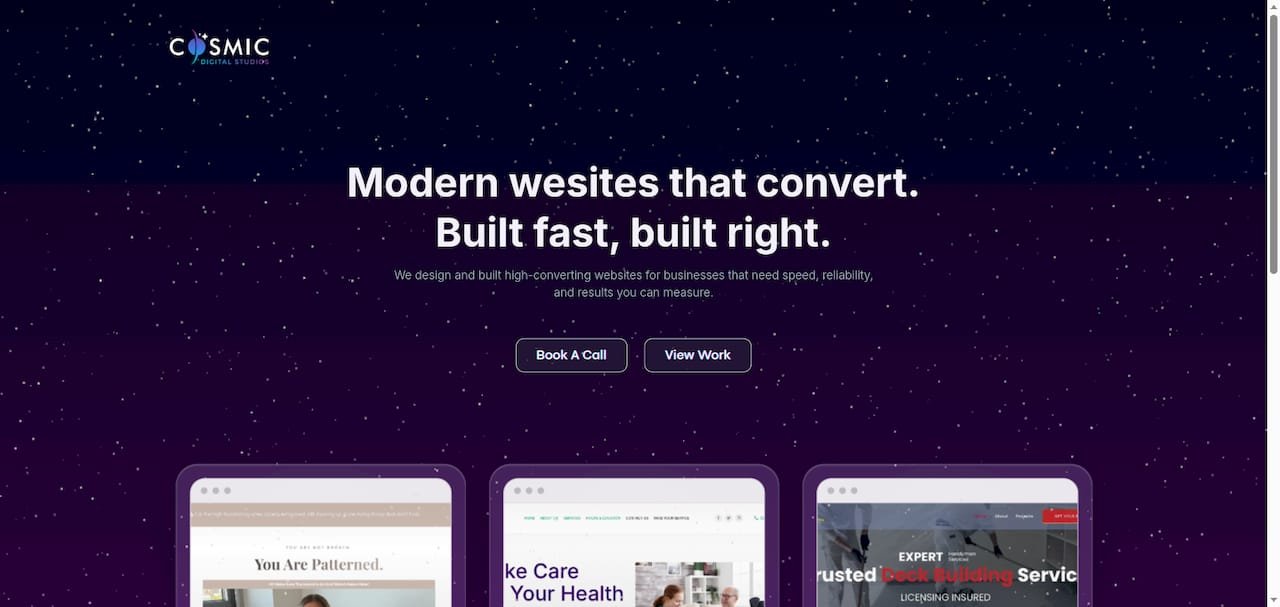
When a prospect calls from your LSA and then visits your site to verify you are legitimate, what they find either closes the deal or loses it. Cosmicdigitalstudios designs pages built around that exact moment: clear proof points, a visible Google badge, a single booking CTA, and messaging that matches what the searcher was looking for. The result is a higher booking rate from the same lead volume, which lowers your effective cost per job without touching your LSA budget.
If you are ready to turn your LSA leads into a consistent pipeline, see how Cosmicdigitalstudios builds for local service businesses or review the Google Ads landing page approach the team uses for paid traffic.
Sources
The official Google documentation below covers every stage of the LSA process, from initial signup through lead disputes and verification. Use these pages as your primary reference for policy details, since Google updates its help content regularly.
- Getting started with Local Services Ads – United States – Local Services Help
- How to grow your business with Local Services Ads – Google Ads
- Local Services Ads – Developers